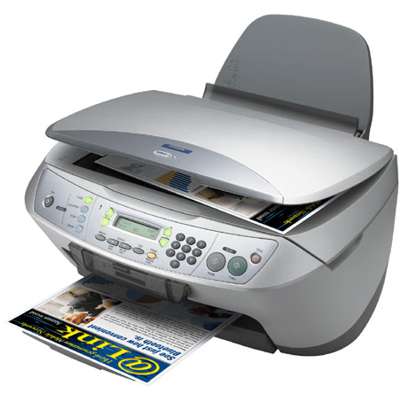
| The Epson Stylus CX6600 (also known as Epson CX6600, part of the Epson Stylus CX Series, device code C11C578001) is a versatile all-in-one inkjet designed for everyday home and small office printing. It’s valued for solid photo and document quality, but like every inkjet, it performs best when paired with the right ink for Epson Stylus CX6600 and when the printhead is kept in good condition. In this category we bring together everything you need: compatible and Original OEM cartridges, plus practical refill components such as cleaning fluids. Ink for Epson Stylus CX6600 – what matters for quality and reliability Choosing the right ink for printer Epson Stylus CX6600 directly affects colour accuracy, sharpness of text, drying time, and the stability of prints over time. The CX6600 uses separate colour cartridges, which is convenient: you replace only the colour that runs out. Whether you print school materials, invoices, colour handouts or photos, matching the correct cartridge series ensures hassle-free operation and consistent results. Our selection focuses on the popular set of cartridges used in this model: black, cyan, magenta and yellow. If you often print mixed content, a multipack is an easy way to keep all colours ready—no interruptions mid-project, no last-minute shopping. Compatible and Original OEM cartridges – one printer, two smart choices Many customers ask whether it’s better to choose Original OEM ink for Epson CX6600 or a high-quality compatible alternative. With us, both options are safe and practical—so you can pick what fits your budget and printing habits. - Original OEM cartridges are manufactured to Epson’s specifications. They are a great choice if you want the manufacturer’s solution for predictable performance and consistent colour management.
- Compatible cartridges from DrTusz.pl are designed to match the printer’s requirements just as well in everyday use. They are a cost-effective way to lower printing costs without sacrificing print quality—ideal for frequent printing and home-office workloads.
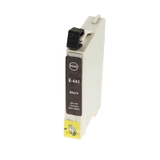
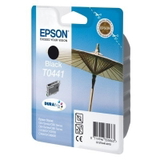
Whichever route you choose, the key is to select the correct cartridge designation for ink for Epson Stylus CX6600 and install it properly to avoid errors and unnecessary cleaning cycles. Popular products in this category – proven picks for Epson CX6600 To help you choose quickly, we’ve included best-selling and most practical options for the CX6600. Here are a few standouts: - Original OEM Ink Cartridge Epson T0441 (C13T04414010) (Black) – dependable black for crisp text and clear documents.
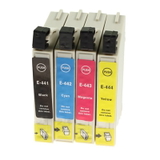
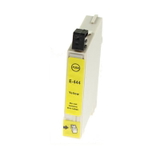
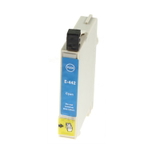
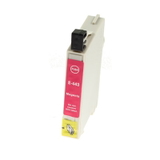
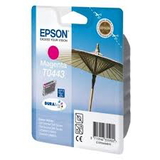
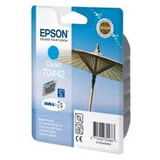
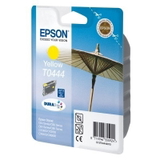
- Original OEM Ink Cartridge Epson T0442 (C13T04424010) (Cyan), T0443 (C13T04434010) (Magenta), T0444 (C13T04444010) (Yellow) – the full OEM colour set for consistent photo and colour output.
- Compatible Ink Cartridge T0441/T0442/T0443/T0444 – economical colour-by-colour replacement when you want to reduce cost per page while keeping strong print quality.
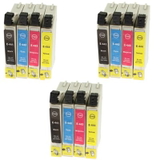
- Compatible Ink Cartridges T0445 for Epson (C13T043140BA) (multi pack) and 3x Compatible Ink Cartridges T0445 – convenient multipacks for users who print regularly and want to stock up.
- Specialistic Fluid for Cleaning Heads Epson 250 ml (Universal) – a practical support product when prints begin to show missing lines or faded colours.
This wide range makes it easy to tailor your purchase: single cartridges for occasional printing, multipacks for high-volume users, and cleaning support for maintenance. How to choose ink for printer Epson Stylus CX6600 – practical tips and common issues When selecting ink for Epson Stylus CX6600, start with your printing style: - If you print occasionally (and the printer sometimes sits unused), consider keeping a cleaning fluid on hand and printing a small test page every week or two.
- If you print frequently, compatible multipacks can significantly reduce running costs and help avoid downtime.
- If you focus on photos and colour-critical prints, you may prefer Original OEM sets for maximum consistency—though many customers successfully use our compatible cartridges for everyday photo printing as well.
Typical CX6600 user challenges include: - Nozzle clogging / missing lines – often caused by infrequent use. Run the printer’s cleaning cycle and, if needed, use cleaning fluid to support head maintenance.
- Faded colours after cartridge replacement – perform a nozzle check, confirm protective seals were removed, and ensure each cartridge clicks firmly into place.
- “Cartridge not recognized” messages – remove and reinstall the cartridge, check for proper seating, and make sure you selected the correct code (T0441–T0445 family).
If you’re unsure which option is best, we’re happy to help you match the right ink for Epson CX6600 to your needs—without overpaying and without compromise on quality. Order ink and cleaning supplies for Epson Stylus CX6600 with confidence We encourage you to explore the full selection of compatible and Original OEM ink cartridges for the Epson Stylus CX6600 and choose the setup that suits your printing routine. Add a multipack to keep all colours ready, or include Specialistic Fluid for Cleaning Heads to keep your printer in top condition. CTA: Choose your ink for Epson Stylus CX6600 today, place your order, and if you need guidance—contact us. We’ll help you select the best cartridge option and arrange fast, convenient delivery so you can get back to printing without delays. |