Haven't found what you were looking for? Click here! ▼
Describe below exactly what you are looking for and we will see how we can help. You will receive a reply to your e-mail address by 09:15 on thursday (15 October 2026) at the latest
Ink cartridges for Epson L310 - compatible and original OEM
Keep your Epson L310 running at peak performance with the right supplies for everyday printing and vivid color output. In this category you’ll find Ink cartridges for Epson L310 in both Compatible and Original OEM options—ideal for home, school, or office use across the Epson L Series (C11CE57401 / L310).
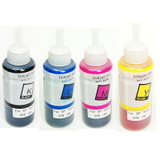
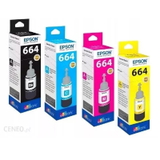
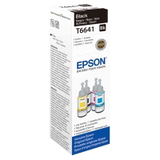
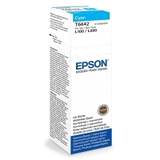
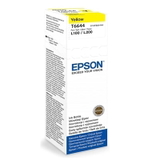
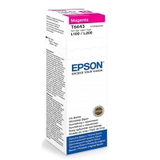
Choose from individual colors and multipacks: Black T6641, Cyan T6642, Magenta T6643, Yellow T6644, and the color T6646 multipack—available as Compatible or Original OEM cartridges to match your budget and expectations. All items are selected for dependable compatibility with the Epson L310, delivering consistent print quality, clean text, and accurate colors.
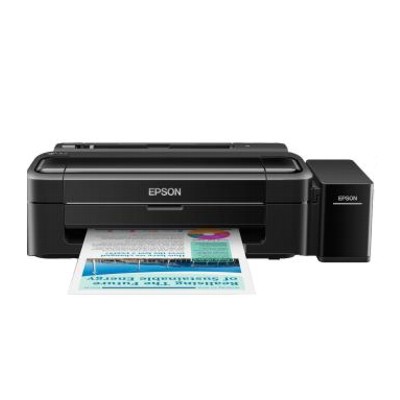
Need more than ink? You can also pick up the Printer Epson L310, refill-related components, and a specialistic fluid for cleaning heads (250 ml) to help prevent clogs and keep prints sharp over time. Stock up today—browse the full range of Epson L310 ink cartridges and find the best fit for your printing needs.
Product Number: C11CE57401 Other names: Printer Epson L310
Epson L310 – a reliable EcoTank printer for everyday printing
If you use the Epson L310 (also searched as C11CE57401 or simply Epson L Series), you already know why it’s so popular: it’s an economical, compact inkjet printer designed for frequent printing at home and in small offices. The built-in tank system makes it ideal for high-volume documents, school materials, and everyday color prints—provided you choose the right ink for Epson L310 and keep the print system in great condition.
Ink for Epson L310 – what matters most in daily use
When choosing ink for printer Epson L310, we recommend focusing on consistent color reproduction, clean black text, and predictable performance over time. The L310 works with the Epson T664 ink series, which is designed for tank refilling and cost-efficient printing. With the right ink, you get sharp documents, smooth graphics, and reliable operation even when printing frequently.
In this category we offer everything you need for the L310 ecosystem:
Ink Cartridges / refill inks in Black, Cyan, Magenta, Yellow (T6641–T6644) and practical multipacks
Color options for full CMYK printing consistency
Fluids for Cleaning to support the printhead and help prevent common quality issues
Devices Inkjet—including the Printer Epson L310 itself
Compatible vs Original OEM – choose the option that fits your needs
Many customers ask us whether it’s better to choose Original OEM ink for Epson L310 or a compatible alternative. The answer depends on what you value most: brand-original supplies, or a more budget-friendly solution without compromising print quality.
Original OEM (Epson): great for customers who prefer manufacturer-branded supplies and want to stick strictly to the original ink formula.
Compatible ink for Epson L310: a cost-effective option that still delivers excellent results. Our compatible products from DrTusz.pl are selected to perform just as well as originals in everyday printing—clean blacks, vivid colors, and dependable performance.
Whichever you choose, the key is matching the correct symbol: for this model it’s T6641 (Black), T6642 (Cyan), T6643 (Magenta), T6644 (Yellow), as well as the convenient T6646 multipack.
Popular inks and essentials for Epson L310 in our offer
We make it easy to find the right ink for Epson L310 by offering both compatible and Original OEM options, plus maintenance products that help keep your printer in top shape. Customers most often choose:
Compatible Ink Cartridge T6646 for Epson (C13T66464A) (multi pack) – a practical set for regular color printing and balanced replenishment
Compatible Ink Cartridge T6641 for Epson (C13T66414) (Black) – ideal for heavy document printing
Original OEM Ink Cartridges Epson T6646 (C13T66464A) (multi pack) – OEM convenience when you want the full original set
Original OEM Ink Cartridge Epson T6641 (C13T66414) (Black) – the classic choice for crisp text and office documents
Compatible Ink Cartridge T6642 / T6643 / T6644 – Cyan, Magenta, Yellow for consistent color output
Original OEM Ink Cartridge Epson T6642 / T6643 / T6644 – OEM color inks for users who prefer Epson-labelled supplies
Specialistic Fluid for Cleaning Heads Epson 250 ml (Uniwersalny) – helpful when prints show missing lines or uneven color
Printer Epson L310 – for those who want the proven L-series device itself
Thanks to this range, you can restock a single color, choose a multipack, or complete everything needed for printing and maintenance in one order.
Helpful tips: how to choose ink and solve common Epson L310 issues
To avoid mismatches, always check the printer model (Epson L310) and ink code (T6641–T6644, C13T66414 etc.). If you print a lot of text, Black (T6641) will usually run out first—many users keep an extra bottle on hand.
Common user issues with the Epson L310 are usually maintenance-related rather than ink-related. Here’s what we recommend:
Faint print / missing lines – run a nozzle check and cleaning cycle; if the issue persists, consider using a cleaning fluid for printhead maintenance.
Colors look off – make sure each color tank is filled with the correct ink (C/M/Y) and perform printhead alignment.
Printer not used for a while – dried nozzles can happen; a cleaning routine and proper maintenance fluid can restore normal output.
High printing volume – multipacks like T6646 are a convenient way to keep all colors ready and minimize downtime.
If you’re deciding between compatible and Original OEM, consider your printing habits. For everyday documents, school materials, and office printouts, our compatible ink for printer Epson L310 is an excellent choice and delivers results comparable to OEM. For brand consistency or specific internal policies, the Original OEM ink for Epson L310 is always available as well.
Order ink for Epson L310 and print with confidence
We encourage you to explore our full selection of ink for Epson L310—compatible and Original OEM—along with the Printer Epson L310 and practical fluids for cleaning to keep your device running smoothly. If you’re unsure which product to choose, contact us—we’ll help you match the right T664 ink to your exact needs and printing style. Add your inks to the cart today and enjoy fast, convenient delivery and expert support from our team.