Haven't found what you were looking for? Click here! ▼
Describe below exactly what you are looking for and we will see how we can help. You will receive a reply to your e-mail address by 09:15 on monday (5 October 2026) at the latest
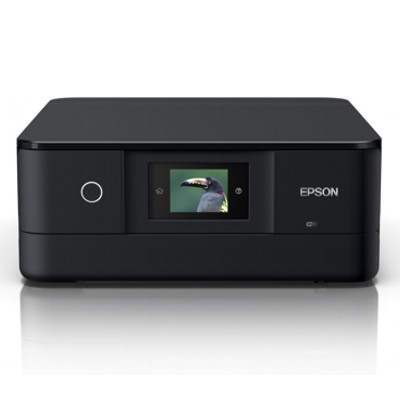
Ink cartridges for Epson Expression Photo XP-8505 - compatible and original OEM
Keep your Epson Expression Photo XP-8505 printing at its best with the right inkjet cartridges for rich photos and crisp everyday documents. In this category you’ll find both Original OEM Epson 378/378XL inks and compatible 378XL alternatives—made to fit the Epson Expression Photo Series and deliver reliable performance in your XP-8505.
Choose from a full range of colors, including Black, Cyan, Magenta, Yellow, and photo shades like Light Cyan and Light Magenta, plus convenient multi packs for balanced replacement. Whether you prefer the consistency of original Epson 378 cartridges or the value-focused option of compatible 378XL cartridges, each product is selected for strong compatibility with Epson XP-8505 printers and dependable print quality.
Need maintenance support? You’ll also find specialist fluids for cleaning to help keep print heads clear and results sharp over time. Pick your Epson 378/378XL inks today and get back to vibrant, smooth printing—explore the full selection and choose the best match for your next project.
Other names: Printer Epson Expression Photo XP-8505, Printer Epson Expression Photo XP 8505, Printer Epson Expression Photo XP8505
Epson Expression Photo XP-8505 – a compact photo lab for home and creative work
The Epson Expression Photo XP-8505 is a versatile all‑in‑one printer designed for people who expect more than everyday documents. It’s well known for beautiful photo prints, vivid colours and smooth gradients, while still handling home office tasks. To keep this quality consistent, choosing the right ink for Epson Expression Photo XP-8505 matters just as much as paper settings or photo files.
Ink for Epson XP-8505: what makes these cartridges special?
The XP‑8505 works with the Epson 378 / 378XL ink family, built for detailed colour reproduction and crisp text. Whether you print photos, school materials, invitations or creative projects, the right ink for Epson XP-8505 helps you maintain strong blacks, accurate skin tones and clean highlights.
In this category you’ll find both standard and high‑capacity cartridges, so you can match your printing style:
Standard capacity (378) – great for occasional printing and colour balancing.
High capacity (378XL) – ideal when you print more often and want fewer replacements.
Compatible and Original OEM cartridges – a wide, safe choice
We offer Original OEM Epson cartridges and carefully selected compatible alternatives for the XP 8505 / XP8505. Our goal is simple: give you reliable printing, consistent colour and good value, whether you prefer OEM solutions or want to reduce running costs.
Many customers ask if a compatible cartridge can really match the OEM experience. In our offer, the answer is yes: our compatible cartridges are designed to deliver print quality comparable to originals, with stable performance and excellent everyday reliability—so you can choose based on your budget and printing volume, not on worries.
Popular products in this category (Epson 378 / 378XL)
To make choosing easier, here are some of the most frequently selected items for ink for printer Epson Expression Photo XP-8505:
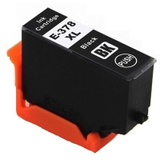
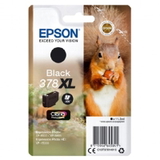
Compatible Ink Cartridge 378 XL for Epson (378XL) (Black) – strong blacks for text and contrast in photos.
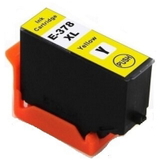
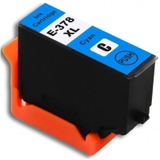
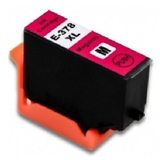
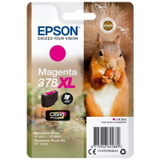
Compatible Ink Cartridge 378 XL for Epson (378XL) (Cyan / Magenta / Yellow) – vivid colour set for everyday and photo printing.
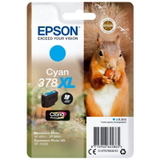
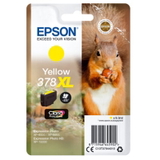
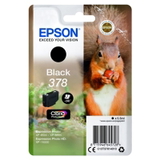
Original OEM Ink Cartridge Epson 378 XL (378XL) (Black / Cyan / Magenta / Yellow) – the classic OEM choice for consistent results.
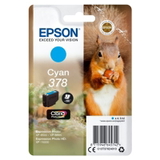
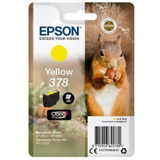
Original OEM Ink Cartridge Epson 378 (378) (Black, Cyan, Magenta, Yellow) – standard capacity for balanced, occasional printing.
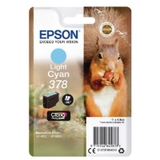
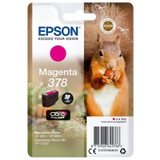
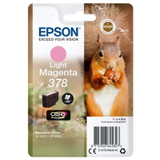
Original OEM Ink Cartridge Epson 378 (378) (Light cyan / Light magenta) – essential for smooth transitions in photos and realistic tones.
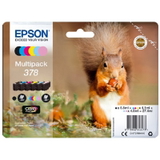
Original OEM Ink Cartridges Epson 378 (378) (multi pack) – convenient option if you want to stock up in one go.
Specialistic Fluid for Cleaning Heads Epson 250 ml (Universal) – helpful when print quality drops due to dried ink or clogged nozzles.
How to choose the right ink for XP-8505 (and avoid common issues)
When selecting ink for Epson Expression Photo Series devices like the XP‑8505, start with two simple questions: how much you print and what you print most (photos vs. documents). Then consider these practical tips:
Choose 378XL if you print often – fewer cartridge swaps and more comfort.
Don’t forget Light Cyan and Light Magenta if you care about photo quality – they’re key for natural gradients.
Mixing OEM and compatible? It’s usually fine, but for the most predictable colour management we recommend staying consistent within a set (especially for photo projects).
Printhead clogs and streaks – a typical issue when the printer sits unused. If you notice missing lines, faded colours or banding, run a nozzle check/cleaning cycle. If the problem persists, use our cleaning fluid to support maintenance.
“Ink not recognized” messages – can happen after quick cartridge swaps. Reseating the cartridge and restarting the printer often resolves it; if you need help, we’ll guide you.
Original OEM cartridges are the manufacturer’s solution, while compatible cartridges are a cost‑effective alternative. With our compatible range, you get quality comparable to original ink, plus a better price-to-performance ratio—perfect if you print frequently and want to keep costs under control.
Order ink for Epson Expression Photo XP-8505 with confidence
We encourage you to explore our full selection of ink cartridges for Epson Expression Photo XP-8505—compatible, Original OEM, and helpful maintenance products like fluids for cleaning. If you tell us what you print (photos, school, office, creative projects) and how often, we’ll help you choose the best cartridge set for your needs.
CTA: Add your chosen ink for Epson XP-8505 to the cart now, or contact us for quick support—we’re here to make sure your XP‑8505 prints exactly the way it should, from the first page to the last.