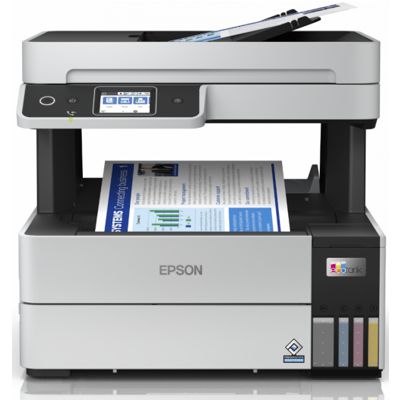
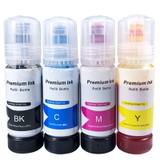
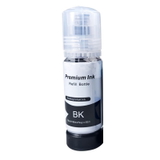
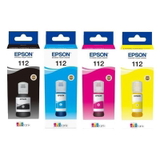
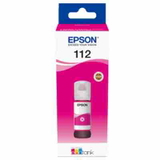
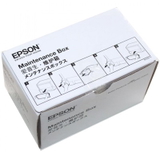
Epson EcoTank L6490 (C11CJ88403) – a workhorse for home and office printing Dear Customer, the Epson EcoTank L6490 (also searched as Epson L6490 or Epson EcoTank Series) is a reliable all-in-one inkjet designed for fast document workflows, low running costs and consistent color output. It’s a great fit for home offices and small businesses that print frequently and expect clean text, sharp graphics and predictable performance. To keep your device running at its best, choosing the right ink for Epson EcoTank L6490 and the right service consumables is essential—this is exactly what our category offers. Ink for printer Epson EcoTank L6490 – what matters in everyday use The L6490 works with the Epson 112 ink series, which provides a balanced set of colors for office documents and color materials. Whether you print invoices, shipping labels, reports or marketing handouts, the right ink for Epson L6490 helps you maintain: - Clear black text for contracts and correspondence
- Consistent color reproduction for charts, logos and presentations
- Reliable page-to-page output without surprises during busy weeks
- Smooth device operation by using dedicated maintenance items such as a waste ink tank and cleaning fluid
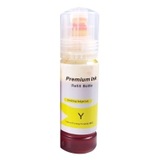
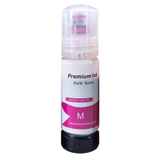
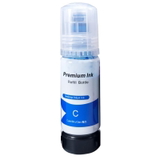
In this category you’ll find everything needed for daily printing and maintenance: Ink Cartridges (Black/Cyan/Magenta/Yellow), Color multipacks (CMYK), Waste Ink Tanks, and Fluids for Cleaning. We focus on practical availability—so you can quickly match the right consumable to your Epson EcoTank L6490. Compatible and Original OEM – one place, a wide choice We know customers want flexibility. That’s why we offer both Original OEM and Compatible options, plus useful refill components and maintenance supplies. If you’re looking for the safest “same-as-factory” choice, OEM is ideal. If you want excellent value without compromising print quality, our compatible solutions are a smart pick—our compatible cartridges from DrTusz.pl are designed to be as good as the originals in everyday printing. Popular products in this category include: - Original OEM Ink Cartridges Epson 112 CMYK (C13T06C64A) (multi pack) – convenient full color set for consistent printing
- Compatible Ink Cartridges 112 CMYK for Epson (DT-AE-112/K) (multi pack) – great value for frequent printing in offices and home offices
- Original OEM Ink Cartridge Epson 112 Black (C13T06C14A) and Compatible Ink Cartridge 112 Black – best for heavy text printing
- Original OEM Epson 112 Cyan/Magenta/Yellow (C13T06C24A / C13T06C34A / C13T06C44A) and their Compatible counterparts – for color documents and graphics
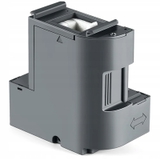
- Original OEM Waste Ink Tank Epson T04D1 (C13T04D100) and Compatible Waste Ink Tank T04D1 – essential maintenance item that keeps the printer ready for work
- Specialistic Fluid for Cleaning Heads Epson 250 ml – helpful when you need to restore smooth ink flow and prevent quality drops
- All-In-One Printer Epson EcoTank L6490 – if you’re equipping an office or replacing a device, you can also choose the printer itself
How to choose the right ink and maintenance items for Epson L6490 When selecting ink for printer Epson EcoTank L6490, start with your printing profile: - Mostly text and invoices: choose a strong focus on Black 112 (OEM or compatible) and keep colors as needed.
- Regular color printing: a CMYK multipack is the easiest way to stay stocked and keep color balanced.
- Cost control: our compatible ink for Epson L6490 is an excellent alternative—high print quality, strong reliability and a very attractive price per page.
Many users of the Epson EcoTank Series encounter a few common situations during long-term use: fading or streaks after a longer break in printing, uneven color on charts, or messages related to maintenance. That’s why we recommend thinking beyond ink alone. The Waste Ink Tank T04D1 (C13T04D100) is a key consumable—when it reaches its limit, the printer may require replacement to continue working. And if print quality drops, a dedicated cleaning fluid for print heads can help restore results and reduce downtime. Original OEM vs Compatible for Epson EcoTank L6490 – what’s the difference? Original OEM ink for Epson EcoTank L6490 is the manufacturer’s solution—ideal when you want maximum predictability and prefer Epson-labeled consumables. Compatible ink for Epson L6490 is made to match the same cartridge specification (Epson 112 series) and is a great option when you want to print more while spending less. In our offer, compatible cartridges are carefully selected so you can expect excellent everyday performance, sharp text and stable color—without paying extra just for the logo. Order ink for Epson EcoTank L6490 with confidence We encourage you to explore the full range in this category using phrases like Epson EcoTank L6490, C11CJ88403, or simply Epson 112. Choose OEM or compatible, add a CMYK multipack for convenience, and don’t forget the waste ink tank and cleaning fluid to keep your device in top condition. CTA: Add your chosen ink for Epson EcoTank L6490 to the cart and complete your set today—if you need help matching the right cartridge, color, or maintenance item, contact us and we’ll guide you quickly and accurately. We offer fast shipping options and helpful support, so you can get back to printing without delay. |