Haven't found what you were looking for? Click here! ▼
Describe below exactly what you are looking for and we will see how we can help. You will receive a reply to your e-mail address by 09:15 on monday (5 October 2026) at the latest
Ink cartridges for Epson EcoTank L3560 - compatible and original OEM
Keep your Epson EcoTank L3560 printing at its best with the right supplies in one place. In this category you’ll find both Compatible and Original OEM options designed for the Epson 103 series—ideal when you’re searching for Epson EcoTank L3560 ink cartridges by model names like Epson L3560, EcoTank Series, C11CK58403, or L3560.
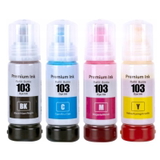
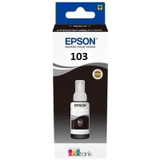
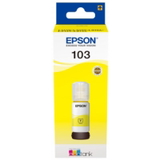
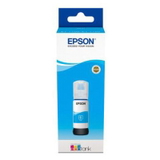
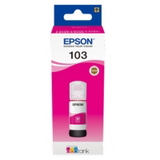
Choose from Epson 103 ink in Black (C13T00S14A) and the full color set: Cyan (C13T00S24A), Magenta (C13T00S34A), and Yellow (C13T00S44A), available as single colors or convenient multipacks—so you can replace only what you need or stock up for fewer interruptions. Our compatible cartridges are selected for reliable performance and value, while Original OEM cartridges deliver the manufacturer-standard output and consistency for your Epson 103 ink needs.
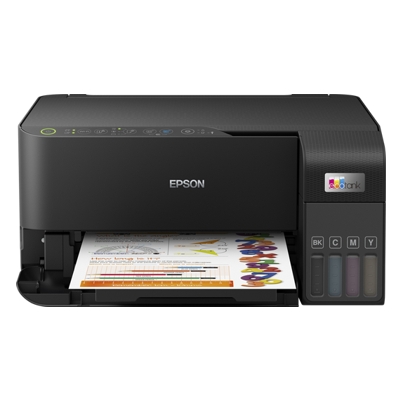
You’ll also find helpful extras, including the All-In-One Printer Epson EcoTank L3560 and a specialistic head-cleaning fluid (250 ml) to support smooth operation and clean prints over time. Pick your preferred OEM or compatible set and order now—then explore the full range to keep your EcoTank running flawlessly.
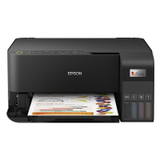
Product Number: C11CK58403 Other names: All-In-One Printer Epson EcoTank L3560
The Epson EcoTank L3560 (also found as Epson L3560, Epson EcoTank Series or code C11CK58403) is a modern all-in-one inkjet device designed for people who print often and want predictable, low running costs. Its EcoTank system uses refillable tanks instead of classic cartridges, which means excellent efficiency for home, school and small-office printing—provided you choose the right ink for Epson EcoTank L3560 and take care of the printhead.
Ink for Epson EcoTank L3560 – what to buy and why it matters
In this category you will find everything you need for safe, high-quality printing: ink cartridges (bottles) Epson 103 in black and color, reliable compatible alternatives, as well as original OEM products and fluids for cleaning. The correct choice of ink for printer Epson EcoTank L3560 affects:
Whether you print documents, homework, invoices or colorful materials, choosing the right ink for Epson L3560 is the simplest way to keep your device performing like new.
Compatible vs Original OEM – how to choose ink Epson 103 wisely
Many customers ask us what’s better: Original OEM ink Epson 103 or compatible ink 103. Original OEM inks are made by the printer manufacturer and are a safe, proven option for users who prefer sticking strictly to factory consumables.
At the same time, our carefully selected compatible ink for Epson EcoTank L3560 is an equally good choice in everyday use—offering very high quality and excellent value. If you print a lot, compatibility can be the smart way to reduce costs without sacrificing results.
Original OEM: manufacturer-standard consistency, ideal for those who prefer OEM-only workflows.
Compatible: great quality and savings; a practical alternative for frequent printing.
Both options in this category are matched to Epson 103 (C13T00S.. series), so you can buy with confidence and keep your Epson EcoTank L3560 running smoothly.
Popular products for Epson EcoTank L3560 available in our store
We keep the offer clear and complete, so you can quickly find exactly what your printer needs. Our most frequently chosen items include:
Compatible Ink Cartridges 103 for Epson (C13T00S64A) (multi pack) – a convenient full color set for regular printing.
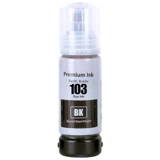
Compatible Ink Cartridge 103 for Epson (C13T00S14A) (Black) – perfect when you print mainly text.
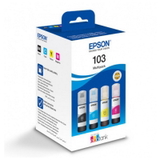
Original OEM Ink Cartridges Epson 103 (C13T00S64A) (multi pack) – the complete OEM set for consistent, manufacturer-grade output.
Original OEM Ink Cartridge Epson 103 (C13T00S14A) (Black) – classic OEM black for everyday documents.
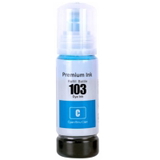
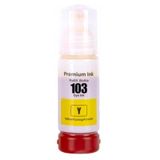
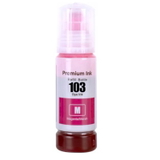
Compatible Ink Cartridge 103 in individual colors: Cyan (C13T00S24A), Magenta (C13T00S34A), Yellow (C13T00S44A) – great when one color runs out sooner.
Original OEM Ink Cartridge Epson 103: Cyan, Magenta, Yellow – OEM color refills matched to your EcoTank system.
Specialistic Fluid for Cleaning Heads Epson 250 ml (Uniwersalny) – helpful when prints show missing lines or faded colors.
All-In-One Printer Epson EcoTank L3560 – if you’re equipping a new workstation or replacing an older device.
Thanks to the mix of Original OEM, Compatible, and refill/maintenance components, you can build the exact setup that fits your printing style and budget.
Practical tips: refilling, color balance, and common print issues
EcoTank printers are efficient, but users sometimes encounter typical issues that are easy to solve with the right products and habits. If your ink for Epson EcoTank L3560 is running low, we recommend topping up in time—printing “on empty” can increase the risk of air in the system and weak color output.
Common situations and what to do:
Faded prints or missing lines – run a cleaning cycle and consider using fluid for cleaning if the problem persists.
One color disappears faster – choose a single-color refill (Cyan/Magenta/Yellow) instead of a full pack.
Streaks after long downtime – print a small color test page regularly and keep your inks fresh.
And the most important rule: always select the correct code for ink Epson 103 for Epson L3560 (for example C13T00S14A black or C13T00S24A/34A/44A for color). That’s the easiest way to avoid mismatches and keep printing uninterrupted.
Choose your ink for Epson L3560 and start printing with confidence
We encourage you to explore our selection of ink for printer Epson EcoTank L3560—both compatible and original OEM—plus maintenance products like cleaning fluid and even the Epson EcoTank L3560 all-in-one printer itself. If you’re not sure which option will work best for your needs, contact us—together we’ll choose the most cost-effective and reliable solution. Add your Epson 103 inks to the cart and enjoy fast, convenient delivery and expert support from a store that focuses on printing every day.