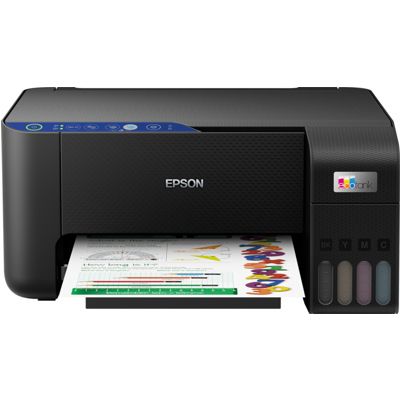
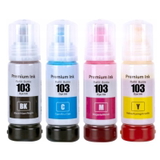
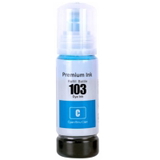
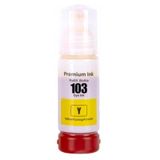
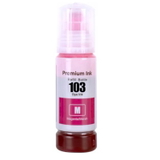
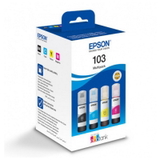
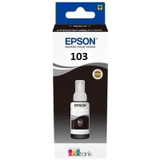
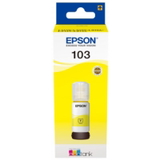
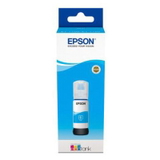
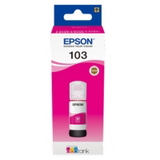
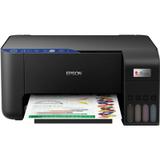
| The Epson EcoTank L3251 (also searched as Epson L3251, Epson EcoTank Series, C11CJ67406) is a popular all-in-one inkjet printer designed for everyday home and small-office printing. It’s valued for low running costs, convenient refilling and reliable color output—perfect for school materials, documents, forms and colorful graphics. In this category, we’ve gathered everything you need for safe, efficient printing: ink for Epson EcoTank L3251 in original OEM and compatible versions, plus helpful refill and maintenance solutions. Ink for Epson EcoTank L3251 – what matters most in daily use To keep your printer working smoothly, choosing the right ink for Epson EcoTank L3251 is crucial. The L3251 uses the Epson 103 ink family (bottle refills), available in black and color (cyan, magenta, yellow). Good-quality ink affects not only color vibrancy and sharp text, but also printhead condition and long-term reliability—especially if you print regularly or handle mixed workloads (documents + photos + school projects). In our offer you’ll find: - Ink Cartridges / ink bottles for Epson 103 series (black and CMY)
- Color inks for clean gradients and accurate tones
- Fluids for Cleaning to support printhead maintenance and solve common print-quality issues
Original OEM vs compatible – choose what fits your needs Many customers ask whether it’s better to choose Original OEM ink for Epson EcoTank L3251 or a compatible alternative. Original Epson ink is the manufacturer’s solution—great for users who want to stick to factory supplies and keep everything within the OEM ecosystem. At the same time, our compatible ink for Epson L3251 is designed to deliver results that are just as good as original. We focus on proven formulations, consistent color, and trouble-free use—so you can print confidently while optimizing costs. If you print a lot (homework, invoices, learning materials, shipping labels), compatible options can be the smartest daily choice. Popular products for Epson 103 – black, color and multipacks To make shopping easier, we highlight the most frequently chosen items for ink for Epson EcoTank L3251. Whether you prefer Original OEM or Compatible, you can quickly pick a single color or a convenient set. - Compatible Ink Cartridges 103 for Epson (C13T00S64A) (multi pack) – a practical set for frequent color printing and balanced refilling.
- Compatible Ink Cartridge 103 for Epson (C13T00S14A) (Black) – ideal for sharp text and everyday documents.
- Compatible Ink Cartridge 103 for Epson (C13T00S24A) (Cyan), (C13T00S34A) (Magenta), (C13T00S44A) (Yellow) – perfect when only one color runs out.
- Original OEM Ink Cartridges Epson 103 (C13T00S64A) (multi pack) – OEM convenience for users who want the full factory set.
- Original OEM Ink Cartridge Epson 103 (C13T00S14A) (Black) and OEM color bottles (Cyan C13T00S24A, Magenta C13T00S34A, Yellow C13T00S44A) – classic OEM refilling, color by color.
All-in-one printing: Epson EcoTank L3251 device in the same place If you’re completing your setup or replacing a device, you’ll also find the All-In-One Printer Epson EcoTank L3251 in this category. Thanks to this, you can select the printer and the matching ink for Epson EcoTank L3251 in one order—convenient, fast, and without compatibility guesswork. Common Epson L3251 issues and how to fix them with the right supplies EcoTank printers are efficient, but like any inkjet, they benefit from proper maintenance—especially if the printer is used irregularly. The most common issues reported by users include: - Faded prints or missing colors – often caused by clogged nozzles or infrequent printing.
- Streaks/banding – can appear when the printhead needs cleaning or when one color is running low.
- Uneven color after a longer break – typical for inkjet printers that sit unused.
For these situations we recommend maintenance support such as Specialistic Fluid for Cleaning Heads Epson 250 ml (Uniwersalny). A good cleaning fluid helps restore proper ink flow and improve print quality, especially when standard cleaning cycles are not enough. Combine it with the right ink for Epson L3251 to keep your prints consistent and your printer ready to work. How to choose the right ink for printer Epson EcoTank L3251 When selecting ink for printer Epson EcoTank L3251, keep three simple rules in mind: - Match the code: choose Epson 103 series (e.g., C13T00S14A for black, C13T00S24A cyan, C13T00S34A magenta, C13T00S44A yellow, or C13T00S64A multipack).
- Pick OEM or Compatible based on your printing volume and preferences—our compatible inks print as well as the originals and are a great option for everyday savings.
- Think ahead: if you print a lot in color, a multipack is often the most convenient way to avoid downtime.
Order today – we’re here to help you print better We encourage you to explore our full selection of ink for Epson EcoTank L3251: compatible and Original OEM Epson 103 inks, single colors, multipacks, as well as cleaning fluid and the printer itself. If you’re unsure which product to choose for Epson L3251 or C11CJ67406, contact us—together we’ll match the right ink, the right color, and the best solution for your printing habits. CTA: Add your Epson 103 ink to the cart now, choose the version that suits you best (Compatible or Original OEM), and enjoy reliable printing with fast delivery and helpful support whenever you need it. |