Haven't found what you were looking for? Click here! ▼
Describe below exactly what you are looking for and we will see how we can help. You will receive a reply to your e-mail address by 09:15 on thursday (5 November 2026) at the latest
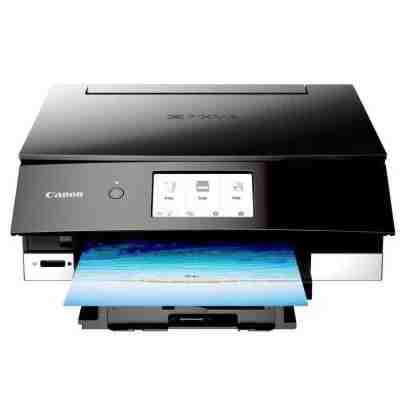
Ink cartridges for Canon Pixma TS8240 - compatible and original OEM
Find the right ink fast for your Canon Pixma TS8240 (also searched as Canon TS8240 / Canon Pixma TS / TS8240). In this category you’ll find Inkjet cartridges in both Original OEM and compatible versions, so you can choose between manufacturer-grade reliability or a cost-effective alternative—without compromising fit or performance.
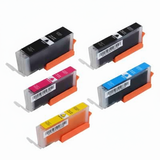
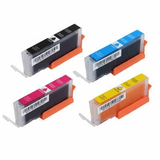
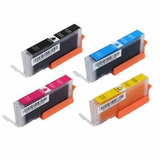
We stock the full range of PGI-580 pigment black (PGBK) and CLI-581 colour/photo inks, including standard, XL and XXL yields. Pick single colours (Cyan, Magenta, Yellow, Photo Blue, Photo Black) or save time with convenient CMYK multipacks and 4x packs. Every option is selected for strong compatibility with the Canon Pixma TS8240 and consistent print quality for documents and vibrant photos.
Need maintenance supplies? You’ll also find fluids for cleaning—including specialist head-cleaning solution—to help keep your printer running smoothly. Choose your Canon Pixma TS8240 ink cartridges today, stock up in a multipack, and print with confidence—explore the full selection and pick the best match for your needs.
Other names: All-In-One Printer Canon Pixma TS8240
Canon Pixma TS8240 – a photo-ready home office printer
Canon Pixma TS8240 (also searched as Canon TS8240 or Canon Pixma TS) is a compact, stylish inkjet printer designed for everyday documents and demanding colour printing at home. It’s popular with customers who print photos, school projects, creative materials and sharp text on plain paper. To keep this printer working at its best, you need reliable ink for Canon Pixma TS8240—both the pigment black for crisp text and the colour/photo inks for smooth gradients and accurate colours.
What ink does Canon TS8240 use and why it matters
The TS8240 works with the well-known Canon cartridge family PGI-580 (pigment black for documents) and CLI-581 (colour and photo inks). Choosing the right ink cartridge for Canon Pixma TS8240 affects not only print quality, but also drying time, colour saturation and how often you need to replace cartridges.
In this category you’ll find:
Ink cartridges in multiple capacities (standard, XL, XXL) for better cost control
Original OEM Canon ink for customers who want manufacturer cartridges
Compatible ink for Canon Pixma TS8240—our carefully selected alternatives that print just as well as originals
Refill components options for users who like to optimise running costs
Fluids for cleaning to help with clogs and printhead maintenance
Popular choices in our Canon Pixma TS8240 ink range
We keep the offer broad, so you can match the cartridge to your printing style—occasional, everyday or heavy colour/photo use. Among the most frequently chosen products are:
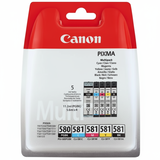
Original OEM Ink Cartridges Canon PGI-580/CLI-581 CMYK (2078C005) (multi pack) – a convenient set for balanced home printing
Compatible Ink Cartridges PGI-580/CLI-581 XXL CMYK for Canon (1970C001, 1998C005) (multi pack) – high yield for frequent printing and great value
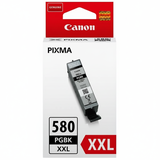
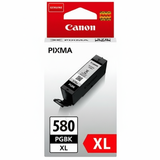
Original OEM Ink Cartridge Canon PGI-580 XXL PGBK (1970C001) (Black) – strong pigment black for crisp text and office documents
Compatible Ink Cartridge PGI-580 XXL PGBK for Canon (1970C001) (Black) – a cost-effective alternative for everyday black printing
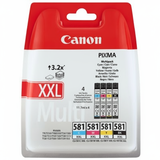
Original OEM Ink Cartridges Canon CLI-581 XXL CMYK (1998C005) (4xpack) and Compatible Ink Cartridges CLI-581 XXL CMYK for Canon (1998C005) (4xpack) – ideal when colour runs out fastest
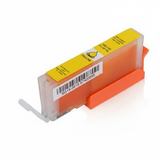
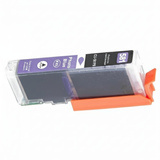
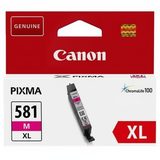
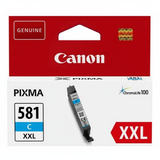
If you prefer to replace only what you need, we also offer individual colours such as Compatible Ink Cartridge CLI-581 XXL C (1995C001) (Cyan), CLI-581 XXL M (1996C001) (Magenta), CLI-581 XXL Y (1997C001) (Yellow) and photo black CLI-581 XXL BK (1998C001), as well as Original OEM equivalents (XXL/XL/standard) including photo blue CLI-581 PB.
Original OEM vs compatible ink for Canon Pixma TS8240 – how to choose
Dear Customer, the best choice depends on what you print and how often:
Choose Original OEM Canon ink if you want manufacturer cartridges and you often print important photos or keep a strict brand-only policy.
Choose compatible ink for Canon TS8240 if you want the same strong print results with better value. Our compatible cartridges from DrTusz.pl are selected to be as good as the originals—sharp text, vivid colours and stable performance.
Pick XL/XXL when you print frequently—fewer replacements, better cost per page.
Pick multipacks (CMYK/4xpack) if you want convenience and consistent colour availability.
Common TS8240 printing issues and practical fixes
Many users of Canon Pixma TS8240 report similar everyday challenges. The good news: most are easy to solve with the right supplies and a bit of maintenance.
Faded colours or missing lines – often caused by partially clogged nozzles. We recommend a cleaning cycle and, when needed, a dedicated solution like Specialistic Fluid for Cleaning Heads Canon 250 ml (Uniwersalny).
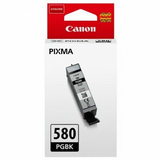
Black text looks grey – check if you’re using the pigment black PGI-580 PGBK for documents (great for sharp text on plain paper).
Frequent cartridge replacements – switch to XXL cartridges (PGI-580 XXL and CLI-581 XXL) to increase yield and reduce interruptions.
Photo colour inconsistency – ensure you have the correct photo colours (including CLI-581 BK and CLI-581 PB) and replace only the depleted colour to keep balance.
Order your ink cartridges for Canon Pixma TS8240 with confidence
We encourage you to explore our full selection of ink for Canon Pixma TS8240—Original OEM, Compatible and refill/maintenance solutions in one place. Whether you’re printing family photos, creative projects or everyday documents, we’ll help you choose the right ink cartridge for Canon TS8240 and keep your printer running smoothly.
CTA: Add the cartridges you need to your cart today, or contact us if you want help matching PGI-580/CLI-581 (standard, XL or XXL) to your printing habits. We offer fast delivery options and friendly support—so you can get back to printing without delay.