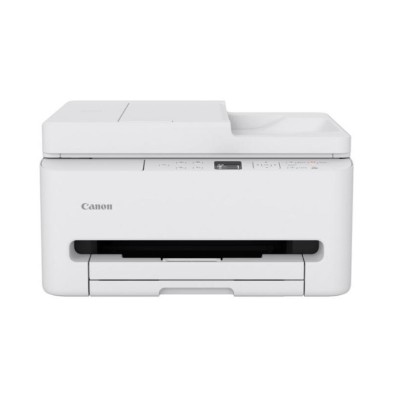
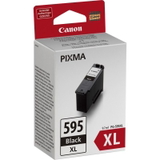
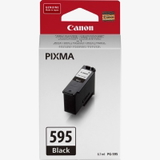
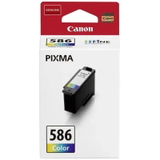
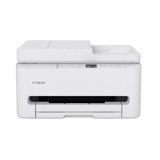
Canon Pixma TS6550i – a compact photo-and-document all‑rounder Dear Customer, the Canon Pixma TS6550i is a stylish, space-saving all-in-one inkjet designed for everyday home use: school documents, work-from-home printouts, and colourful photos. It’s known for clear text, vivid colour, and convenient wireless printing. To keep it performing at its best, you need reliable ink for Canon Pixma TS6550i—and that’s exactly what we specialise in. What makes ink for Canon TS6550i so important? Your printer’s results depend largely on the cartridge quality and the right match to the device. Our range of ink cartridges for Canon Pixma TS6550i is built around the printer’s requirements, so you can print consistently without streaks, faded colours, or frustrating cartridge errors. Whether you print occasionally or every day, choosing the correct color ink cartridge for TS6550i helps maintain sharp graphics, smooth gradients, and natural-looking photos. The Canon Pixma TS series is popular for mixed printing, so many customers look for a balanced setup: a dependable black cartridge for crisp text plus a colour cartridge for charts, pictures, and creative projects. Original OEM cartridges and efficient XL options In this category we focus on Original OEM ink cartridges and practical high-yield versions, so you can pick the solution that matches your printing volume. If you value manufacturer-certified performance, OEM is the safest choice—especially for photo printing and colour accuracy. - Original OEM Ink Cartridge Canon PG-595 (7171C001) (Black) – dependable black ink for everyday documents and sharp text.
- Original OEM Ink Cartridge Canon PG-595 XL (7170C001) (Black) – higher yield for frequent printing and fewer replacements.
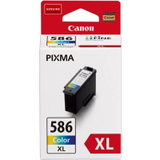
- Original OEM Ink Cartridge Canon CL-586 (6227C001) (Color) – rich colour for graphics, photos, and school projects.
- Original OEM Ink Cartridge Canon CL-586 XL (6226C001) (Color) – more pages and better convenience for busy households.
When you search using phrases like Canon Pixma TS6550i, Canon TS6550i, TS6550i, or device identifiers such as 7179C006, you’ll land in the right place for matching supplies. Need the device too? We also offer the Canon Pixma TS6550i printer Besides cartridges, this category also includes the All-In-One Printer Canon Pixma TS6550i. If you’re upgrading, replacing an older unit from the Canon Pixma TS family, or setting up a complete home printing station, you can order the device and the correct ink for Canon Pixma TS6550i in one go—simple, compatible, and ready for daily use. How to choose the right cartridge (and avoid common problems) We encourage you to choose ink based on your real printing needs: - For frequent printing: choose XL versions (PG-595 XL / CL-586 XL) to reduce cost per page and replacement frequency.
- For occasional printing: standard cartridges (PG-595 / CL-586) are a practical option—just remember to print a small colour page from time to time to keep nozzles fresh.
- For text-heavy documents: prioritise the black cartridge (PG-595)—it’s the workhorse for invoices, homework, and office pages.
- For photos and colour graphics: pick the colour cartridge (CL-586) and consider XL if you print lots of images.
Typical user issues with inkjet printers like the TS6550i include: cartridges running out faster than expected (often due to frequent cleaning cycles), colour prints looking uneven (usually after long breaks between prints), or the printer not recognising a cartridge (most commonly caused by protective tape not fully removed or contacts needing a gentle wipe). If anything feels unclear, we’re here to help you select the correct ink cartridge for Canon TS6550i and get back to printing quickly. Original vs compatible cartridges – what you should know In general, Original OEM ink is made to Canon’s specifications and is ideal if you want maximum predictability and manufacturer-grade colour reproduction. Many customers also consider compatible alternatives for everyday printing. In our store, compatible cartridges from the DrTusz.pl offer are as good as the originals—carefully selected for reliability, strong colour, and smooth performance. If you’re comparing options, we can advise you based on your print habits, expected yield, and the type of documents you produce. Order ink for Canon Pixma TS6550i with confidence We encourage you to explore our selection of ink cartridges for Canon Pixma TS6550i—from standard to XL, black and colour, plus the matching all-in-one printer. Add the right cartridge to your basket and enjoy efficient printing without guesswork. If you need help choosing between PG-595, PG-595 XL, CL-586 or CL-586 XL, contact us—our team will recommend the best ink for TS6550i for your needs. We offer fast delivery options and friendly support, so you can print again as soon as possible. CTA: Check the available Canon TS6550i cartridges now, choose your preferred OEM or compatible option, and place your order today—or message us for quick, expert guidance. |