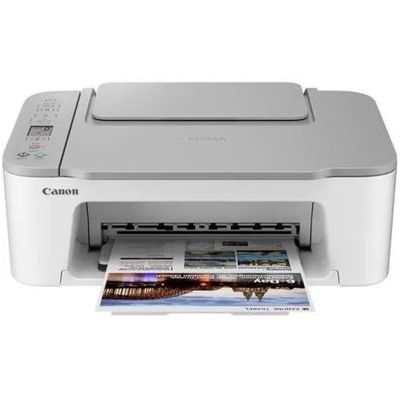
| Looking for reliable ink cartridges for Canon Pixma TS3451? This compact all-in-one from the Canon Pixma TS series (also searched as Canon TS3451, 4463C026 or simply TS3451) is a popular choice for home printing: documents for work and school, occasional photos, and everyday color graphics. To keep it working smoothly and to maintain crisp results, it’s worth choosing cartridges that match this model perfectly—either Original OEM or high-quality compatible options. Canon Pixma TS3451 printing: what the right color ink changes The Canon Pixma TS3451 uses two-cartridge printing: one black and one color. That’s why choosing the correct ink for Canon Pixma TS3451 is essential for both quality and cost control. A fresh black cartridge improves sharp text, while a strong color cartridge keeps blues, reds and greens clean and consistent—great for charts, school projects, invitations and simple photo prints. In our category you’ll find color ink cartridges and multipacks designed specifically for this printer, including standard and XL versions. XL cartridges are especially practical when you print often, because they reduce how frequently you need to replace ink. Original OEM or compatible ink for Canon TS3451—choose what suits you We offer both Original OEM ink cartridges and carefully selected compatible ink cartridges for Canon Pixma TS3451. What’s the difference? - Original OEM cartridges are produced by Canon and designed to deliver predictable results from the first page to the last.
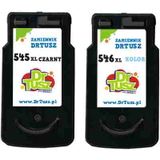
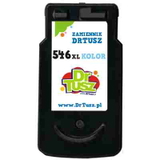
- Compatible cartridges from our DrTusz.pl offer are a smart alternative: they are as good as the originals in everyday use, giving you clear prints, stable color and great value.
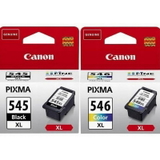
If you print frequently or want to lower the cost per page, a compatible XL cartridge or a multipack is often the most economical route. If you prefer to stay strictly with the manufacturer’s solution, choose Original OEM—either standard capacity or XL. Popular cartridges and sets for Canon Pixma TS3451 available in this category To make shopping easier, we’ve gathered the most commonly chosen options for ink for printer Canon Pixma TS3451—from single cartridges to convenient bundles: - Original OEM Ink Cartridges Canon PG-545 XL + CL-546 XL (8286B006) (multi pack) – a high-yield set for frequent black & color printing.
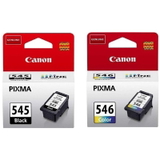
- Original OEM Ink Cartridges Canon PG-545 + CL-546 (8287B005) (multi pack) – a standard-capacity bundle for everyday home use.
- Compatible Ink Cartridges PG-545 XL + CL-546 XL for Canon (8286B006) (multi pack) – excellent value with XL capacity.
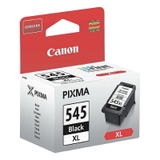
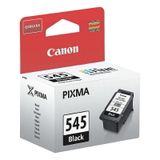
- Original OEM Ink Cartridge Canon PG-545 XL (8286B001) (Black) and Original OEM Ink Cartridge Canon PG-545 (8287B001) (Black) – for sharp text and clean monochrome prints.
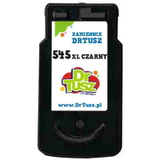
- Compatible Ink Cartridge PG-545 XL for Canon (8286B001) (Black) – a cost-effective black option for high-volume printing.
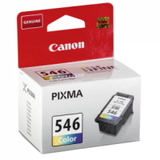
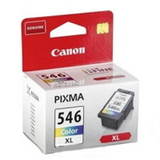
- Original OEM Ink Cartridge Canon CL-546 (8289B001) (Color) and Original OEM Ink Cartridge Canon CL-546 XL (8288B001) (Color) – for vivid color output.
- Compatible Ink Cartridge CL-546 XL for Canon (8288B001) (Color) – strong, stable color at a great price.
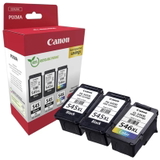
- Original OEM Ink Cartridges Canon 2 x PG-545 XL + CL-546 XL (8286B013) (multi pack) – a larger set that helps you stay stocked longer.
- All-In-One Printer Canon Pixma TS3451 – if you’re equipping a home office or need an extra device, you can also choose the printer itself here.
How to pick the best ink cartridge for Canon Pixma TS3451 Dear Customer, when choosing ink for Canon TS3451, we recommend focusing on three simple points: - Capacity: standard cartridges are great for occasional printing; XL versions are better for frequent use.
- Buying style: a multipack is usually the easiest way to ensure both black and color ink are ready when you need them.
- Print type: for lots of text, prioritize a black XL; for school materials, graphics and photos, don’t underestimate the color cartridge.
Common user issues with the Canon Pixma TS3451 are often ink-related: faded color, streaks, or the printer warning about low ink at the worst moment. In most cases, the fix is straightforward—replace the cartridge, run a cleaning cycle in the printer settings, and make sure you’re using the correct model (PG-545 / CL-546, including XL variants). If you’re unsure which version is right for your printing habits, we’ll help you choose the best option. Order ink for Canon Pixma TS3451 with confidence We encourage you to explore our full selection of ink cartridges for Canon Pixma TS3451—Original OEM and compatible options, single cartridges and multipacks, plus the Canon Pixma TS3451 all-in-one device. Choose the solution that fits your budget and printing needs, then place your order and enjoy fast, convenient delivery. If you have any questions about PG-545/CL-546 compatibility, XL yield, or which set is best for your home, contact us—we’re here to help you print without interruptions. CTA: Add the right Canon Pixma TS3451 ink cartridge to your cart today, or ask us for a quick recommendation—we’ll guide you to the best match. |