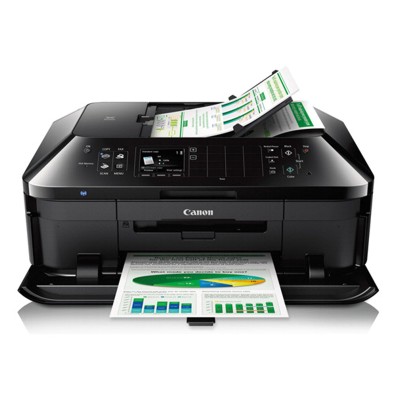
Canon Pixma MX922 (MX900 Series) – a reliable home & office all‑rounder The Canon Pixma MX922 (also searched as Canon MX922 or Canon MX900 Series) is a popular multifunction inkjet printer designed for everyday printing, copying, scanning, and faxing. It’s valued for sharp text, vivid color output, and convenient features that make it a strong choice for both home users and small offices. To keep this printer performing at its best, it’s worth choosing the right ink cartridges for Canon Pixma MX922—matched to your printing habits and quality expectations. Ink for Canon MX922: what you can expect from the right cartridge Well‑selected ink for Canon Pixma MX922 gives you consistent results—clear documents, deep blacks, and stable performance from the first page to the last. In this category, we focus on ink cartridges built for the MX922 platform, ensuring proper fit, correct recognition, and dependable day‑to‑day use. When you choose a cartridge tailored to this model, you can count on: - Crisp black text for invoices, schoolwork, and office documents
- Stable, repeatable print quality for mixed document/photo printing
- Fewer interruptions thanks to higher-capacity options (XL/XXL)
- Cleaner operation and smoother workflow with well‑matched consumables
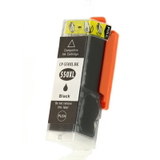
Compatible and Original OEM ink cartridges – one printer, two smart paths In our selection you’ll find both Original OEM cartridges and carefully selected compatible ink cartridges. Original OEM is the manufacturer’s solution, designed by Canon for the MX922. Compatible cartridges are a cost‑effective alternative—and the ones we offer at DrTusz.pl are designed to be just as good as the originals in everyday use: reliable, high quality, and a great fit for users who print often and want to control costs. Whether you print occasionally or in larger volumes, choosing between Original OEM ink for Canon MX922 and a compatible ink cartridge for Canon Pixma MX922 is simply about priorities: brand‑original consistency versus maximum savings at comparable performance. Popular ink cartridges for Canon Pixma MX922 available in this category We keep this category focused on the most in-demand black ink options for the MX922, including standard and high‑yield versions—so you can match the cartridge to your monthly print volume. - Compatible Ink Cartridge PGI-550 BK XL for Canon (6431B001) (Black) – a great choice when you want more pages and fewer replacements.
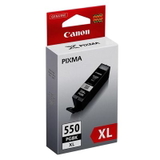
- Original OEM Ink Cartridge Canon PGI-550 BK XL (6431B001) (Black) – Canon’s high‑yield OEM option for users who prefer original supplies.
- Compatible Ink Cartridge PGI-550 BK for Canon (6496B001) (Black) – a budget-friendly everyday cartridge for regular text printing.
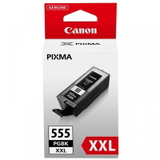
- Original OEM Ink Cartridge Canon PGI-555 BK XXL (8049B001) (Black) – maximum capacity for frequent printing and busy home offices.
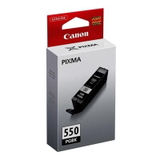
- Original OEM Ink Cartridge Canon PGI-550 BK (6496B001) (Black) – standard yield OEM cartridge for predictable, consistent output.
- Compatible Ink Cartridge PGI-555 BK XXL for Canon (8049B001) (Black) – high-capacity compatible option for heavy users who want strong value.
If you’re unsure which one fits your needs, we encourage you to compare standard, XL, and XXL capacities—often the easiest way to reduce cost per page is simply choosing a higher-yield cartridge. How to choose the best ink cartridge for Canon Pixma MX922 To pick the right ink for printer Canon Pixma MX922, we recommend focusing on three practical factors: - Capacity (standard vs XL vs XXL) – If you print a lot, XL/XXL usually means fewer changes and better value per page.
- Original OEM vs compatible – OEM is the “manufacturer standard”; compatible is the smart savings option, and our compatible cartridges are designed to deliver results comparable to OEM.
- Your printing profile – Mostly documents? Prioritize deep black and capacity. Mixed use? Consider keeping a spare cartridge to avoid downtime.
Common Canon MX922 printing issues—and simple ways to avoid them Even the best printer can occasionally show warnings or quality changes. With the MX922, users most often report issues like faint prints, missing lines, or “cartridge not recognized” messages—often caused by an empty cartridge, protective tape not fully removed, or contacts that need a quick clean. For smoother printing, we suggest: - Choosing the right capacity so the cartridge doesn’t run out mid‑job
- Installing cartridges carefully and checking that all protective elements are removed
- Running the printer’s built‑in cleaning/nozzle check when prints look faded
- Keeping a spare ink cartridge for Canon MX922 on hand if you print for work or school
Order ink for Canon Pixma MX922 with confidence We make it easy to buy the right ink for Canon Pixma MX922—whether you prefer Original OEM cartridges or our proven compatible ink cartridges. Explore the products in this category, choose the capacity that fits your routine, and enjoy reliable printing without overpaying. Call to action: We encourage you to browse our full selection of ink cartridges for Canon Pixma MX922 (MX900 Series) and place your order today. If you have any questions about compatibility, XL/XXL yield, or choosing between OEM and compatible options, contact us—our team will help you pick the best cartridge quickly. We also offer fast delivery options so you can get back to printing as soon as possible. |