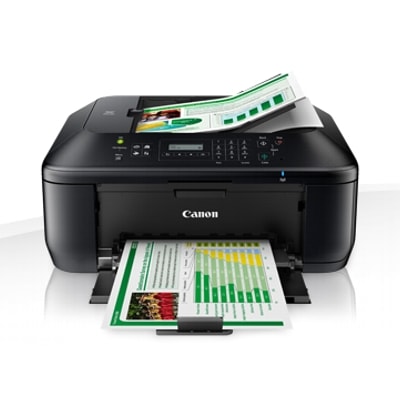
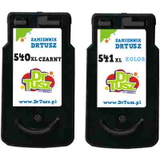
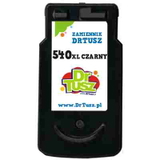
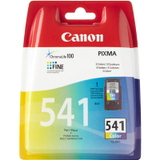
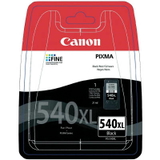
Canon PIXMA MX475 – a compact home office that deserves good ink Canon PIXMA MX475 (also searched as Canon MX475 or Canon MX400 Series, code 8749B00) is a popular all‑in‑one inkjet built for everyday printing, scanning, copying and faxing. It’s a great fit for home offices and families: it handles documents reliably, prints color graphics for school and work, and keeps operation simple. To get the best out of it, you need the right ink for Canon Pixma MX475—matched to the printer’s cartridge system and your real printing habits. Ink for Canon MX475: what matters in daily printing This model uses two cartridges: a black cartridge for crisp text and a tri‑color cartridge for photos and color documents. Choosing the right ink for printer Canon Pixma MX475 affects not only print quality, but also how often you replace cartridges and how much you spend per page. With the right set, your MX475 can deliver: - Sharp black text for invoices, forms and office documents
- Vivid color for charts, presentations and school materials
- Reliable performance with correct recognition and stable ink flow
- Better cost control thanks to XL options and multi packs
In our category you’ll find both Original OEM and Compatible ink cartridges—so you can choose exactly the balance of price, efficiency and brand preference you expect. Compatible and Original OEM cartridges – one printer, two smart routes Many customers ask us whether to choose OEM or compatible ink for Canon MX475. Here’s the practical difference: - Original OEM ink cartridges are made by Canon and are ideal if you want the manufacturer’s solution and predictable results across all kinds of documents.
- Compatible ink cartridges are a cost‑effective alternative. The compatible cartridges we offer at DrTusz.pl are designed to match the printer’s requirements and deliver print quality as good as the originals—especially for everyday office printing and home use.
Whichever route you choose, remember to match the correct symbols: PG‑540 / PG‑540L / PG‑540XL for black and CL‑541 / CL‑541XL for color. If you print a lot, XL versions are usually the most economical way to lower the cost per page. Popular ink cartridges for Canon Pixma MX475 in our offer We keep this category broad so you can buy exactly what you need—one cartridge, a color refill, or a convenient set. Customers often choose: - Original OEM Ink Cartridges Canon PG-540 + CL-541 (5225B006) (multi pack) – a classic OEM set for everyday printing
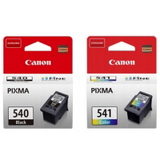
- Original OEM Ink Cartridges Canon PG-540 L + CL-541 XL (5224B007) (multi pack) – a smart OEM combo with extended capacity
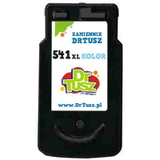
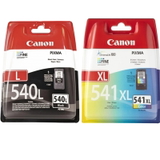
- Compatible Ink Cartridges PG-540 XL + CL-541 XL for Canon (5222B013) (multi pack) – maximum efficiency in a compatible set
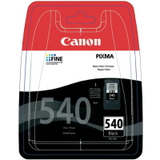
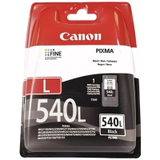
- Original OEM Ink Cartridge Canon PG-540L (5224B001) (Black) or Original OEM Ink Cartridge Canon PG-540 (5225B001) (Black) – perfect when you only need black
- Compatible Ink Cartridge PG-540 XL for Canon (5222B001) (Black) – a popular choice for frequent document printing
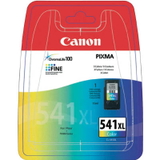
- Original OEM Ink Cartridge Canon CL-541 XL (5226B005) (Color) and Original OEM Ink Cartridge Canon CL-541 (5227B005) (Color) – for color graphics and photos
- Compatible Ink Cartridge CL-541 XL for Canon (5226B005) (Color) – great value for regular color use
- Original OEM Ink Cartridges Canon PG-540 XL + CL-541 XL (5222B013) (multi pack) – OEM high‑yield duo for heavy users
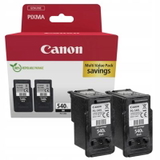
- Original OEM Ink Cartridges Canon 2 x PG-540 L + CL-541 XL (5224B017) (multi pack) or Original OEM Ink Cartridges Canon PG-540L (5224B020) (Black) (2-pack) – convenient multi‑packs for uninterrupted work
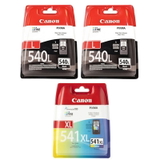
Thanks to this range, you can easily plan purchases: stock up for a busy month, reduce shipping frequency, or keep a spare cartridge at hand for urgent printing. How to choose the right ink for Canon Pixma MX475 (and avoid common issues) To pick the best ink for Canon Pixma MX475, we recommend thinking about your typical workload: - Mainly documents? Choose an XL black cartridge (PG‑540XL) or a multi pack that includes extra black.
- School and color graphics? Consider CL‑541XL for fewer replacements and more consistent color.
- Occasional printing? Standard capacity can be enough—just print a small page in color from time to time to keep nozzles in good condition.
Typical user problems with the MX475 are usually easy to solve. If your printer shows “cartridge not recognized”, it’s often due to protective tape not fully removed, contacts needing a gentle wipe, or the cartridge not seated firmly. If prints look faded or lines appear, a quick printhead cleaning from the printer menu and using fresh ink for Canon MX475 usually restores quality. We’re here to help you choose the right product and get your printer working smoothly. Choose your cartridges and print with confidence We encourage you to explore our selection of compatible and Original OEM ink cartridges for Canon PIXMA MX475 and pick the option that best fits your budget and printing style. Add a set to your cart, choose an XL version for better efficiency, or grab a multi pack to stay prepared. If you’re unsure which cartridge is right for your printer, contact us—we’ll help you match the correct PG/CL version quickly. Order today and enjoy fast, convenient delivery and dependable support from a store that truly knows printing. |