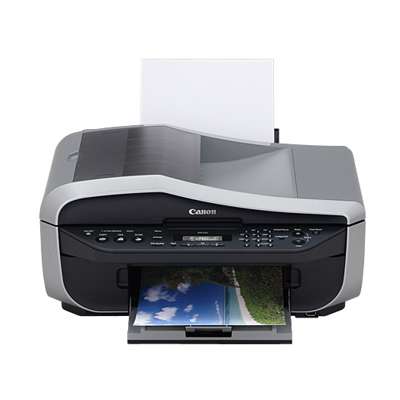
Canon Pixma MX310 – a reliable all-in-one for everyday printing If you use the Canon Pixma MX310 (also searched as Canon MX310 or Canon MX300 Series), you already know why this device has remained popular for so long: it’s a practical home and small-office multifunction printer built for printing, copying and scanning everyday documents. To keep it working smoothly, you simply need the right ink for Canon Pixma MX310—and in this category we gather both Original OEM and compatible ink cartridges dedicated to this model (including references such as 2184B002 and MX310). Ink for Canon Pixma MX310 – what you can expect Choosing the correct ink cartridge for Canon MX310 directly affects print quality, colour consistency and the comfort of daily use. The Pixma MX310 uses separate black and colour cartridges, which makes it easy to match the set to your needs: crisp black text for documents, plus a colour cartridge for charts, school materials and photos. Our cartridges are designed to deliver: - Sharp black text for invoices, forms and office documents
- Clear, balanced colour for presentations and everyday graphics
- Stable performance with consistent output from first to last page
- Easy installation and full compatibility with the Canon Pixma MX310 family
Whether you print occasionally or every day, you’ll find the right ink for Canon Pixma MX310 here—original cartridges for those who prefer OEM solutions and high-quality compatible cartridges for customers who want excellent results at a better cost per page. Compatible and Original OEM cartridges – a wide choice in one place We make it simple to compare options and pick exactly what your printer needs. This category includes popular OEM models and their compatible counterparts, so you can choose based on budget, printing volume and preferences. Among the most frequently chosen products, you’ll find: - Original OEM Ink Cartridges Canon PG-40 + CL-41 (0615B036, 0615B043) (multi pack) – a convenient set for black and colour printing
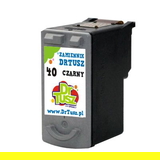
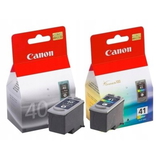
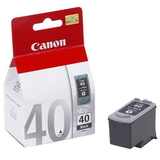
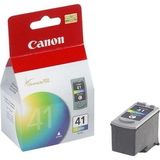
- Original OEM Ink Cartridge Canon PG-40 (0615B001) (Black) and Compatible Ink Cartridge PG-40 for Canon (0615B001) (Black) – a popular choice for crisp text
- Original OEM Ink Cartridge Canon CL-41 (0617B001) (Color) and Compatible Ink Cartridge CL-41 for Canon (0617B001) (Color) – for everyday colour prints
- Original OEM Ink Cartridge Canon PG-37 (2145B001) (Black) and Compatible Ink Cartridge PG-37 for Canon (2145B001) (Black) – a proven option for MX300 Series users
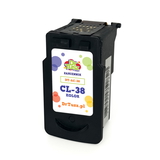
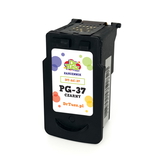
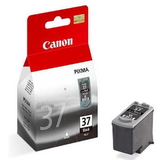
- Original OEM Ink Cartridge Canon CL-38 (2146B001) (Color) and Compatible Ink Cartridge CL-38 for Canon (2146B001) (Color)
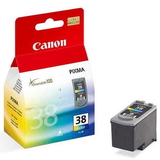
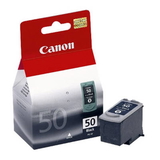
- Original OEM Ink Cartridge Canon PG-50 (0616B001) (Black) and Compatible Ink Cartridge PG-50 for Canon (0616B001) (Black) – for users who want an alternative black cartridge option
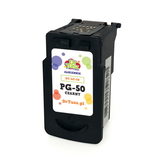
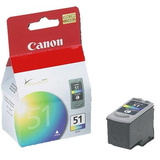
- Original OEM Ink Cartridge Canon CL-51 (0618B001) (Color) and Compatible Ink Cartridge CL-51 for Canon (0618B001) (Color)
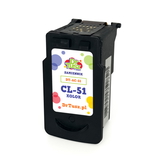
Thanks to this variety, you can build the ideal setup—single black replacement, colour cartridge only, or a multi pack for uninterrupted printing. How to choose the right ink cartridge for Canon MX310 When selecting ink for Canon MX310, start with two things: what you print most often and which cartridge code your printer currently uses. If you mainly print documents, a black cartridge such as PG-series will be your priority. If you print school materials, graphics or occasional photos, add a colour cartridge (CL-series). Many customers also ask about the difference between Original OEM and compatible ink cartridges: - Original OEM cartridges are made by Canon and are a great choice if you prefer manufacturer-branded supplies.
- Compatible cartridges from DrTusz.pl are designed to be fully suitable for your printer and provide print quality that is just as good as originals—while offering a more attractive price per print.
Common issues reported by Canon Pixma MX310 users are usually easy to solve with the right approach: - Printer doesn’t recognize the cartridge – re-seat the cartridge, ensure protective tape is removed, and confirm you picked the correct PG/CL model.
- Faded prints or missing lines – run the printer’s cleaning/nozzle check and replace a cartridge that’s near empty.
- Colours look off – check if you’re using the correct colour cartridge version (CL-38/CL-41/CL-51) and consider an alignment procedure.
If you’re unsure which ink cartridge for Canon Pixma MX310 is best for you, we’re here to help—tell us what you print and which cartridge code you have, and we’ll recommend the most suitable option. Choose your ink for Canon Pixma MX310 and print with confidence We encourage you to explore our selection of ink cartridges for Canon Pixma MX310—both compatible and Original OEM. Pick a single replacement or a multi pack and enjoy reliable printing for home, school or office tasks. Add your chosen cartridges to the cart today, and if you have any questions about compatibility (Canon MX310 / MX300 Series / 2184B002), contact us—we’ll be happy to guide you and help you place the right order quickly and safely. |