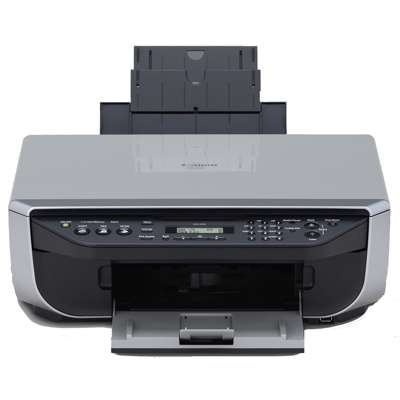
Canon Pixma MX300 – a reliable all‑in‑one for home and small office If you use the Canon Pixma MX300 (also searched as Canon MX300 or Canon MX300 Series), you already know why this model is still popular: it’s a practical multifunction device designed for everyday printing, scanning and copying. The key to keeping it fast, clean and cost‑effective is choosing the right ink cartridge for Canon Pixma MX300—and keeping a spare set ready when print volume suddenly increases. What matters most in ink for Canon MX300 Series Good ink for Canon Pixma MX300 should deliver crisp black text, natural colors and reliable page feeding without smudges or streaks. This printer typically uses separate black and color cartridges, so you can replace only what you need. Whether you print invoices, school materials, forms, photos for internal use or everyday documents, the right ink cartridge for Canon MX300 helps you keep consistent quality from the first page to the last. In this category you’ll find both Original OEM cartridges and high‑quality compatible ink cartridges—so you can choose the option that best fits your priorities: maximum brand consistency or the best cost per page. Compatible and Original OEM ink cartridges – choose your perfect match We offer two trusted paths for your ink for printer Canon Pixma MX300: - Original OEM ink cartridge – made by Canon, designed for predictable performance and excellent compatibility with the printer’s operating logic.
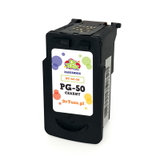
- Compatible ink cartridge – a cost‑effective alternative. Our compatible cartridges from the DrTusz.pl offer are made to match the printer’s requirements and deliver results that are as good as the originals in everyday printing.
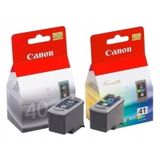
Whichever route you choose, the goal is the same: stable printing, clear text, and color that looks right on common office and home papers. Popular ink cartridges for Canon Pixma MX300 available in our store To make shopping easier, we’ve gathered the most frequently chosen cartridges for this model—both single colors and convenient sets. In this category you’ll find, among others: - Original OEM Ink Cartridges Canon PG-40 + CL-41 (0615B036, 0615B043) (multi pack) – a practical set for users who want a quick, complete replacement.
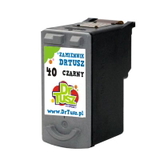
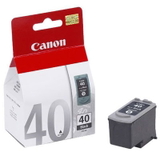
- Original OEM Ink Cartridge Canon PG-40 (0615B001) (Black) and Compatible Ink Cartridge PG-40 for Canon (0615B001) (Black) – popular black options for sharp documents.
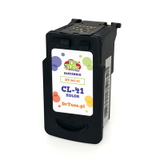
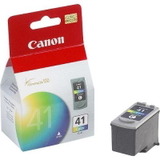
- Original OEM Ink Cartridge Canon CL-41 (0617B001) (Color) and Compatible Ink Cartridge CL-41 for Canon (0617B001) (Color) – reliable color printing for everyday graphics and charts.
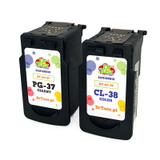
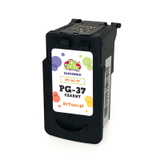
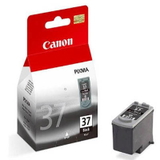
- Original OEM Ink Cartridge Canon PG-37 (2145B001) (Black) and Compatible Ink Cartridge PG-37 for Canon (2145B001) (Black) – another frequently searched black cartridge for the Canon MX300 Series.
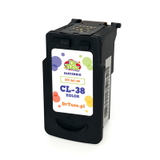
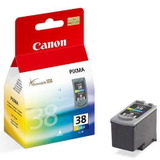
- Original OEM Ink Cartridge Canon CL-38 (2146B001) (Color) and Compatible Ink Cartridge CL-38 for Canon (2146B001) (Color) – a proven choice for color output.
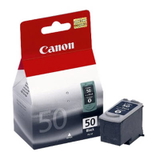
- Original OEM Ink Cartridge Canon PG-50 (0616B001) (Black) and Compatible Ink Cartridge PG-50 for Canon (0616B001) (Black) – for users looking for specific Canon-supported black variants.
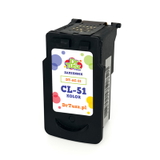
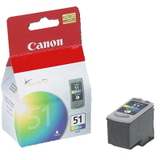
- Original OEM Ink Cartridge Canon CL-51 (0618B001) (Color) and Compatible Ink Cartridge CL-51 for Canon (0618B001) (Color) – a color option often selected for consistent results.
Thanks to this range, it’s easy to find the exact ink cartridge for Canon Pixma MX300 by code, name, or printer series phrase (for example: 2182B002 or MX300). How to choose the right ink cartridge for Canon Pixma MX300 When selecting ink for Canon MX300, we recommend checking three things: - Cartridge symbol – match the code on your current cartridge (e.g., PG-40, CL-41, PG-37, CL-38).
- Your printing style – for mostly text, focus on black cartridges; for graphics, presentations and mixed content, keep a spare color cartridge.
- Original OEM vs compatible – choose Original OEM for brand-native continuity, or choose compatible for great value. Our compatible cartridges are designed to print cleanly and reliably—without compromising your everyday results.
Common user issues with the Canon Pixma MX300 often include faded black text, missing lines, or color shifts after long breaks in printing. In most cases, replacing an old cartridge, running a nozzle check/cleaning cycle, and using fresh, well-matched ink for printer Canon Pixma MX300 solves the problem quickly. If you print occasionally, we also suggest printing a small test page from time to time to keep the system in good shape. Order ink for Canon Pixma MX300 with confidence We encourage you to explore our selection of compatible and Original OEM ink cartridges for Canon Pixma MX300 and choose the best option for your needs and budget. If you’re not sure whether you need PG or CL, a multi pack, or which code matches your device, contact us—we’ll help you pick the correct ink cartridge for Canon MX300 Series so you can get back to printing without hassle. CTA: Browse the products in this category, choose your preferred Original OEM or compatible cartridge, and place your order today—fast purchase, clear selection, and helpful support are always part of our service. |