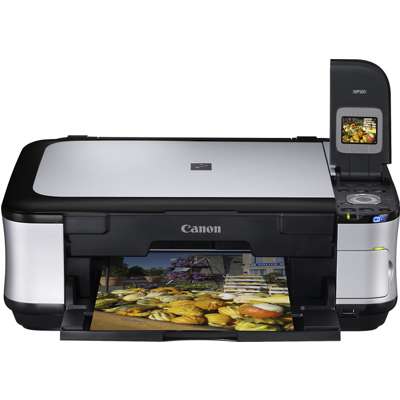
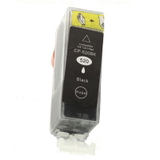
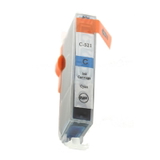
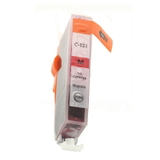
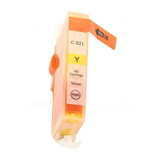
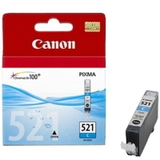
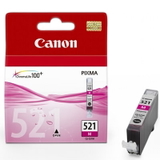
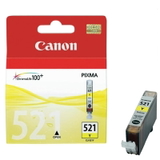
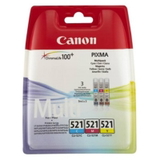
| Looking for reliable ink cartridges for Canon Pixma MP560? The Canon Pixma MP560 (also known as Canon MP560 and part of the Canon MP500 Series) is a popular all-in-one inkjet printer designed for everyday home and small-office printing. It’s appreciated for sharp text, vivid colour photos, and convenient copying and scanning. To keep this model performing at its best, it’s crucial to choose the right ink for Canon Pixma MP560—matched to the correct cartridge codes such as PGI-520 and CLI-521 (you may also see identifiers like 3747B002 in searches). What ink does the Canon Pixma MP560 use and why it matters The MP560 works with a smart, multi-cartridge system: a dedicated black for text documents (PGI-520 BK) and separate colour cartridges for photo and colour printing (CLI-521 series: cyan, magenta, yellow, and also photo/black depending on your set). This setup is practical—when one colour runs out, you replace only that cartridge, not the entire set. With the right ink for Canon MP560, you get: - clear, dense black text for invoices, schoolwork and everyday documents,
- smooth colour transitions and vivid tones for photos and graphics,
- consistent results page after page—important for both home and office use,
- lower waste thanks to separate cartridges.
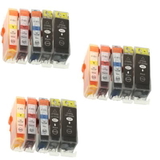
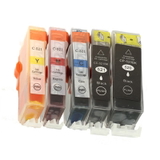
Whether you print occasionally or regularly, selecting a well-matched ink cartridge for Canon Pixma MP560 helps prevent issues like faded colours, streaks, or unnecessary cleaning cycles. Compatible and Original OEM ink cartridges—choose what fits your needs In this category we offer both Original OEM and Compatible options, so you can decide what’s best for your printing style and budget. Original OEM cartridges are produced by Canon and are often chosen by users who prefer brand-original supplies. On the other hand, our compatible cartridges from DrTusz.pl are made to deliver the same everyday reliability and print quality you expect—at a more budget-friendly cost. When you compare original ink for Canon Pixma MP560 with a high-quality compatible alternative, the key differences usually come down to price and purchasing flexibility (single colours, multipacks, twins). Print quality and dependable performance are exactly what we focus on in our compatible range—so you don’t have to compromise to save money. Popular ink cartridges for Canon Pixma MP560 in our offer We keep this category well stocked, from single replacements to convenient sets. Here are some customer favourites: - Compatible Ink Cartridges PGI-520 BK/CLI-521 CMYK for Canon (DT-AC-521/K) (multi pack) – a practical multipack for complete coverage of everyday printing.
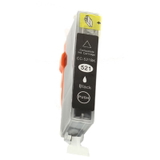
- Compatible Ink Cartridge PGI-520 BK for Canon (2932B001) (Black) – ideal if you print lots of text and want an economical replacement.
- Compatible Ink Cartridge CLI-521 C for Canon (2934B001) (Cyan), CLI-521 M (2935B001), CLI-521 Y (2936B001) – great when only one colour runs low.
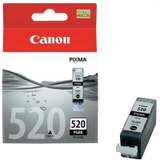
- Original OEM Ink Cartridge Canon PGI-520 BK (2932B001) (Black) – Canon original for crisp document printing.
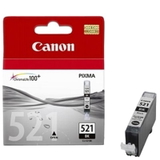
- Original OEM Ink Cartridges Canon CLI-521 CMY (2934B010) (3-pack) – convenient colour set for regular photo and colour printing.
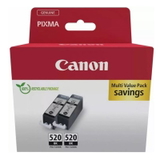
- Original OEM Ink Cartridges Canon PGI-520 BK Twin Pack (2932B019) (2-pack) – a smart choice for frequent black printing.
- 3x Compatible Ink Cartridges PGI-520 BK/CLI-521 CMYK for Canon (DT-AC-521/K/T) (multi pack) – a high-value option for heavy users who want to stock up.
Thanks to this variety, you can easily match your buying choice to how you print—occasionally, weekly, or in higher volumes. How to choose the right ink for Canon MP560 (and avoid common problems) If you’re unsure which ink cartridge for Canon MP560 to pick, we recommend checking the cartridge symbol currently installed in your printer or listed in the device settings. For the MP560 it’s most commonly PGI-520 BK for pigment black and CLI-521 colours (C/M/Y and black depending on your setup). Then decide how you print: - Mostly documents: choose PGI-520 BK (consider a twin pack if you print often).
- Photos and colour graphics: keep the CLI-521 colours topped up; multipacks are usually the easiest.
- Balanced home use: a complete multipack is the most convenient way to avoid running out mid-print.
Common user issues with the Canon Pixma MP560 often include streaks, missing colours, or the printer performing frequent head cleanings—typically when ink levels are very low or when a cartridge has been left empty for too long. Our tip: replace cartridges promptly and print a small colour page from time to time if the printer sits unused. This helps keep ink flowing properly and reduces the chance of nozzle drying. If you’re choosing compatible ink for Canon Pixma MP560, go for a trusted source. Our compatible cartridges are selected to be dependable and consistent—so you can print confidently without paying extra simply for the brand label. Order today and keep your Canon Pixma MP560 ready to print We encourage you to explore our full selection of ink cartridges for Canon Pixma MP560—both Original OEM and Compatible. If you tell us what you print most (documents, photos, school materials, office work), we’ll help you choose the best option and the most cost-effective set. Add the right ink for Canon MP560 to your basket, and enjoy a smooth ordering process, fast delivery options, and helpful customer support if you have any questions. CTA: Choose your Canon Pixma MP560 ink cartridges now—pick a single colour, a twin pack, or a full multipack and keep printing without interruptions. If you need help matching codes like 2932B001 or 2934B010, contact us and we’ll guide you. |