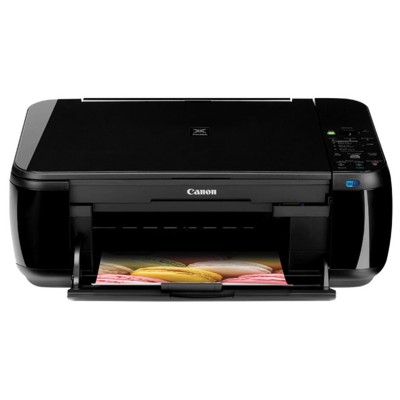
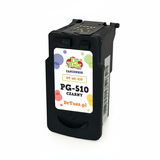
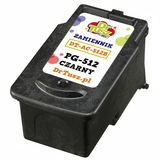
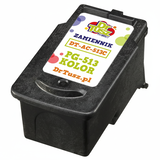
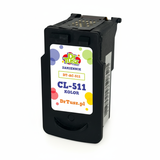
Canon Pixma MP499 – a compact all‑rounder for home and small office If you use the Canon Pixma MP499 (also searched as Canon MP499 or Canon MP400 Series), you know why it’s still popular: it’s a reliable multifunction printer for everyday printing, copying and scanning. It handles school worksheets, invoices, photos and occasional colour projects without fuss—as long as you choose the right ink for Canon Pixma MP499. In this category we’ve gathered everything you need: both Original OEM and high‑quality Compatible ink cartridges for Canon MP499. What ink cartridges does Canon Pixma MP499 use? The Canon Pixma MP499 works with two main cartridge lines: a black cartridge for sharp text and a colour cartridge for vibrant graphics. Choosing the correct ink cartridge for Canon Pixma MP499 ensures consistent quality and fewer printer alerts. Here you’ll find the most common and fully matching models, including PG-510, PG-512, CL-511 and CL-513, as well as convenient multipacks. - Black ink – ideal for documents, crisp letters and clear lines (PG series).
- Colour ink – for charts, images and everyday colour prints (CL series).
- Multipacks – a practical way to stock up and reduce downtime.
Whether you’re looking by printer name (Canon MP499) or by codes such as 0013C027AA, you’re in the right place for properly matched ink for MP499. Original OEM vs Compatible – choose what fits your printing style We offer two options so you can print the way you prefer. Original OEM ink cartridges for Canon Pixma MP499 are Canon-branded supplies designed for predictable results and easy installation. At the same time, our Compatible ink cartridges for Canon MP499 are a smart alternative for customers who print more and want to control costs—without sacrificing quality. - Original OEM – maximum compatibility, manufacturer-standard performance, great for users who prefer Canon supplies.
- Compatible – excellent value, strong print quality and reliable operation; our compatibles from DrTusz.pl are as good as the originals for everyday home and office printing.
If you print frequently (school materials, work documents, shipping labels), compatible cartridges can significantly lower your cost per page. If you print occasionally and want a “set and forget” approach, Original OEM may feel more comfortable. Either way, you’ll find the right ink cartridge for Canon MP499 here. Popular picks in this category (best coverage for everyday needs) To make shopping easier, we highlight a few top choices that cover the most common needs—black text printing, colour documents, and convenient sets: - Original OEM Ink Cartridges Canon PG-510 + CL-511 (2970B010) (multi pack) – a balanced Canon set for black text and colour printing.
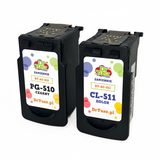
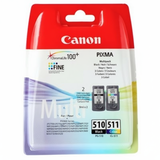
- Compatible Ink Cartridges PG-510 + CL-511 for Canon (2970B010) (multi pack) – a cost-effective multipack for frequent printing.
- Original OEM Ink Cartridge Canon PG-510 (2970B001) (Black) – a solid choice for crisp documents.
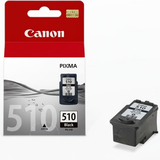
- Original OEM Ink Cartridge Canon PG-512 (2969B001) (Black) – another OEM option for sharp black output.
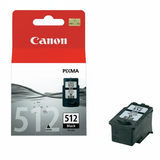
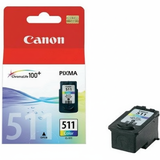
- Original OEM Ink Cartridge Canon CL-511 (2972B001) (Color) and Original OEM Ink Cartridge Canon CL-513 (2971B001) (Color) – for everyday colour prints and graphics.
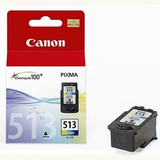
- Compatible Ink Cartridge PG-510 for Canon (2970B001) (Black) / Compatible Ink Cartridge PG-512 for Canon (2969B001) (Black) – great for high-volume black printing.
- Compatible Ink Cartridge CL-511 for Canon (2972B001) (Color) / Compatible Ink Cartridge CL-513 for Canon (2971B001) (Color) – vivid colour at a friendly cost.
- Compatible Ink Cartridges PG-512/CL-513 for Canon (DT-AC-512/K) (multi pack) – a convenient compatible set to keep your Canon Pixma MP499 ready anytime.
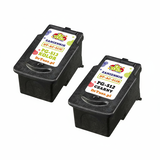
Thanks to this range, you can choose exactly the ink for printer Canon Pixma MP499 that matches your budget and printing habits—single cartridges or multipacks. How to choose the right ink for Canon Pixma MP499 (and avoid common issues) When selecting ink for Canon MP499, start with what you print most. If you mainly produce black-and-white documents, choose a strong black cartridge (PG). If you print colour charts or photos, add the matching colour cartridge (CL) or go for a multipack. Common user issues with the Canon Pixma MP499 are usually easy to prevent: - “Ink level not detected” / cartridge warning – often solved by reinstalling the cartridge carefully and making sure all protective elements are removed.
- Streaks or missing lines – run the printer’s head cleaning/nozzle check and make sure you don’t wait too long between prints.
- Washed-out colour – replace the colour cartridge (CL) and print a test page; colour printing requires all channels working properly.
- Choosing the wrong model – always match the cartridge code (e.g., PG-510, PG-512, CL-511, CL-513) to your printer; in this category everything is selected for the Canon Pixma MP499.
If you’re unsure whether PG-510 vs PG-512 (or CL-511 vs CL-513) is the best choice for your needs, we’re here to help. We’ll guide you to the right ink cartridge for Canon Pixma MP499 so you can print confidently. Order today and keep your Canon MP499 ready to print We encourage you to explore the full selection of ink cartridges for Canon Pixma MP499—Original OEM and Compatible—so you can choose the best option for your everyday printing. Order a multipack to avoid downtime, or pick individual black/colour cartridges to match your current needs. If you have any questions about which ink for Canon Pixma MP499 will work best, contact us—we’ll recommend the right cartridge quickly. We also offer fast delivery options, so you can get back to printing without unnecessary delays. Check the available cartridges and choose your perfect set now. |