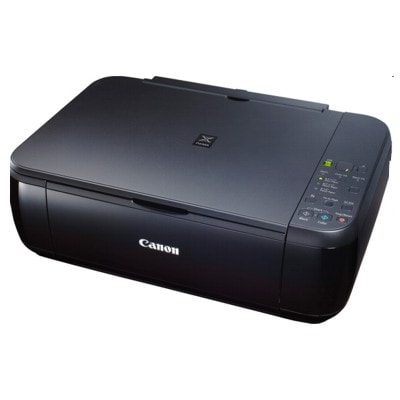
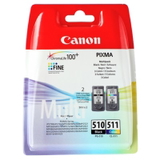
Canon Pixma MP282 – a proven home all‑in‑one Canon Pixma MP282 (also searched as Canon MP282 or Canon MP200 Series) is a popular inkjet multifunction printer designed for everyday home use. It’s valued for simple operation, good photo and document quality, and reliable copying and scanning. To keep your device performing at its best, choosing the right ink for Canon Pixma MP282 is essential—especially if you print frequently or want consistent color results. Ink cartridges for Canon MP282 – what matters in daily printing This category includes ink cartridges for Canon Pixma MP282 in both Original OEM and Compatible versions. The MP282 works with black and color cartridges, so you can easily match your purchase to your printing style—text-heavy documents, school materials, or occasional photos. When you choose the right ink for Canon MP282, you gain: - clear, sharp black text for contracts, forms, and notes,
- pleasant, balanced colors for graphics and photos,
- smooth operation and predictable performance,
- convenient replacement options: single cartridges or multipacks.
Original OEM and Compatible – one printer, two smart paths We offer both Original OEM ink cartridges made by Canon and carefully selected compatible ink cartridges that fit Canon MP282 perfectly. If you want maximum brand consistency, Original OEM is the classic choice. If you’re focused on cost-effective printing without sacrificing quality, our compatible options from DrTusz.pl are a strong alternative—reliable, efficient, and designed to deliver results comparable to originals. Popular Canon Pixma MP282 cartridges in our range To make choosing easier, here are some of the most frequently selected products in this category. Whether you prefer OEM or compatible, you’ll find a complete set of options for your ink for printer Canon Pixma MP282 needs: - Original OEM Ink Cartridges Canon PG-510 + CL-511 (2970B010) (multi pack) – a convenient OEM bundle for everyday mixed printing.
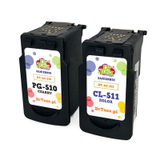
- Compatible Ink Cartridges PG-510 + CL-511 for Canon (2970B010) (multi pack) – a practical set for those who print often and want great value.
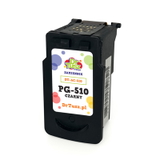
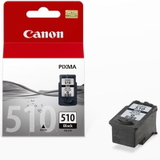
- Original OEM Ink Cartridge Canon PG-510 (2970B001) (Black) – ideal for crisp black text and office-style documents.
- Compatible Ink Cartridge PG-510 for Canon (2970B001) (Black) – a budget-friendly alternative for frequent black printing.
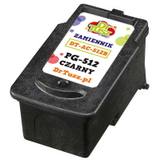
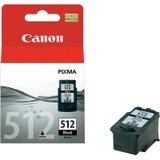
- Original OEM Ink Cartridge Canon PG-512 (2969B001) (Black) and Compatible Ink Cartridge PG-512 for Canon (2969B001) (Black) – strong choices when you want a black cartridge matched to your printing habits.
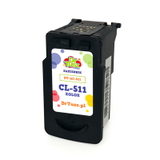
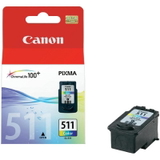
- Original OEM Ink Cartridge Canon CL-511 (2972B001) (Color) and Compatible Ink Cartridge CL-511 for Canon (2972B001) (Color) – for colorful documents and occasional photos.
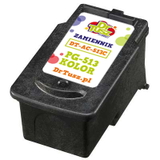
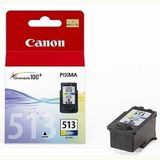
- Original OEM Ink Cartridge Canon CL-513 (2971B001) (Color) and Compatible Ink Cartridge CL-513 for Canon (2971B001) (Color) – when you need vibrant color output and consistent performance.
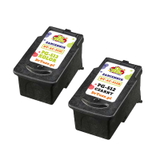
- Compatible Ink Cartridges PG-512/CL-513 for Canon (DT-AC-512/K) (multi pack) – a handy compatible bundle for balanced black + color printing.
Thanks to single cartridges and multipacks, you can stock up exactly the way you print—without overpaying or running out at the wrong moment. How to choose ink for Canon Pixma MP282 If you’re wondering which ink for Canon Pixma MP282 is best, we recommend a simple checklist: - Check the cartridge symbol: your printer may use PG-510/PG-512 (black) and CL-511/CL-513 (color) depending on your current setup.
- Match printing style: lots of text = focus on black; school projects and graphics = keep a color cartridge ready.
- Decide on OEM vs compatible: OEM for brand-original consistency; compatible for excellent value with quality comparable to OEM.
- Consider multipacks: if you print regularly, a set reduces cost per page and prevents downtime.
Common MP282 printing issues—and how the right cartridge helps Canon MP282 users most often report a few everyday challenges: faded prints, missing lines, weak colors, or the printer not printing after a longer break. In many cases, a fresh, properly selected ink cartridge for Canon MP282 solves the issue, especially if the previous cartridge was near empty or dried from infrequent use. Our practical tips: - Print a small test page periodically if you don’t use the printer often.
- Replace cartridges before they run completely dry to maintain stable quality.
- If colors look uneven, run the printer’s built-in cleaning/nozzle check—then reassess your cartridge level.
Order ink for Canon MP282 with confidence We make it easy to choose the right ink for printer Canon Pixma MP282—Original OEM or compatible—based on how you print and what matters most to you. Browse the products in this category, compare single cartridges and multipacks, and pick the option that fits your budget and expectations. CTA: We encourage you to view our full selection of Canon Pixma MP282 ink cartridges and place your order today. If you have any questions about compatibility within the Canon MP200 Series or need help choosing between PG and CL versions, contact us—our team will gladly help. We also ensure fast delivery and secure packaging, so your cartridges arrive ready to print. |