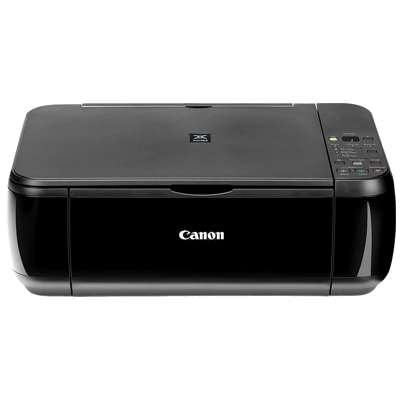
Canon Pixma MP280 – a reliable all‑rounder for home printing The Canon Pixma MP280 (also searched as Canon MP280 and Canon MP200 Series) is a popular inkjet multifunction printer designed for everyday tasks: documents for school or work, forms, emails, and occasional color prints. It’s appreciated for simple operation, compact size, and good print quality at home. To keep it performing at its best, choosing the right ink for Canon Pixma MP280 is essential—especially when you want clean text, smooth grayscale, and vivid color. Ink cartridges for Canon MP280: what you need to know This category includes ink cartridges for Canon Pixma MP280 in both Original OEM and Compatible versions. The printer uses Canon’s popular cartridge family: black and tri‑color units, available as single cartridges or convenient multipacks (often identified by codes like 2970B001, 2972B001, or 2970B010; you may also encounter identifiers such as 4498B002 when searching). With the right ink cartridge for Canon MP280, you can expect: - Sharp black text for documents and homework
- Natural color for charts, presentations, and family prints
- Consistent output from the first page to the last
- Hassle-free replacement thanks to widely available cartridge models
Original OEM vs Compatible – choose what fits your needs We offer both Original OEM ink cartridges for Canon Pixma MP280 and carefully selected compatible ink for Canon Pixma MP280. What’s the difference? - Original OEM: made by Canon, ideal if you want to stick to manufacturer supplies and prioritize brand consistency—great for important documents and users who prefer OEM from start to finish.
- Compatible: a cost-effective alternative designed to match the printer’s requirements. Our compatible cartridges from the DrTusz.pl offer are as good as the originals in everyday printing—especially for frequent home and office use where value and efficiency matter.
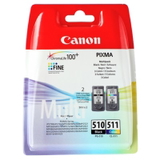
Whichever option you choose, the key is selecting the correct model (PG for black, CL for color) so your ink for Canon MP280 works smoothly and delivers the results you expect. Popular cartridges in our Canon Pixma MP280 category To make shopping easier, we’ve gathered the most commonly chosen cartridges for this printer series—both OEM and compatible. Here are some customer favorites: - Original OEM Ink Cartridges Canon PG-510 + CL-511 (2970B010) (multi pack) – a practical set for balanced black and color printing
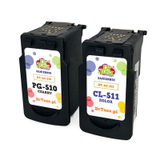
- Compatible Ink Cartridges PG-510 + CL-511 for Canon (2970B010) (multi pack) – great value for everyday printing at home
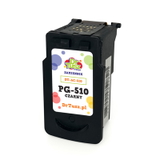
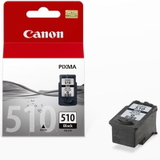
- Original OEM Ink Cartridge Canon PG-510 (2970B001) (Black) – dependable black ink for documents
- Compatible Ink Cartridge PG-510 for Canon (2970B001) (Black) – a budget-friendly option for high-frequency printing
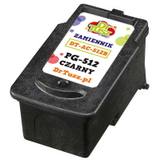
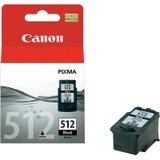
- Original OEM Ink Cartridge Canon PG-512 (2969B001) (Black) and Compatible Ink Cartridge PG-512 for Canon (2969B001) (Black) – popular choices for crisp text output
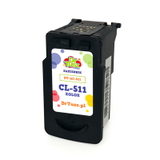
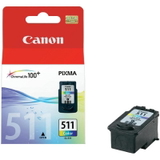
- Original OEM Ink Cartridge Canon CL-511 (2972B001) (Color) and Compatible Ink Cartridge CL-511 for Canon (2972B001) (Color) – for vivid everyday color
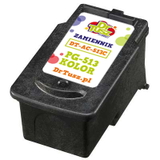
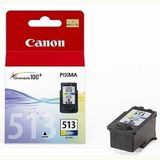
- Original OEM Ink Cartridge Canon CL-513 (2971B001) (Color) and Compatible Ink Cartridge CL-513 for Canon (2971B001) (Color) – ideal when you print more photos or color graphics
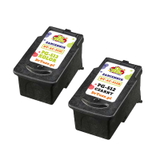
- Compatible Ink Cartridges PG-512/CL-513 for Canon (DT-AC-512/K) (multi pack) – a convenient set if you want to stock up and reduce cost per page
Thanks to this variety, you can easily match your printing style—occasional prints, frequent documents, or color-heavy projects—while always finding the right ink cartridge for Canon Pixma MP280. Practical tips: how to pick the right ink for Canon Pixma MP280 Not sure which cartridge to choose? We recommend: - Check what you print most: for mostly text, prioritize a black cartridge (PG). For school materials, presentations, and graphics, add a color cartridge (CL).
- Consider a multipack: if you replace both colors regularly, a set can be more convenient and often more economical.
- Match the code: if your old cartridge says PG-510, PG-512, CL-511, or CL-513, pick the same model to ensure compatibility with your Canon MP280.
Common user issues with the Canon Pixma MP280 are usually easy to solve with the right approach: - Faded prints or streaks: often caused by low ink levels or dried nozzles—replacing the cartridge and running a cleaning cycle typically helps.
- Printer not recognizing a cartridge: reseat the cartridge, check protective seals were removed, and ensure the correct model is installed.
- Colors look off: a fresh color cartridge (CL) and a quick alignment can restore natural tones.
If you’d like, we can help you choose the best ink for Canon Pixma MP280 based on what you print and how often. Order your Canon MP280 ink cartridges with confidence We encourage you to explore our selection of Original OEM and Compatible ink cartridges for Canon Pixma MP280 and choose the option that matches your expectations and budget. Add the right cartridge to your cart, stock up with a multipack, and keep your printer ready whenever you need it. CTA: View the available ink cartridges for Canon Pixma MP280 in this category and order today. If you have any questions about choosing between OEM and compatible ink for Canon MP280, contact us—we’ll be happy to help. We also offer fast delivery options so you can get back to printing without unnecessary downtime. |