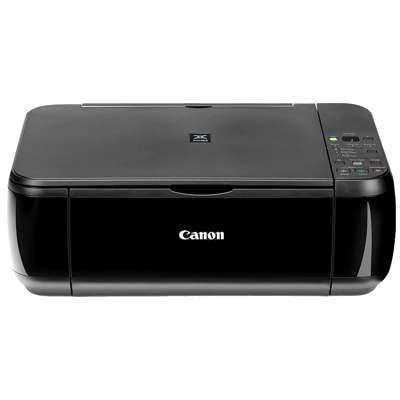
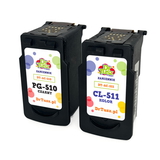
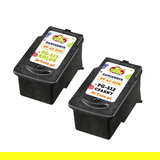
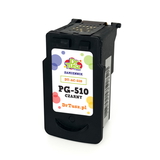
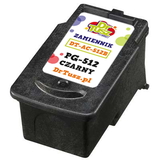
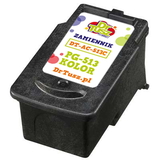
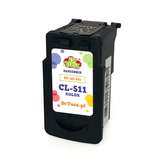
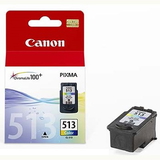
Canon Pixma MP280 – a reliable all‑in‑one for everyday printing The Canon Pixma MP280 (also searched as Canon MP280 and Canon MP200 Series) is a compact multifunction printer designed for simple home and small‑office tasks: printing school materials, documents, forms, and occasional color photos. It’s appreciated for easy operation and good print quality, but like any inkjet, it performs best with the right ink for Canon Pixma MP280 and properly matched cartridges. What ink cartridges for Canon MP280 do and why the right choice matters In this category you’ll find ink cartridges for Canon Pixma MP280 in two proven options: Original OEM and Compatible. The printer uses the popular Canon cartridge families such as PG-510, CL-511, PG-512 and CL-513 (you may also recognize product codes like 2970B001, 2972B001, 2969B001, 2971B001, or 4498B002 in searches). Choosing the correct ink for Canon MP280 affects: - Text sharpness for documents and homework, especially with black cartridges.
- Color accuracy for graphics, charts and photos.
- Printer reliability—fewer interruptions, fewer cleaning cycles, smoother daily printing.
- Cost per page—important if you print often.
Original OEM and Compatible – two smart ways to print We offer both Original OEM ink cartridges for Canon Pixma MP280 and carefully selected compatible ink cartridges. Original cartridges are made by Canon and are a great choice if you want the manufacturer’s solution and consistent results from the first page to the last. At the same time, our compatible ink for Canon Pixma MP280 is designed to deliver printing quality that’s just as good as the originals, while helping you control everyday costs. If you print a lot—worksheets, invoices, study notes or color materials—compatible sets can be the most economical route without sacrificing readability or color vibrancy. Popular cartridges and multipacks available in our selection To make buying easier, we stock single cartridges and convenient sets. Customers most often choose: - Compatible Ink Cartridges PG-510 + CL-511 for Canon (2970B010) (multi pack) – a practical combo for frequent printing at a great value.
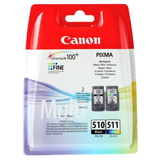
- Original OEM Ink Cartridges Canon PG-510 + CL-511 (2970B010) (multi pack) – the classic OEM set for everyday document and color use.
- Original OEM Ink Cartridge Canon PG-510 (2970B001) (Black) and Compatible Ink Cartridge PG-510 for Canon (2970B001) (Black) – ideal when you mostly print text.
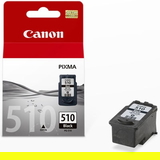
- Original OEM Ink Cartridge Canon CL-511 (2972B001) (Color) and Compatible Ink Cartridge CL-511 for Canon (2972B001) (Color) – for color graphics and photos.
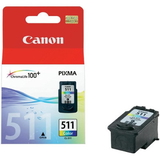
- Original OEM Ink Cartridge Canon PG-512 (2969B001) (Black) / Compatible Ink Cartridge PG-512 for Canon (2969B001) (Black) – an alternative black option often chosen by MP200 Series users.
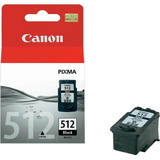
- Original OEM Ink Cartridge Canon CL-513 (2971B001) (Color) / Compatible Ink Cartridge CL-513 for Canon (2971B001) (Color) – for vivid color output and balanced tones.
- Compatible Ink Cartridges PG-512/CL-513 for Canon (DT-AC-512/K) (multi pack) – a cost‑effective set if you prefer the 512/513 combination.
Thanks to this range, you can choose exactly the ink cartridge for Canon Pixma MP280 that matches your printing style—single black for documents, single color for occasional graphics, or a multipack for the best overall convenience. How to choose the best ink for Canon Pixma MP280 If you’re not sure which cartridge to pick, we recommend a simple approach: - Check what you print most: text-heavy printing usually means you’ll replace black more often; multipacks are great for mixed use.
- Match the cartridge code: look for PG-510/PG-512 (black) and CL-511/CL-513 (color) on your current cartridge or in your printer instructions.
- Choose Original OEM when you want the manufacturer’s solution and predictable performance in every situation.
- Choose Compatible when you want excellent quality comparable to OEM and a better price per print—our compatible cartridges are selected to meet high expectations for everyday use.
Common MP280 printing issues – and what usually helps Users of the Canon MP280 sometimes report typical inkjet challenges such as faded print, missing lines, or colors looking uneven after a longer break from printing. In many cases, the solution is straightforward: - Streaks or missing lines: run the printer’s nozzle check and cleaning; replacing an empty or dried cartridge often restores quality quickly.
- Printer not recognizing a cartridge: reinsert the cartridge firmly and ensure protective elements were removed before installation.
- Color looks dull: confirm you’re using the correct color cartridge (CL series) and that print settings match your paper type.
When you order the right ink for Canon Pixma MP280 from our category, you minimize downtime and get back to clean, readable pages faster. Choose your cartridge and print with confidence We encourage you to explore our full range of ink cartridges for Canon Pixma MP280—both Original OEM and Compatible. Whether you need a single PG-510 black, a CL-511 color cartridge, or a convenient multipack like 2970B010, we’ve prepared options for different budgets and printing habits. CTA: Check the available products in this category, choose the best ink for Canon MP280, and if you need help matching a cartridge to your printer, contact us—we’ll gladly guide you so you can order with certainty and get fast delivery. |