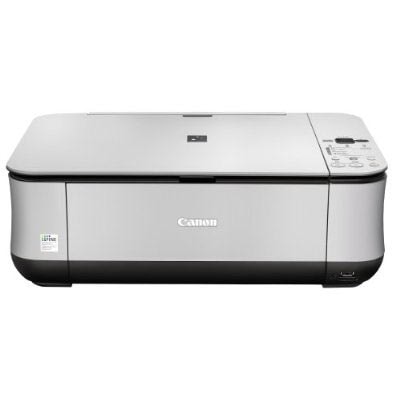
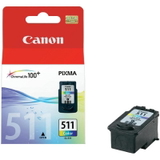
Canon Pixma MP260 – a reliable home all‑in‑one Canon Pixma MP260 (also searched as Canon MP260 or Canon MP200 Series, incl. codes like 2917B008) is a compact inkjet multifunction printer designed for everyday printing, copying and scanning. It’s well known for simple operation and good photo quality for a home device. To keep it working smoothly and to maintain crisp text and vivid colours, choosing the right ink cartridge for Canon Pixma MP260 is essential—especially when you print often or need predictable results. What you get with the right ink for Canon MP260 In this category we offer ink cartridges for Canon Pixma MP260 in two classes: Original OEM and Compatible. Both options are designed to fit the printer correctly and support stable printing. Whether you mainly print documents, school materials, occasional photos or everyday graphics, properly matched ink for Canon MP260 helps you achieve: - Sharp black text for documents and forms (black PG cartridges)
- Natural colours for photos, presentations and images (colour CL cartridges)
- Consistent output from the first to the last page
- Cleaner printer operation thanks to a well-fitted cartridge and reliable ink flow
The Canon MP260 typically works with black and colour cartridges (PG/CL series). If you print both text and colour graphics, a matched set is the most convenient choice. If you mostly print documents, focusing on a black cartridge can be the most cost-effective approach. Original OEM and Compatible – choose what suits your needs We know customers shopping for ink for printer Canon Pixma MP260 may have different priorities: maximum brand consistency, best price per page, or simply the fastest way to get back to printing. That’s why we stock both: - Original OEM ink cartridges – Canon-branded cartridges designed by the manufacturer for predictable quality and compatibility.
- Compatible ink cartridges – a smart alternative when you want to reduce printing costs without sacrificing quality. Our compatible cartridges from the DrTusz.pl offer are as good as the originals in everyday use: clear text, strong colours and reliable performance.
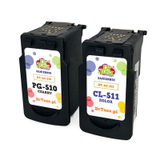
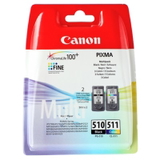
Popular ink cartridges for Canon Pixma MP260 in our offer We keep the range wide so you can choose a single cartridge or a convenient multipack. Here are some of the most popular options in this category: - Original OEM Ink Cartridges Canon PG-510 + CL-511 (2970B010) (multi pack) – a practical set for regular black-and-colour printing.
- Compatible Ink Cartridges PG-510 + CL-511 for Canon (2970B010) (multi pack) – an economical bundle for everyday home printing.
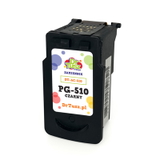
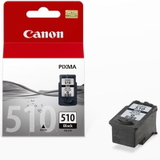
- Compatible Ink Cartridge PG-510 for Canon (2970B001) (Black) and Original OEM Ink Cartridge Canon PG-510 (2970B001) (Black) – ideal when you print mainly text.
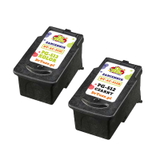
- Compatible Ink Cartridges PG-512/CL-513 for Canon (DT-AC-512/K) (multi pack) – a convenient alternative set for users who prefer the PG‑512/CL‑513 pairing.
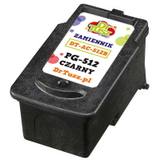
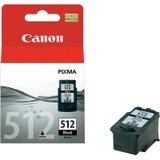
- Original OEM Ink Cartridge Canon PG-512 (2969B001) (Black) and Compatible Ink Cartridge PG-512 for Canon (2969B001) (Black) – great for crisp, document-focused output.
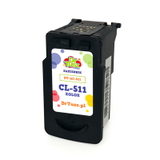
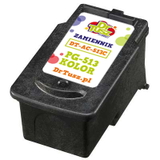
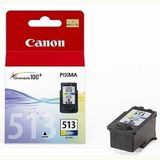
- Original OEM Ink Cartridge Canon CL-513 (2971B001) (Color), Original OEM Ink Cartridge Canon CL-511 (2972B001) (Color) plus their compatible versions: Compatible Ink Cartridge CL-513 for Canon (2971B001) (Color) and Compatible Ink Cartridge CL-511 for Canon (2972B001) (Color).
Thanks to this variety, you can easily match the cartridge type to your printing style—whether you need a single black cartridge now, or a full multipack for the next weeks. How to choose the best ink cartridge for Canon MP260 When selecting ink for Canon Pixma MP260, we recommend checking two things: the cartridge symbol and your real printing needs. The most common combinations are PG-510 + CL-511 and PG-512 + CL-513. If you are unsure which one your printer uses, look at the label on the currently installed cartridge or the printer documentation. Also consider these practical tips: - For text-heavy printing (invoices, schoolwork): choose a black cartridge (PG-510 or PG-512), and consider a compatible option to lower costs.
- For colour graphics and photos: pick a colour cartridge (CL-511 or CL-513); multipacks are often the most convenient.
- For mixed printing: choose a multipack to avoid running out of one colour at the wrong time.
Common MP260 user issues and how the right cartridge helps Canon Pixma MP260 users most often report problems such as faded prints, streaks, missing colours or the printer not printing after a longer break. In many cases, the cause is simply an empty cartridge, dried ink or an uneven ink flow. Installing a fresh, well-matched ink cartridge for Canon MP260 usually restores normal printing quickly. If prints look uneven, it’s worth running the printer’s built-in cleaning/nozzle check after replacing the cartridge—especially if the printer hasn’t been used for a while. Order ink for Canon Pixma MP260 and get back to printing We encourage you to explore our selection of Original OEM and Compatible ink cartridges for Canon Pixma MP260 and choose the version that best matches your budget and expectations. If you want help picking the right PG/CL set for your Canon MP260 or Canon MP200 Series device, contact us—we’ll guide you to the correct cartridge quickly and clearly. CTA: Choose your ink for printer Canon Pixma MP260 today—add a multipack to your basket for convenience, or select a single black or colour cartridge and enjoy reliable printing again. We’re here to help with product selection and fast order processing. |