Haven't found what you were looking for? Click here! ▼
Describe below exactly what you are looking for and we will see how we can help. You will receive a reply to your e-mail address by 09:15 on monday (5 October 2026) at the latest
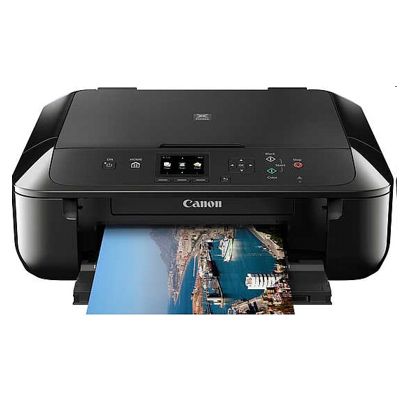
Ink cartridges for Canon Pixma MG7750 - compatible and original OEM
Find the right ink fast for your Canon Pixma MG7750 (also searched as Canon MG7750 / Canon MG7000 Series / MG7750). This category brings together everything you need to keep your printer producing crisp text and vivid colour—whether you prefer cost-effective compatibles or genuine Canon supplies.
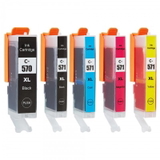
Choose from Compatible and Original OEM ink cartridges, including the popular PGI-570 pigment black (for sharp documents) and CLI-571 colour range (Cyan, Magenta, Yellow, Black, plus Gray for smooth photo tones). You’ll also find convenient multipacks (CMYK sets and XL high-yield options) to reduce downtime and lower your cost per page. All items are selected for reliable performance and proper fit as Canon Pixma MG7750 ink cartridges.
Need more than ink? Replace worn parts with the Original OEM Canon QY6-0083 printhead to restore clean, consistent output. Stock up today with the right Canon MG7750 cartridges—pick your OEM or compatible option and keep printing with confidence. Explore the full selection and choose the setup that matches your printing needs.
Other names: All-In-One Printer Canon Pixma MG7750
Canon Pixma MG7750 – a photo-friendly all‑in‑one that deserves the right ink
Canon Pixma MG7750 (also searched as Canon MG7750, Canon MG7000 Series or MG7750) is a popular home and small-office inkjet printer designed for sharp text, vivid color and high-quality photo printing. With a multi-cartridge system and separate photo colors (including gray), it can deliver excellent gradients and detail—provided you use the right ink for Canon Pixma MG7750. In this category we offer both Original OEM and Compatible inkjet cartridges, plus dedicated printheads for this model.
Ink for Canon MG7750: what you print, how you print, what to expect
The Canon MG7750 uses the well-known Canon PGI/CLI system: a pigment black cartridge for crisp documents and dye-based color cartridges for photos and graphics. Choosing the correct ink cartridge for Canon Pixma MG7750 helps you keep prints consistent, avoid interruptions and control cost per page—whether you print school materials, invoices, colorful presentations or photo albums.
Deep blacks for documents – PGI-570 PGBK / PGI-570 XL PGBK pigment black improves readability and reduces smudging.
Vibrant color & smooth photos – CLI-571 (and CLI-571 XL) inks are ideal for graphics and photo printing.
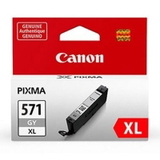
Better grayscale photos – the CLI-571 XL G (Gray) cartridge supports smooth tonal transitions.
More pages, fewer replacements – XL versions are a smart option if you print frequently.
Compatible and Original OEM cartridges – a wide, practical selection
We keep the offer clear and complete, so you can quickly match the right ink for Canon MG7750 to your printing style. You will find single colors, XL options and convenient multipacks:
Compatible Ink Cartridges PGI-570/CLI-571 CMYK for Canon (0372C004) (multi pack) – a great everyday set for mixed printing at an attractive cost.
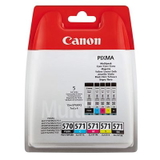
Original OEM Ink Cartridges Canon PGI-570/CLI-571 CMYK (0372C004) (multi pack) – OEM reliability for users who prefer Canon-branded supplies.
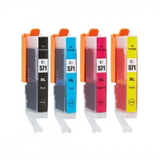
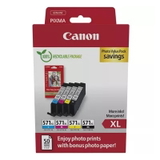
Original OEM Ink Cartridges Canon CLI-571 XL CMYK (0332C006) (multi pack) – XL color capacity for frequent color/photo printing.
Compatible Ink Cartridges CLI-571 CMYK for Canon (0386C005) (4xpack) and Original OEM Ink Cartridges Canon CLI-571 CMYK (0386C005) (4xpack) – convenient sets to keep all colors ready.
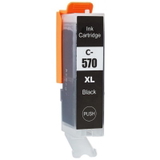
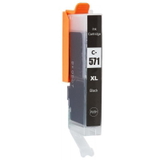
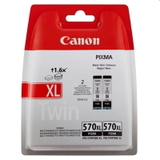
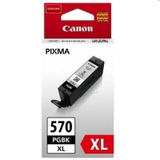
Black options: Compatible Ink Cartridge PGI-570 PGBK (0372C001), Original OEM Ink Cartridge Canon PGI-570 PGBK (0372C001), and XL variants like PGI-570 XL PGBK (0318C001) or the OEM PGI-570 XL BK (0318C007) (2-pack).
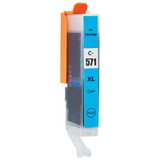
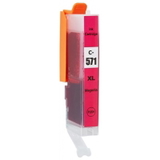
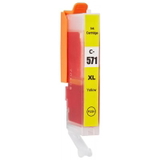
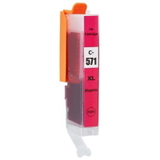
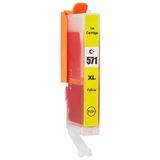
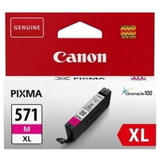
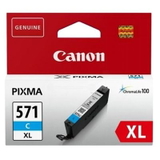
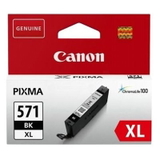
Individual colors: Cyan, Magenta, Yellow and Photo/Black/Gray in OEM and compatible versions, e.g. CLI-571 XL C (0332C001), CLI-571 XL M (0333C001), CLI-571 XL Y (0334C001), CLI-571 XL BK (0331C001), CLI-571 XL G (0335C001).
Printhead support: Original OEM Printhead Canon QY6-0083 (QY6-0083) for users troubleshooting persistent print quality issues.
How to choose the best ink cartridge for Canon Pixma MG7750
Dear Customer, if you want the simplest route, pick a multipack matching your usage (standard or XL). If you want maximum control, choose individual colors you actually run out of most often. Here is what we recommend considering:
Standard vs XL – XL ink for Canon Pixma MG7750 is ideal for frequent printing and usually lowers cost per page.
Document-heavy printing – choose PGI-570 PGBK (or XL) more often; it’s the workhorse for sharp text.
Photo printing – make sure your CLI colors are topped up, and consider keeping Gray (G) available for smoother monochrome photos.
Multipack convenience – great when you want consistent color availability and fewer orders.
Original OEM vs Compatible: what’s the difference and what we recommend
Many users ask whether compatible ink is “safe” for Canon MG7750. In our offer, compatible cartridges are as good as the originals in everyday use—providing clean, stable printing and great value. The practical differences are mainly about brand preference and printing habits:
Original OEM ink for Canon Pixma MG7750 – Canon-branded cartridges for customers who want OEM labeling, predictable results and a direct match to manufacturer specs.
Compatible ink for Canon Pixma MG7750 – a cost-effective alternative that maintains strong print quality for documents and color work, ideal for frequent printing and budget control.
If you print a lot (school, home office, photos), compatible XL options and multipacks are often the most economical. If you print occasionally and want to stick to manufacturer-branded supplies, Original OEM is a straightforward choice.
Common MG7750 printing issues—and how the right cartridge or printhead helps
The Canon MG7750 is reliable, but like many inkjet printers it can show typical symptoms when ink is low or when a cartridge has been sitting unused for longer periods:
Streaks, missing lines, faded colors – usually indicates a low cartridge or clogged nozzles; replacing the correct CLI/PGI cartridge often solves it.
One color not printing – frequently caused by an empty color cartridge (C/M/Y/BK/G) or dried ink after long breaks.
Persistent quality problems despite new ink – in rare cases, you may need a printhead replacement such as Canon QY6-0083.
We encourage you to match the cartridge code carefully (PGI-570, CLI-571 and their XL versions). If you’re unsure which ink for printer Canon Pixma MG7750 is best, we will help you choose quickly.
Choose your Canon Pixma MG7750 ink today
Browse our full selection of Original OEM and Compatibleink cartridges for Canon Pixma MG7750 and keep your printer ready for every task—from crisp black documents to detailed photos. Add a multipack to your cart for convenience, or pick individual colors to top up what you really need.
CTA: We encourage you to explore the products in this category and, if you have any questions about choosing the right ink cartridge or printhead for Canon MG7750 / MG7000 Series, contact us—our team will guide you to the best option and help you get fast delivery with hassle-free ordering.