Haven't found what you were looking for? Click here! ▼
Describe below exactly what you are looking for and we will see how we can help. You will receive a reply to your e-mail address by 09:15 on friday (23 October 2026) at the latest
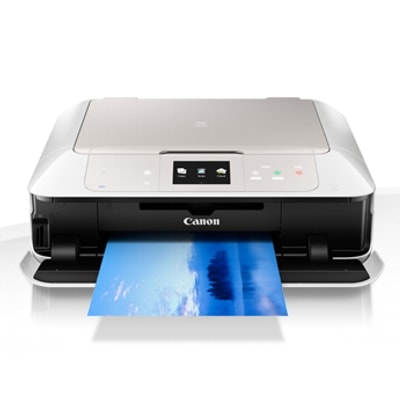
Ink cartridges for Canon Pixma MG7550 White - compatible and original OEM
Keep your Canon Pixma MG7550 White printing at its best with a complete selection of inkjet supplies designed for the MG7000 Series (MG7550 / 9489B026). In this category you’ll find both Compatible and Original OEM options, so you can choose between maximum savings or factory-original performance—always with the right fit for your printer.
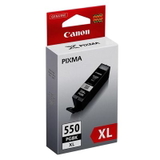
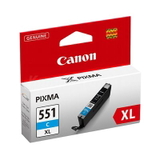
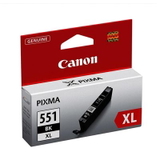
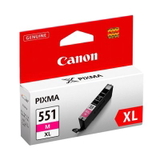
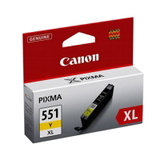
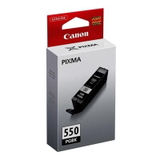
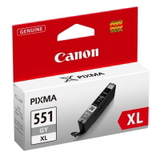
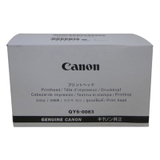
Stock up on individual cartridges like PGI-550 black and CLI-551 colors (Cyan, Magenta, Yellow, Gray, and Photo Black), including popular XL high-yield versions for more pages and fewer replacements. Prefer an all-in-one solution? Choose convenient CMYK multipacks (PGI-550/CLI-551) in compatible or OEM versions for consistent results and easy replenishment. Need a hardware refresh? The range also includes the Original OEM Canon QY6-0083 printhead for reliable print quality and smoother operation.
Whether you search for Canon MG7550 ink cartridges or PGI-550 / CLI-551 cartridges, you’ll find dependable choices that deliver sharp text and vibrant photos with solid compatibility. Pick your preferred class, add the right colors to your basket, and get back to printing—explore the full offering and choose what fits your budget and expectations today.
Product Number: 9489B026 Other names: All-In-One Printer Canon Pixma MG7550
Canon Pixma MG7550 White – a photo-friendly all‑rounder for home and creative work
Canon Pixma MG7550 White (also searched as Canon MG7550, Canon MG7000 Series, MG7550 or code 9489B026) is a stylish, multifunction inkjet designed for people who want more than basic printing. With its multi-ink system and excellent photo quality, it’s ideal for everyday documents, school materials, and vibrant colour prints on photo paper. To keep this printer performing at its best, you need the right ink for Canon Pixma MG7550 White—and that’s exactly what we offer in this category: both Original OEM and high-quality compatible ink cartridges, plus dedicated printheads.
What ink does the MG7550 use and why it matters
The Canon MG7550 works with the popular PGI‑550 (pigment black for crisp text) and CLI‑551 inks (dye colours for smooth gradients and photos). This combination gives you sharp documents and impressive colour output. Choosing the correct ink cartridge for Canon MG7550 helps you avoid problems like streaking, washed-out colours, or inconsistent blacks—especially when you print a mix of office documents and photos.
In this category you’ll find both standard and high-yield options (XL), so you can match your printing habits—occasional use, heavy school/office printing, or photo-focused projects.
Compatible and Original OEM – one printer, two smart ways to buy
We know customers value choice. That’s why our range includes Original OEM ink for Canon Pixma MG7550 White and carefully selected compatible ink for Canon MG7550. Original Canon cartridges are a safe pick if you want manufacturer-branded supplies and predictable results. At the same time, our compatible cartridges from DrTusz.pl are engineered to deliver output that’s as good as the originals—with strong colour, clean text and reliable performance—while helping you reduce printing costs.
Original OEM – manufacturer cartridges for users who prefer Canon-branded supplies.
Compatible – cost-effective alternatives with excellent quality and dependable printing.
XL versions – higher capacity for fewer replacements and better cost per page.
Popular ink cartridges and multipacks for Canon MG7550
To make shopping easier, we stock the most frequently chosen sets and colours. If you print a lot, multipacks are usually the most convenient solution; if one colour runs out faster, single cartridges are the fastest fix. Here are a few customer favourites from this category:
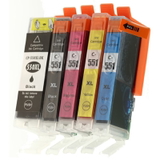
Compatible Ink Cartridges PGI-550/CLI-551 CMYK for Canon (6509B013A) (multi pack) – an all-in-one option for everyday printing.
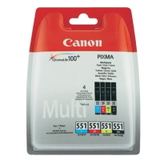
Original OEM Ink Cartridges Canon PGI-550/CLI-551 CMYK (6509B013A) (multi pack) – OEM convenience for frequent users.
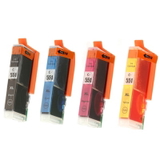
Original OEM Ink Cartridges Canon CLI-551 CMYK (6509B008, 6509B009) (4xpack) – ideal if you mainly need the colour set.
Compatible Ink Cartridges CLI-551 CMYK for Canon (6509B008, 6509B009) (4xpack) – great value for regular colour printing.
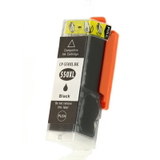
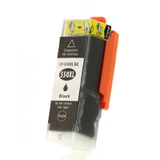
PGI-550 Black options for text: Compatible Ink Cartridge PGI-550 BK (6496B001) and PGI-550 BK XL (6431B001), plus matching Original OEM versions.
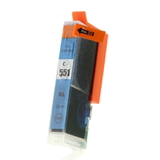
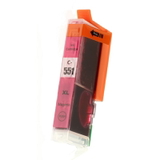
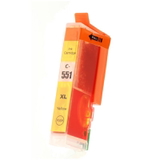
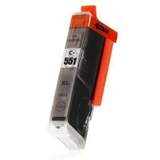
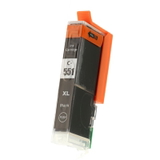
CLI-551 XL colours: Cyan (6444B001), Magenta (6445B001), Yellow (6446B001), Gray (6447B001) and Photo Black (6443B001) – available as compatible and Original OEM.
How to choose the right ink for Canon Pixma MG7550 White
When selecting ink for printer Canon Pixma MG7550 White, we recommend a simple approach:
Match the code: choose PGI‑550 for pigment black text and CLI‑551 for colour/photo cartridges.
Pick XL if you print often: XL cartridges reduce replacement frequency and usually lower the cost per page.
Choose a multipack for convenience: great for households and home offices where several colours run down over time.
Go single-colour when needed: perfect when one colour (often cyan or magenta) empties sooner.
Still unsure whether compatible or OEM is better for you? If you print frequently and want to keep costs under control, our compatible ink cartridge for Canon MG7550 is an excellent choice and delivers results comparable to Original OEM. If you prefer the manufacturer brand for every cartridge, choose Original OEM—either way, we’ve got the right solution ready.
Common MG7550 printing issues – and what usually fixes them
The Canon MG7000 Series is reliable, but like any inkjet, it can show issues—especially if it sits unused for a while. Customers most often mention:
Streaks or missing lines – typically solved by nozzle checks and cleaning, and by using fresh, correct cartridges (PGI‑550/CLI‑551).
Faded photos or odd colour balance – often linked to a low CLI colour or photo black/gray level; replacing the specific CLI‑551 XL cartridge usually helps.
Ink system errors or poor nozzle performance – if cleaning doesn’t help, the printer may require a new printhead.
That’s why we also offer a dedicated service part: Original OEM Printhead Canon QY6-0083 (QY6-0083). If your MG7550 shows persistent print quality problems, replacing the printhead can restore clean output and extend the printer’s life.
Order ink for Canon MG7550 today – we’re here to help
We encourage you to explore the full selection of ink cartridges for Canon Pixma MG7550 White in compatible and Original OEM versions, including multipacks, XL cartridges and the Canon QY6-0083 printhead. If you tell us what you print most often (documents, photos, mixed use) and how frequently you print, we’ll help you choose the best ink for Canon Pixma MG7550 White—quickly and confidently.
CTA: Add your cartridges to the cart now, or contact us for personalised advice—we’ll help you get the best quality and the best value, with fast delivery options available.