Haven't found what you were looking for? Click here! ▼
Describe below exactly what you are looking for and we will see how we can help. You will receive a reply to your e-mail address by 09:15 on monday (5 October 2026) at the latest
Ink cartridges for Canon Pixma MG7550 - compatible and original OEM
Keep your Canon Pixma MG7550 printing at its best with the right ink supplies for the MG7000 Series. In this category you’ll find both Original OEM and compatible ink cartridges designed for reliable fit, crisp text, and vibrant photo output—whether you search by Canon MG7550, 9489B006A, or the exact cartridge codes.
Choose from PGI-550 black and CLI-551 color/photo cartridges, including XL high-yield options and convenient multipacks (CMYK and PGI-550/CLI-551 sets). Compatible cartridges are a cost-effective way to keep printing, while Original OEM Canon cartridges deliver consistent quality and performance matched to your printer. You’ll also find essentials like the Canon QY6-0083 printhead for maintenance and long-term reliability.
Stock up today and avoid last-minute ink shortages—pick the best option for your budget and print needs. Browse the full selection of Ink cartridges for Canon Pixma MG7550 and get back to smooth, high-quality printing.
Product Number: 9489B006A Other names: All-In-One Printer Canon Pixma MG7550
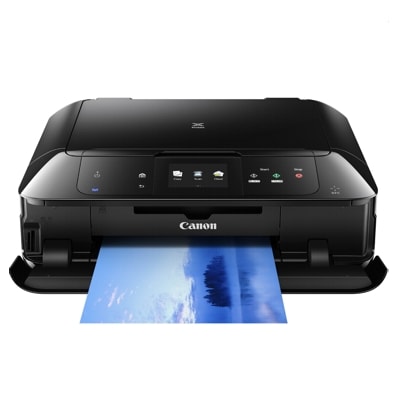
Canon Pixma MG7550 – a photo-ready home office printer
The Canon Pixma MG7550 (also found as Canon MG7550 or Canon MG7000 Series) is a popular all-in-one inkjet designed for sharp documents and impressive colour photos. With a multi-ink system and strong photo orientation, it rewards you with great results—provided you use the right ink for Canon Pixma MG7550 and keep the printing system in good condition. In this category we offer both Original OEM and carefully selected compatible ink cartridge options, plus a dedicated printhead when maintenance requires it.
What ink cartridges the MG7550 uses and why it matters
The MG7550 works with the well-known PGI-550 and CLI-551 family. In practice, that means a pigment black for crisp text and dye-based colours for smooth gradients and photo detail. Choosing the correct ink cartridge for Canon MG7550 helps you maintain:
Clear text for invoices, school prints and office documents (PGI-550 black).
Vivid colours for graphics and everyday colour printing (CLI-551 CMYK).
Better photo balance thanks to additional photo black/grey support (CLI-551 BK/CLI-551 G, depending on your set).
Stable, repeatable results—especially important when you print photos or colour-critical content.
If you search by codes such as 9489B006A or the cartridge references (e.g. 6509B013A), you’re in the right place—this page is dedicated to ink for the MG7550 family.
Our range: Compatible and Original OEM ink for Canon Pixma MG7550
We keep the offer broad, so you can choose the best option for your printing style—single colours, XL capacity, or convenient multipacks. Popular choices include:
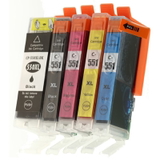
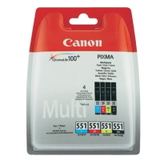
Compatible Ink Cartridges PGI-550/CLI-551 CMYK for Canon (6509B013A) (multi pack) – a practical set for everyday printing.
Original OEM Ink Cartridges Canon PGI-550/CLI-551 CMYK (6509B013A) (multi pack) – OEM consistency in a cost-effective bundle.
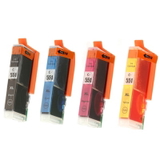
Compatible Ink Cartridges CLI-551 CMYK for Canon (6509B008, 6509B009) (4xpack) and Original OEM Ink Cartridges Canon CLI-551 CMYK (6509B008, 6509B009) (4xpack) – ideal when you mainly print in colour.
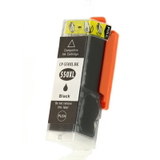
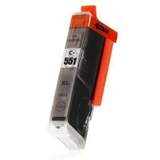
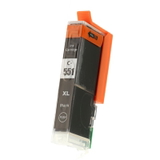
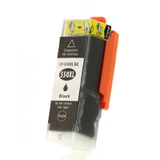
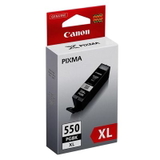
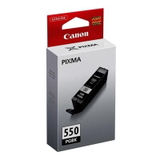
Single replacements like Compatible Ink Cartridge PGI-550 BK XL (6431B001) / Original OEM Ink Cartridge Canon PGI-550 BK XL (6431B001) – great when black runs out first.
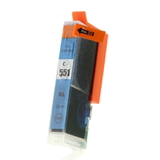
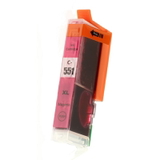
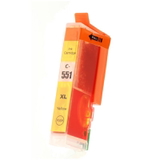
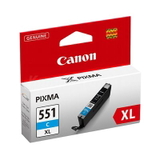
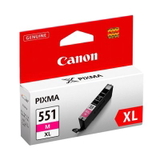
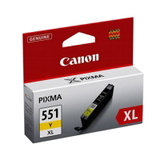
XL colour options: Compatible Ink Cartridge CLI-551 C XL (6444B001), CLI-551 M XL (6445B001), CLI-551 Y XL (6446B001), and their Original OEM counterparts for consistent colour output.
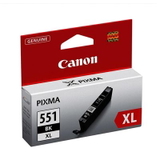
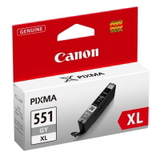
Photo-quality tones: Compatible Ink Cartridge CLI-551 BK XL (6443B001) and Compatible Ink Cartridge CLI-551 G XL (6447B001) (plus OEM versions) to support smoother photo shading.
How to choose: Original OEM vs compatible cartridges (and when to pick XL)
When selecting ink for Canon Pixma MG7550, start with how much you print and what you print most often.
Original OEM ink cartridge – best if you want Canon’s factory specification, predictable colour matching and you prefer to stick to OEM supplies.
Compatible ink cartridge – perfect if you want excellent print quality at a better price. Our compatible cartridges from DrTusz.pl are designed to be as good as the originals in everyday use: sharp text, strong colour and reliable performance.
XL versions – recommended for frequent printing. An XL ink cartridge for Canon MG7550 reduces replacement frequency and is typically more economical per page.
Tip: If you print a mix of documents and photos, multipacks (CMYK or full sets with PGI/CLI) are usually the most convenient way to keep every colour ready—no surprises mid-print.
Common MG7550 printing issues and the right fixes
The Canon MG7000 Series is reliable, but like any inkjet it can run into typical ink-related issues. Here’s what customers most often ask us about when buying ink for Canon MG7550:
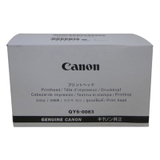
Streaks or missing lines – often caused by dried nozzles after long breaks. Running a cleaning cycle helps; if problems persist, consider the Original OEM Printhead Canon QY6-0083 (QY6-0083).
Colour looks “off” after replacement – a quick alignment and printing a test pattern usually restores accuracy.
Ink runs out quickly – frequent photo printing and borderless mode increase consumption; switching to XL cartridges can help.
Printer not recognising a cartridge – reseating the cartridge typically solves it; if you still see messages, we’re here to advise which cartridge (PGI-550 vs CLI-551, standard vs XL) best matches your setup.
If you’re unsure which ink cartridge for Canon Pixma MG7550 you need, tell us what you print (documents, photos, or both) and which colours you replace most often—we’ll help you choose the most cost-effective set.
Choose your Canon Pixma MG7550 ink today
We encourage you to explore our full selection of compatible and Original OEM ink for Canon Pixma MG7550, including multipacks, XL cartridges, and the dedicated QY6-0083 printhead. Order conveniently online, enjoy fast delivery options, and if you have any questions—contact us. We’ll help you pick the right cartridge quickly, so your MG7550 can get back to producing crisp documents and beautiful photos.
CTA: Check the available MG7550 cartridges above and choose the set that matches your printing style—or reach out to us for personalised help before you buy.