Haven't found what you were looking for? Click here! ▼
Describe below exactly what you are looking for and we will see how we can help. You will receive a reply to your e-mail address by 16:00 at the latest
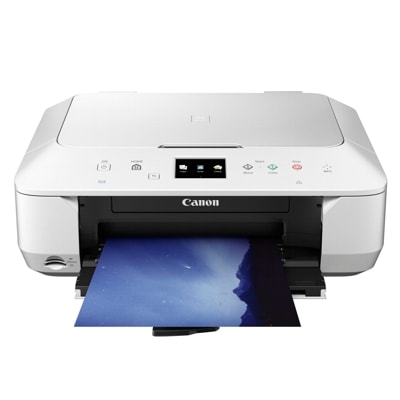
Ink cartridges for Canon Pixma MG6650 White - compatible and original OEM
Keep your Canon Pixma MG6650 White (Canon MG6000 Series / 9539B026 / MG6650) printing at its best with the right ink supplies in one place. In this category you’ll find both Original OEM and compatible ink cartridges designed for reliable fit, clean installation, and consistent results for everyday documents and vivid photo prints.
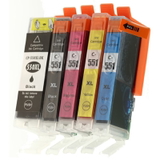
Choose from standard and XL options across the full colour set: PGI-550 Black (text) and CLI-551 Cyan, Magenta, Yellow, plus CLI-551 Photo Black. For convenience and better value, multipacks are available (PGI-550/CLI-551 CMYK and CLI-551 CMYK 4x packs) in both OEM and compatible versions—ideal when you want to stock up and reduce downtime. All items are selected to match your printer’s cartridge family, helping ensure smooth compatibility and strong print quality.
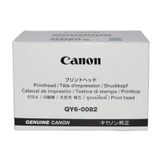
Need more than ink? You can also replace key components like the Original OEM Canon QY6-0082 printhead to keep your MG6650 performing like it should. Pick the option that suits your budget and printing needs—then order today and get back to crisp, vibrant prints. Explore the full selection for Canon MG6650 cartridges and supplies and choose your perfect match.
Product Number: 9539B026 Other names: All-In-One Printer Canon Pixma MG6650
If you own the Canon Pixma MG6650 White (also searched as Canon MG6650, Canon MG6000 Series, 9539B026 or simply MG6650), you already know why this model is so popular: it’s a stylish, compact all‑in‑one designed for everyday home printing, photos, school materials and office documents. To keep it working at its best, you need the right ink for Canon Pixma MG6650 White—and that’s exactly what we offer in this category: both Compatible and Original OEM ink cartridges, plus a dedicated printhead when maintenance requires it.
Canon MG6650 ink system – what you need to know
The Canon MG6650 uses a separate cartridge setup based on the PGI-550 and CLI-551 family. In practice, this means you replace only the colour that runs out, which is convenient and economical. The printer typically works with:
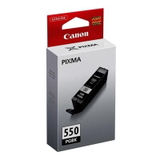
PGI-550 Black – pigment black, ideal for crisp text on plain paper (documents, notes, invoices).
CLI-551 colours – dye inks for smooth gradients and vivid colour (photos, graphics, school projects).
Choosing the correct ink cartridge for Canon MG6650 is crucial not only for print quality, but also for reliability. Fresh, well‑matched ink helps reduce issues like streaking, washed‑out colours or clogged nozzles—especially if you print photos or use the printer less frequently.
Compatible or Original OEM – we make it easy to choose
In this category you’ll find Original OEM Canon ink as well as carefully selected compatible ink for Canon Pixma MG6650 White. Original OEM cartridges are produced by Canon and are a great choice if you prefer the manufacturer’s solution and want maximum predictability in colour reproduction.
At the same time, our compatible cartridges from DrTusz.pl are designed to deliver print quality and performance that are as good as the originals—while offering a more budget‑friendly cost per page. That’s why many customers choose compatible ink for everyday printing, schoolwork and home office documents, and keep originals for specialised photo workflows if needed.
Popular ink cartridges for Canon Pixma MG6650 White in this category
We stock single cartridges and convenient multipacks, so you can buy exactly what you need—or stock up and avoid downtime. Among the most frequently chosen options are:
Compatible Ink Cartridges PGI-550/CLI-551 CMYK for Canon (6509B013A) (multi pack) – a practical set for regular printing and balanced colour use.
Original OEM Ink Cartridges Canon PGI-550/CLI-551 CMYK (6509B013A) (multi pack) – the OEM multipack for users who want Canon originals in one bundle.
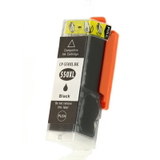
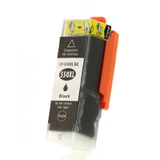
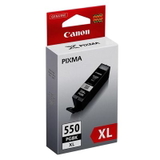
Compatible Ink Cartridge PGI-550 BK XL for Canon (6431B001) (Black) or Original OEM Ink Cartridge Canon PGI-550 BK XL (6431B001) (Black) – high‑yield black for heavy text printing.
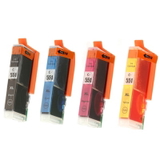
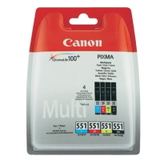
Original OEM Ink Cartridges Canon CLI-551 CMYK (6509B008, 6509B009) (4xpack) and the matching Compatible Ink Cartridges CLI-551 CMYK for Canon (6509B008, 6509B009) (4xpack) – colour sets that simplify shopping and keep colours consistent.
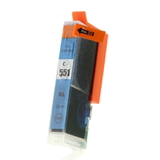
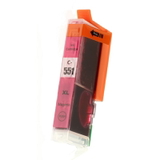
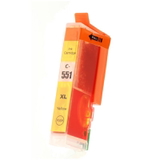
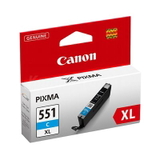
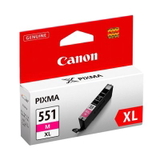
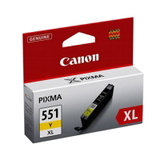
Single colours in XL capacity: CLI-551 C XL (6444B001), CLI-551 M XL (6445B001), CLI-551 Y XL (6446B001) – available as both compatible and Original OEM, ideal when one colour runs out faster.
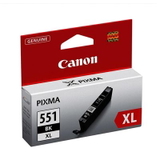
Photo black: Original OEM Ink Cartridge Canon CLI-551 BK XL (6443B001) (Black Photo) or Compatible Ink Cartridge CLI-551 BK XL for Canon (6443B001) – helpful for richer photo tones and deeper contrast.
When a cartridge isn’t enough – printhead support for MG6000 Series
Most printing problems are solved by replacing an empty cartridge or running cleaning/alignment. However, if your Canon MG6650 shows persistent missing lines, repeated banding after cleaning, or colour dropouts that do not improve, the issue may relate to the printhead. That’s why this category also includes the dedicated part:
Original OEM Printhead Canon QY6-0082 (QY6-0082)
Replacing the printhead can be a smart way to restore print quality and extend the life of your printer—especially when the device is otherwise in great condition.
How to pick the right ink for Canon MG6650 (and avoid common headaches)
Dear Customer, if you want the best results and the least hassle, here are our practical tips when buying ink for Canon Pixma MG6650 White:
Match the exact series: choose PGI-550 and CLI-551 cartridges (standard or XL) to fit the MG6650 / MG6000 Series.
Choose XL for frequent printing: XL versions reduce replacement frequency and are usually more cost‑effective per page.
Pick multipacks for convenience: CMYK sets are ideal if you print in colour regularly and want consistent availability.
Compatible vs OEM: if you print a lot, compatible cartridges from DrTusz.pl give you excellent quality and savings; if you want the manufacturer’s solution, Original OEM is a safe bet.
Prevent clogged nozzles: print a small colour page occasionally (especially if you mostly print black text) to keep the ink system flowing.
Common MG6650 user issues we help solve with the right supplies include: empty colour stopping a print job, faded colours after long breaks, streaks/banding, and uncertainty about whether to buy standard or XL. If you’re unsure which cartridge your printer needs, tell us how you print (documents vs photos, occasional vs frequent), and we’ll help you choose the best ink cartridge for Canon MG6650.
Order today – keep your Canon Pixma MG6650 White ready to print
We encourage you to explore the full range of compatible and Original OEM ink cartridges for Canon Pixma MG6650 White in this category—single colours, XL versions, practical 4x packs and multipacks, and the dedicated Canon QY6-0082 printhead. Add your cartridges to the cart now to avoid unexpected “ink empty” messages right before an important print.
If you have any questions about selecting ink for Canon Pixma MG6650 White, compatibility within the Canon MG6000 Series, or diagnosing print quality issues, contact us—we’re here to help. We also offer fast delivery options so you can get back to printing as quickly as possible.