Haven't found what you were looking for? Click here! ▼
Describe below exactly what you are looking for and we will see how we can help. You will receive a reply to your e-mail address by 09:15 on friday (2 October 2026) at the latest
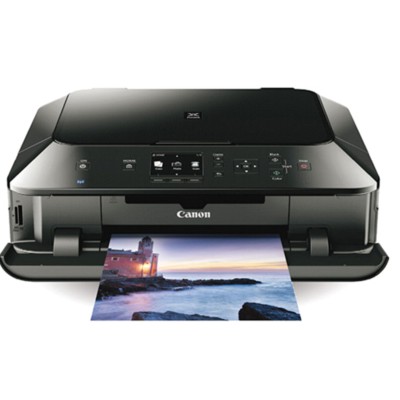
Ink cartridges for Canon Pixma MG6340 - compatible and original OEM
Keep your Canon Pixma MG6340 printing at its best with our selection of inkjet ink cartridges designed for the Canon MG6000 Series. This category includes both Original OEM Canon cartridges and cost-effective compatible alternatives—so you can choose the balance of price and performance that fits your needs.
Find the right options for sharp text and vibrant photos, including PGI-550 black for crisp documents and CLI-551 colours (Cyan, Magenta, Yellow) plus Photo Black and Gray for smooth gradients and rich images. Choose single cartridges like PGI-550 BK (standard or XL) and CLI-551 XL colours, or simplify restocking with convenient multipacks such as PGI-550/CLI-551 CMYK and CLI-551 CMYK 4-packs—ideal when you print often on your Canon MG6340.
Whether you pick genuine Canon OEM ink or a reliable compatible replacement, every cartridge in this range is selected for solid print quality and proper compatibility with MG6340 printers. Stock up today and keep your Canon Pixma MG6340 ready for every page—explore the full offering and choose your perfect cartridge set now.
Other names: All-In-One Printer Canon Pixma MG6340
Canon Pixma MG6340 – a photo-friendly home printer that deserves the right ink
The Canon Pixma MG6340 (also searched as Canon MG6340 and Canon MG6000 Series) is a versatile inkjet printer designed for everyday documents and impressive photo prints. With a multi-cartridge system and dedicated photo colors, it can deliver crisp text, smooth gradients and natural-looking images—provided you choose the right ink for Canon Pixma MG6340. In our store, we make it easy to match cartridges precisely to your printer and your printing habits, whether you prefer Original OEM cartridges or trusted compatible ink cartridges.
Ink cartridges for MG6340 – what you print, how it looks, and how much it costs
The Canon MG6340 uses a popular cartridge set: PGI-550 for pigment black (sharp, durable text) and CLI-551 for dye-based colors (great for photos and vibrant graphics). This combination means one thing: you can optimize your printing for both office-style documents and photo projects. Choosing the right ink for Canon MG6340 affects:
Text clarity – pigment black (PGI-550) helps keep letters crisp, even on plain paper.
Photo quality – CLI-551 colors produce smooth tones and rich saturation.
Running costs – standard vs XL capacity influences cost per page.
Convenience – multipacks reduce the risk of running out mid-print.
If you print often, we recommend considering XL ink cartridges (higher capacity) to reduce replacements and keep your Canon MG6340 ready to work.
Compatible and Original OEM – a wide choice in one place
We stock both Original OEM ink cartridges for Canon Pixma MG6340 and high-quality compatible ink cartridges that deliver results comparable to originals—at a more budget-friendly price. Popular choices in this category include:
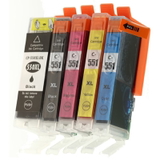
Compatible Ink Cartridges PGI-550/CLI-551 CMYK for Canon (6509B013A) (multi pack) – a convenient set for regular printing and balanced color use.
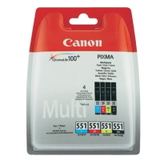
Original OEM Ink Cartridges Canon PGI-550/CLI-551 CMYK (6509B013A) (multi pack) – OEM quality with the comfort of a full set in one purchase.
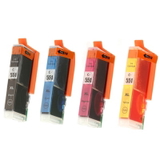
Compatible Ink Cartridges CLI-551 CMYK for Canon (6509B008, 6509B009) (4xpack) and Original OEM Ink Cartridges Canon CLI-551 CMYK (6509B008, 6509B009) (4xpack) – ideal when photos and color graphics are your priority.
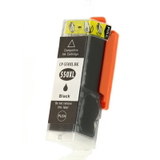
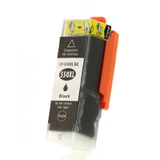
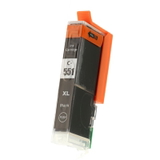
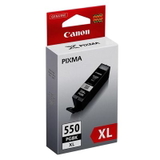
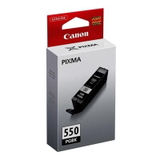
PGI-550 Black options: Compatible PGI-550 BK (6496B001), Compatible PGI-550 BK XL (6431B001), plus Original OEM PGI-550 BK (6496B001) and Original OEM PGI-550 BK XL (6431B001).
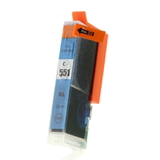
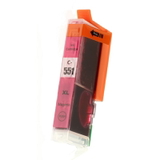
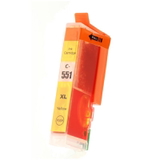
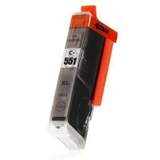
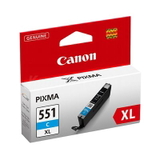
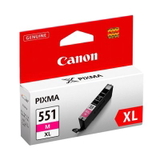
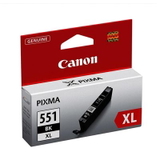
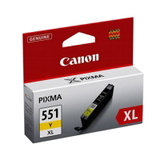
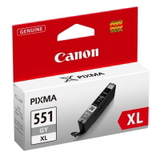
CLI-551 individual colors in both classes: Cyan (6444B001), Magenta (6445B001), Yellow (6446B001), Gray (6447B001), and Photo Black (6443B001)—available as compatible or Original OEM, including many XL versions.
Thanks to this range, you can buy exactly what you need: one frequently used color, a photo-focused set, or a complete CMYK multipack to keep your ink for Canon Pixma MG6340 always under control.
How to choose the best ink for Canon Pixma MG6340 (and avoid common problems)
When selecting ink cartridges for MG6340, start with two simple questions: what do you print most, and how often? For mostly text documents, prioritize PGI-550 BK (especially XL if you print a lot). For photos and graphics, ensure you have the full CLI-551 color set, including Gray (G) and Photo Black (BK) for smoother tones.
Original OEM cartridges – maximum peace of mind, consistent results, ideal for users who prefer manufacturer solutions.
Compatible cartridges from DrTusz.pl – excellent quality comparable to OEM, very attractive cost per page, and a smart choice for frequent printing.
Common MG6340 user issues we help solve include: colors printing faint (often an empty CLI color), frequent cartridge replacements (XL helps), or uneven color output after long breaks (printing a test page regularly and keeping a spare set at home can prevent downtime). If you’re unsure whether you need PGI-550, CLI-551, or a multipack, we’ll help you match the right cartridge quickly.
Order today and keep your MG6340 printing without interruptions
We encourage you to explore our full selection of ink cartridges for Canon Pixma MG6340—both Compatible and Original OEM. Choose a cost-effective compatible multipack for everyday printing or OEM cartridges for a manufacturer-grade setup. Add the cartridges you need to your cart, and if you have any questions about capacity (standard vs XL) or the right color set for your projects, contact us—we’re here to help. Order now and enjoy fast, convenient delivery and reliable support from a store that specializes in inks and printers.