Haven't found what you were looking for? Click here! ▼
Describe below exactly what you are looking for and we will see how we can help. You will receive a reply to your e-mail address by 09:15 at the latest
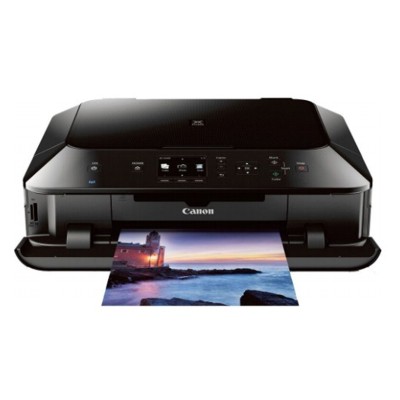
Ink cartridges for Canon Pixma MG5420 - compatible and original OEM
Keep your Canon Pixma MG5420 running at its best with a full range of inkjet supplies designed for the MG5000 Series. In this category you’ll find both Original OEM and compatible ink cartridges made to fit Canon MG5420 printers reliably, so you can print crisp text and vibrant photos without hassle.
Choose from individual colors and high-yield XL options, including PGI-550 Black (standard and XL) and CLI-551 Cyan, Magenta, Yellow, and Black Photo (XL), plus cost-saving multipacks like PGI-550/CLI-551 CMYK and CLI-551 CMYK 4-packs. Whether you prioritize maximum savings with compatible cartridges or manufacturer-grade consistency with OEM, every option is selected for strong compatibility and dependable print quality for Canon Pixma MG5420 ink cartridges.
Need a deeper fix? This selection also includes the Canon QY6-0082 printhead to help restore performance when prints start fading or streaking. Stock up today and get your Canon MG5420 ready for your next print run—explore the full offering and choose the cartridge set that fits your budget and printing needs.
Other names: All-In-One Printer Canon Pixma MG5420
Canon Pixma MG5420 – a home photo lab and everyday document printer
Canon Pixma MG5420 (also searched as Canon MG5420 or Canon MG5000 Series) is a popular inkjet multifunction printer designed for everyday printing, scanning and copying, with a strong focus on color quality. It’s a great choice for home and small office use: school materials, invoices, text documents, and—importantly—photos on glossy paper. To keep this device working at its best, you need reliable ink for Canon Pixma MG5420 and, when necessary, a properly selected printhead.
Ink for Canon MG5420: how the PGI-550 and CLI-551 system works
The MG5420 uses a split-ink system: PGI-550 (pigment black) is typically used for crisp, sharp text on plain paper, while the CLI-551 inks are responsible for vibrant color and photo quality. This setup helps you achieve both economical black text printing and rich colors where it matters most.
In this category you’ll find both Original OEM and carefully selected compatible ink cartridges for Canon Pixma MG5420, including standard and XL versions. Choosing the right set matters for:
Page yield – XL cartridges are ideal if you print often
Reliability – stable color flow reduces streaking and uneven fills
Cost control – compatible cartridges can significantly lower cost per page
Compatible vs Original OEM: choose what fits your printing style
Many customers ask us whether it’s better to choose Original OEM ink or compatible ink. The best answer depends on how you print—but the good news is that our compatible ink for Canon Pixma MG5420 is designed to be just as practical and dependable as the original in everyday use.
Original OEM cartridges – ideal if you want to stay with manufacturer supplies, print important materials, or simply prefer Canon’s own ink system.
Compatible cartridges – a smart option for frequent printing, home and office workloads, and anyone looking to reduce printing costs without sacrificing solid results. Our compatible options are tested to deliver consistent performance and strong color output.
Whichever route you choose, we recommend matching cartridge type (PGI vs CLI) and size (standard vs XL) to your real printing needs—this is the easiest way to avoid running out of ink at the worst moment.
Popular ink cartridges and printhead options for Canon Pixma MG5420
We keep this category focused and practical—so you can quickly select exactly what you need for your ink for Canon MG5420 setup. Here are some of the most frequently chosen products:
Compatible Ink Cartridges PGI-550/CLI-551 CMYK for Canon (6509B013A) (multi pack) – a convenient full color set for everyday printing and photos.
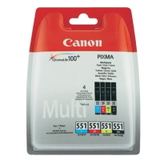
Original OEM Ink Cartridges Canon PGI-550/CLI-551 CMYK (6509B013A) (multi pack) – the official Canon multi pack when you want a complete OEM solution.
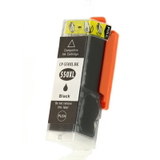
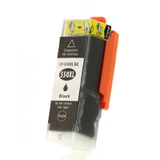
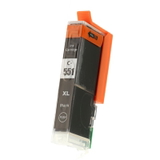
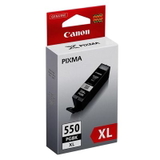
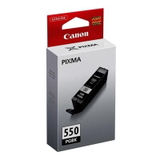
Compatible Ink Cartridge PGI-550 BK XL for Canon (6431B001) (Black) and Original OEM Ink Cartridge Canon PGI-550 BK XL (6431B001) (Black) – high-yield pigment black for heavy text printing.
Original OEM Ink Cartridges Canon CLI-551 CMYK (6509B008, 6509B009) (4xpack) and Compatible Ink Cartridges CLI-551 CMYK for Canon (6509B008, 6509B009) (4xpack) – a ready-to-go color pack for balanced printing.
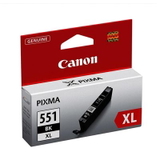
Original OEM Ink Cartridge Canon CLI-551 BK XL (6443B001) (Black Photo) and Compatible Ink Cartridge CLI-551 BK XL for Canon (6443B001) (Black Photo) – photo black for deeper tones and better contrast in images.
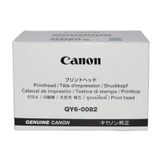
Original OEM Printhead Canon QY6-0082 (QY6-0082) – a key component when cartridge replacement alone doesn’t restore print quality.
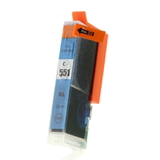
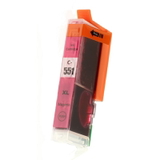
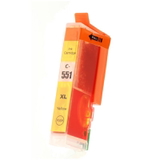
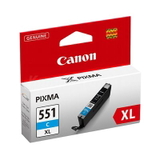
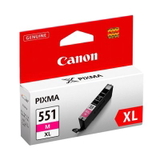
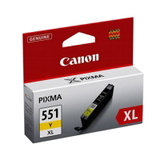
Need a single color? We also stock individual XL colors like CLI-551 C XL (6444B001), CLI-551 M XL (6445B001), and CLI-551 Y XL (6446B001) in both compatible and Original OEM versions—perfect when only one color runs out.
Practical tips: how to select the right ink for Canon Pixma MG5420
To choose the best ink for Canon Pixma MG5420, start with two simple questions: what do you print most, and how often?
Mainly text documents – prioritize PGI-550 BK (or PGI-550 BK XL if you print often). Pigment black is built for sharp letters and clear lines.
Photos and color graphics – make sure you have the full CLI-551 set (C/M/Y + photo black). A 4xpack is the easiest way to keep colors consistent.
Mixed printing (most common) – choose a multi pack PGI-550/CLI-551 CMYK so you always have both pigment black and colors ready.
Frequent printing – XL cartridges generally offer better value per page and reduce interruptions.
If you’re unsure which cartridge belongs to which slot, remember: PGI = pigment black (text), CLI = photo/color inks.
Common Canon MG5420 printing issues—and what usually fixes them
Inkjet printers like the MG5420 can occasionally show issues that are easy to solve with the right supplies and maintenance. The most common situations we hear about include:
Streaks or missing lines – often linked to clogged nozzles. A cleaning cycle can help; if problems persist, consider the condition of the printhead.
Faded colors or wrong tones – a low or empty color cartridge (even if you mainly print black) can affect output; replacing the relevant CLI-551 color usually restores quality.
Black text looks gray – the PGI-550 BK pigment cartridge may be low, or the printer may be using composite black from colors; replacing PGI-550 often fixes this.
Printer not recognizing a cartridge – reseating the cartridge typically helps; if not, check whether you installed the correct PGI/CLI version for the slot.
When ink replacement and cleaning cycles aren’t enough, a dedicated part like Original OEM Printhead Canon QY6-0082 can be the right solution to bring your Canon Pixma MG5420 back to full performance.
Order ink for Canon Pixma MG5420 with confidence
We make it easy to choose the right ink for Canon MG5420—whether you prefer Original OEM cartridges or want a cost-effective and reliable compatible ink cartridge. Browse the options in this category, pick a single color, XL black, or a complete CMYK multi pack, and keep your Canon MG5000 Series printer ready for every task.
Call to action: We encourage you to explore our full selection of Canon Pixma MG5420 cartridges and printheads. If you want help matching PGI-550/CLI-551 inks to your printer or print needs, contact us—our team will gladly guide you. We also offer fast delivery options so you can get back to printing without delay.