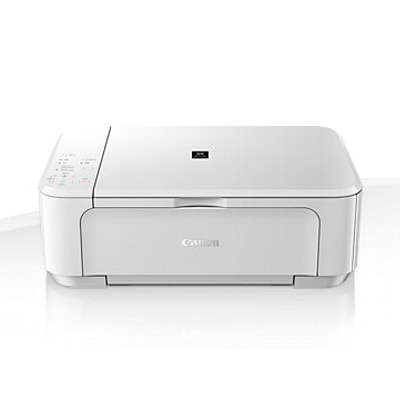
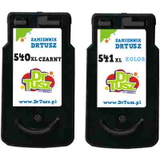
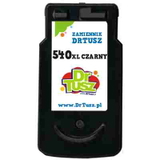
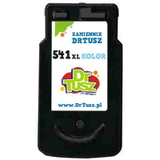
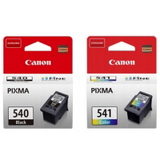
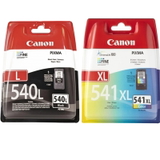
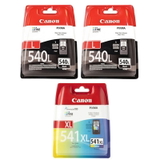
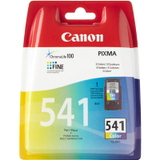
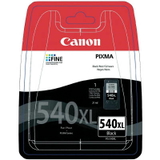
Canon Pixma MG3550 White – a reliable home all‑rounder The Canon Pixma MG3550 White (also known as Canon MG3550 / Canon MG3000 Series, code 8331B025) is a popular inkjet multifunction printer designed for everyday printing, copying and scanning. It’s valued for compact size, wireless convenience and very good photo and document quality—provided you use the right ink cartridges for Canon Pixma MG3550 White. In our store we focus on exactly that: dependable, proven ink in both Original OEM and high‑quality compatible versions. Ink for Canon MG3550: what matters for quality and comfort To keep your MG3550 printing sharp text and vibrant colour, you need the correct cartridge family: PG-540 (black) and CL-541 (colour), including their higher‑yield versions PG-540 XL / PG-540L and CL-541 XL. Choosing the right ink for Canon MG3550 affects not only page yield, but also everyday comfort—fewer replacements, fewer interruptions, and consistent results from the first page to the last. These cartridges are ideal for: - home printing (school materials, recipes, forms, invoices),
- colour documents (presentations, charts),
- photos (family pictures and creative projects),
- occasional printing—with the right habits to avoid drying (we share tips below).
Compatible and Original OEM cartridges – wide choice in one place We make it easy to match your needs and budget. In this category you’ll find both Original OEM ink cartridges for Canon Pixma MG3550 White and carefully selected compatible ink cartridges that print just as well in everyday use. If you print a lot, XL versions and multipacks are often the most cost‑effective choice. Popular options in this category include: - Original OEM Ink Cartridges Canon PG-540 + CL-541 (5225B006) (multi pack) – a classic set for balanced home use,
- Original OEM Ink Cartridges Canon PG-540 L + CL-541 XL (5224B007) (multi pack) – higher yield, fewer replacements,
- Original OEM Ink Cartridges Canon PG-540 XL + CL-541 XL (5222B013) (multi pack) – maximum convenience for frequent printing,
- Compatible Ink Cartridges PG-540 XL + CL-541 XL for Canon (5222B013) (multi pack) – a budget‑friendly high‑yield set,
- Compatible Ink Cartridge PG-540 XL for Canon (5222B001) (Black) – when you print mostly text,
- Compatible Ink Cartridge CL-541 XL for Canon (5226B005) (Color) – strong colours for documents and photos,
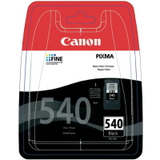
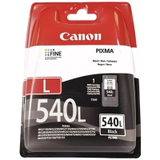
- Original OEM Ink Cartridge Canon PG-540 / PG-540L / PG-540 XL – choose the exact yield you prefer,
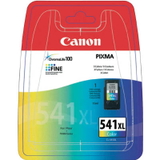
- Original OEM Ink Cartridge Canon CL-541 / CL-541 XL – reliable OEM colour performance,
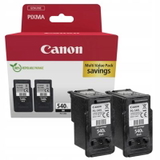
- Original OEM Ink Cartridges Canon 2 x PG-540 L + CL-541 XL (5224B017) and Canon PG-540L (5224B020) (2-pack) – smart options for black‑heavy printing.
How to choose the right cartridge for Canon Pixma MG3550 White When selecting ink for printer Canon Pixma MG3550 White, start with two simple decisions: colour vs. black, and standard vs. XL. - If you print mostly documents: choose PG-540 XL / PG-540L (black) for better yield and lower cost per page.
- If you print colour charts and photos: choose CL-541 XL to keep colour consistent and reduce replacements.
- If you want the simplest option: pick a multi pack (black + colour) so you’re ready for everything.
Original OEM vs compatible: what’s the difference in practice? Original OEM cartridges are made by Canon and are a great choice if you want the manufacturer’s solution and predictable results in every scenario. Compatible ink cartridges are an excellent alternative for customers who print more and want to optimise running costs—without sacrificing quality. The compatibles we offer are tested and selected to deliver printouts that are as good as originals in normal home and office use: clear text, strong blacks and vivid colours. Common MG3550 printing issues and our practical tips The Canon MG3550 is dependable, but like any inkjet it may show typical ink‑related symptoms. If you want fewer problems and longer cartridge life, keep these tips in mind: - Faded colours or missing lines: run a nozzle check and cleaning cycle; replace the cartridge if it’s empty.
- Ink drying out (especially with occasional printing): print a small colour page once every 1–2 weeks.
- Cartridge not recognised: reinsert the cartridge firmly; ensure you’re using the correct model (PG-540 / CL-541 and XL versions).
- Smudges or uneven print: use the printer’s alignment/maintenance options and make sure paper matches your task (plain vs photo).
Choose your ink today – we’re here to help We encourage you to explore our full range of ink cartridges for Canon Pixma MG3550 White—both Original OEM and high‑quality compatible options. Whether you need a single black cartridge, an XL colour cartridge, or a convenient multipack, we’ll help you match the right product to your printing habits. CTA: Add the right cartridge to your basket now, and if you’re unsure whether to choose PG-540, PG-540 XL/PG-540L, CL-541 or CL-541 XL, contact us—our team will recommend the best solution. We also offer fast delivery options so you can get back to printing without delay. |