Haven't found what you were looking for? Click here! ▼
Describe below exactly what you are looking for and we will see how we can help. You will receive a reply to your e-mail address by 16:22 at the latest
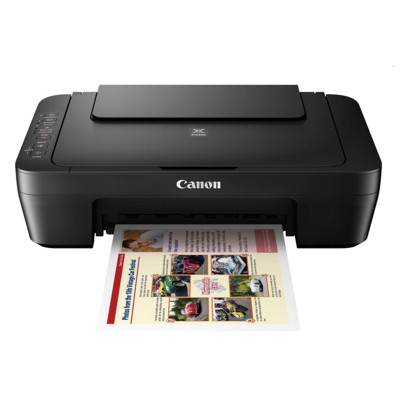
Ink cartridges for Canon Pixma MG3050 - compatible and original OEM
Find the right ink for your Canon Pixma MG3050 with a complete selection of inkjet cartridges designed for the Canon MG3000 Series. This category brings together both Original OEM and Compatibleink cartridges, so you can choose between maximum brand-certified reliability or a smart, cost-effective alternative—without compromising everyday print quality.
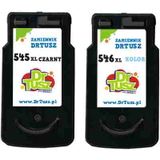
Choose from black and colour options, including popular multipacks for convenient replacement: Canon PG-545 / PG-545 XL (Black) and CL-546 / CL-546 XL (Color), plus bundle sets like PG-545 XL + CL-546 XL and twin black multipacks. Whether you search for Canon MG3050 ink cartridges or need cartridges for the Canon MG3000 Series, you’ll find the correct match for your printer and printing volume.
All cartridges listed are made to fit and work properly with your printer model—Original OEM for dependable performance and compatible cartridges for great value and consistent results. Pick the capacity that suits your needs, stock up with a multipack, and print with confidence—browse the full Canon Pixma MG3050 cartridge range and choose your best option today.
Other names: All-In-One Printer Canon Pixma MG3050
Canon Pixma MG3050 – a compact home printer that deserves reliable ink
The Canon Pixma MG3050 (also searched as Canon MG3050, Canon MG3000 Series or simply MG3050) is a popular all‑in‑one inkjet designed for everyday home printing: documents for work and school, simple graphics, and occasional colour prints. It’s valued for its compact size, Wi‑Fi convenience and easy operation—but like every inkjet, it performs best only when the right ink cartridge for Canon Pixma MG3050 is installed. In this category we’ve gathered both Original OEM and Compatible ink cartridges, so you can choose exactly what fits your needs and budget.
Ink for Canon MG3050 – what you get with the right cartridge
Choosing the correct ink for Canon Pixma MG3050 directly affects print sharpness, colour consistency and day‑to‑day reliability. This printer uses two cartridge families: PG-545 (black) and CL-546 (colour), available in standard and XL capacity. Black ink is ideal for crisp text and clean lines, while the tri‑colour cartridge handles colour charts, school projects and photo‑style prints on suitable paper.
With the right ink cartridge for MG3050 you can expect:
clear, readable text for office and school documents,
smooth colour transitions for graphics and presentations,
stable performance for everyday printing and scanning workflows,
the option to reduce cost per page by choosing XL cartridges or multipacks.
Original OEM and Compatible cartridges – one printer, two smart paths
In our store we offer both Original OEM ink cartridges for Canon MG3050 and carefully selected compatible ink cartridges for Canon Pixma MG3050. Original Canon cartridges are a great choice if you want the manufacturer’s solution and predictable results straight out of the box. At the same time, our compatible cartridges from DrTusz.pl are designed to deliver print quality that’s just as good as the originals, while offering a more budget‑friendly way to print more often.
Most customers choose between:
standard capacity (good for occasional printing),
XL capacity (better value for frequent printing and larger jobs),
multipacks (convenient and usually the most economical option).
Popular ink cartridges for Canon Pixma MG3050 available in this category
We keep this category focused on the cartridges that match the MG3050/MG3000 Series, so you don’t waste time comparing incompatible models. Here are some of the most chosen products:
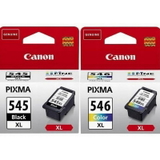
Original OEM Ink Cartridges Canon PG-545 XL + CL-546 XL (8286B006) (multi pack) – a high‑capacity set for frequent printing.
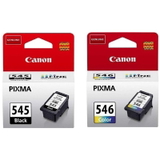
Original OEM Ink Cartridges Canon PG-545 + CL-546 (8287B005) (multi pack) – a solid standard set for everyday home use.
Compatible Ink Cartridges PG-545 XL + CL-546 XL for Canon (8286B006) (multi pack) – a cost‑effective XL alternative with excellent results.
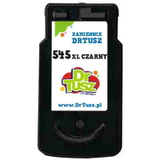
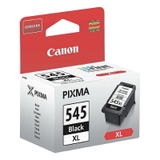
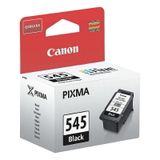
Original OEM Ink Cartridge Canon PG-545 XL (8286B001) (Black) and Original OEM Ink Cartridge Canon PG-545 (8287B001) (Black) – when you print mostly text.
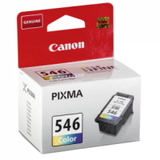
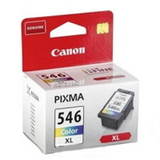
Original OEM Ink Cartridge Canon CL-546 (8289B001) (Color) and Original OEM Ink Cartridge Canon CL-546 XL (8288B001) (Color) – for colour documents and graphics.
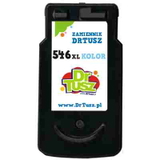
Compatible Ink Cartridge PG-545 XL for Canon (8286B001) (Black) and Compatible Ink Cartridge CL-546 XL for Canon (8288B001) (Color) – smart picks for lower running costs.
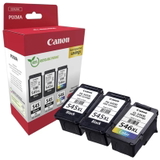
Original OEM Ink Cartridges Canon 2 x PG-545 XL + CL-546 XL (8286B013) (multi pack) – a convenient stock‑up option for busy households.
Whether you need a single black cartridge, a colour refill, or a full set, you’ll find the right ink for Canon MG3050 here.
How to choose ink for printer Canon Pixma MG3050 – practical tips
If you’re unsure which ink cartridge for Canon Pixma MG3050 to pick, we recommend starting with two simple questions: how much you print and what you print most often.
Mostly text? Choose PG-545 or PG-545 XL (Black). XL is ideal for frequent printing.
Text + colour charts + school projects? Choose a PG-545 + CL-546 set; go for XL if you print regularly.
Want the best value per page? Consider an XL multipack, especially if you print weekly.
Need peace of mind with a manufacturer solution? Pick Original OEM.
Want to reduce printing costs without sacrificing quality? Our compatible ink cartridges are as good as the originals and are an excellent everyday alternative.
Common MG3050 printing issues – and how the right cartridge helps
The Canon MG3050 is reliable, but users sometimes face typical inkjet challenges. The good news: many problems can be prevented with the right ink for MG3050 and a few good habits.
Faded print or streaks – often caused by low ink or nozzles that need cleaning. Replacing the cartridge and running printer maintenance usually solves it.
Printer says “ink is empty” too quickly – consider an XL cartridge for longer runtime and fewer interruptions.
Colour looks off – a fresh CL-546 / CL-546 XL cartridge plus alignment/nozzle check can restore accurate colour.
Infrequent printing leads to problems – if you print rarely, doing a small test page every 1–2 weeks helps keep ink flowing smoothly.
If you ever feel unsure which ink cartridge for printer Canon Pixma MG3050 is best for your situation, we’re here to help you choose quickly and correctly.
Choose your Canon Pixma MG3050 ink today
We encourage you to explore our full selection of ink cartridges for Canon Pixma MG3050—both Original OEM and Compatible. Pick a single cartridge when you need a quick replacement, or choose an XL multipack to print comfortably for longer. Add your chosen ink for Canon MG3050 to the cart and enjoy a smooth shopping experience, fast dispatch options and support from a team that knows printers and consumables inside out. If you have any questions before buying, contact us—we’ll gladly help you match the perfect cartridge to your MG3050.