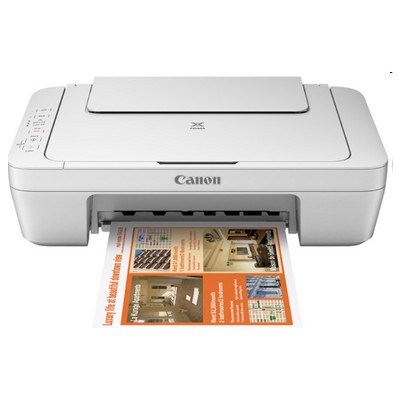
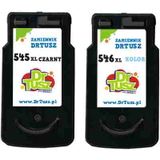
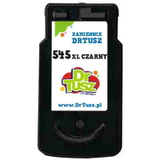
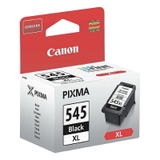
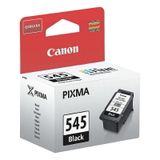
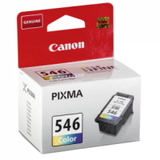
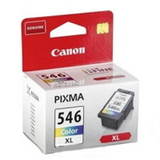
Canon Pixma MG2940 – a compact home printer that deserves reliable ink Canon Pixma MG2940 (also known as Canon MG2940 or the Canon MG2000 Series) is a popular all-in-one inkjet printer designed for everyday home printing, copying and scanning. It’s compact, easy to use and great for schoolwork, documents and occasional color photos. To keep it running smoothly and to maintain consistent print quality, choosing the right ink for Canon Pixma MG2940 is essential—especially when you want clean text, vivid colors and fewer interruptions. What ink cartridges does Canon MG2940 use? This model works with the well-known Canon cartridge set: PG-545 (black) and CL-546 (color), also available in high-yield XL versions. When you pick ink cartridges for Canon Pixma MG2940, you can tailor your choice to how you print: more pages, deeper blacks, better color balance or simply the most cost-effective option for everyday use. In our category you’ll find both Original OEM and Compatible ink cartridges. Each option is designed to fit the MG2940 perfectly, ensuring correct installation and dependable performance for everyday printing. Original OEM vs Compatible ink for Canon Pixma MG2940 We offer two trusted paths—so you can choose what fits your priorities best: - Original OEM ink for Canon Pixma MG2940 – genuine Canon cartridges that deliver predictable results, excellent compatibility and stable print quality.
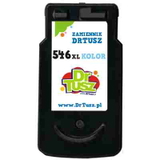
- Compatible ink cartridges for Canon MG2940 – a smart alternative for frequent printing. Our compatible cartridges from DrTusz.pl are manufactured to high standards and are as good as the originals in everyday use, offering excellent value per page.
If you print a lot (school materials, invoices, forms, recipes or learning sheets), a compatible cartridge can significantly reduce costs without sacrificing comfort or quality. If you prefer sticking strictly to Canon’s original supplies, we’ve got the full OEM range as well. High-yield XL cartridges – more printing, fewer replacements Many MG2940 users want fewer cartridge changes and more pages per purchase. That’s where XL versions make a real difference. Choosing PG-545 XL and CL-546 XL means: - more printed pages compared to standard cartridges,
- better cost efficiency for regular printing,
- less downtime spent replacing cartridges.
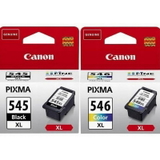
If your Canon MG2940 is used by the whole family, or you often print color materials, XL ink for Canon Pixma MG2940 is usually the most practical choice. Popular ink cartridges in our Canon Pixma MG2940 category We keep this category clear and well-stocked, so you can quickly find the exact cartridge or multipack you need. Customers frequently choose: - Original OEM Ink Cartridges Canon PG-545 XL + CL-546 XL (8286B006) (multi pack) – a high-yield set for black + color printing.
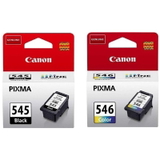
- Original OEM Ink Cartridges Canon PG-545 + CL-546 (8287B005) (multi pack) – a standard set for everyday home use.
- Compatible Ink Cartridges PG-545 XL + CL-546 XL for Canon (8286B006) (multi pack) – our value-focused XL set for frequent printing.
- Original OEM Ink Cartridge Canon PG-545 XL (8286B001) (Black) and Original OEM Ink Cartridge Canon PG-545 (8287B001) (Black) – when you mainly print text.
- Original OEM Ink Cartridge Canon CL-546 (8289B001) (Color) and Original OEM Ink Cartridge Canon CL-546 XL (8288B001) (Color) – for color documents and photos.
- Compatible Ink Cartridge PG-545 XL for Canon (8286B001) (Black) and Compatible Ink Cartridge CL-546 XL for Canon (8288B001) (Color) – high-yield compatible options chosen for savings.
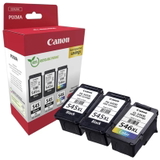
- Original OEM Ink Cartridges Canon 2 x PG-545 XL + CL-546 XL (8286B013) (multi pack) – a convenient bundle for heavy users and families.
Thanks to this variety, you can buy exactly what you need: a single black cartridge, a color cartridge, an XL upgrade, or a convenient multipack. How to choose the right ink for Canon MG2940 – practical tips If you’re not sure which ink cartridges for Canon Pixma MG2940 to select, here are our quick guidelines: - If you print mostly text: choose PG-545 or PG-545 XL (black).
- If you print school materials, graphics or photos: add CL-546 or CL-546 XL (color).
- If you want fewer replacements: go for XL cartridges or a multipack.
- If you want the best value for frequent printing: choose our compatible ink for Canon Pixma MG2940.
Common MG2940 user issues are usually simple: printing stops because one cartridge is empty, colors look faded after long breaks, or the printer complains about cartridge status. In most cases, installing a fresh cartridge (especially an XL model) and running a standard cleaning cycle restores normal printing. If you print occasionally, we recommend printing a small color page from time to time to keep inks flowing smoothly. Order ink for Canon Pixma MG2940 with confidence We make it easy to choose the right ink for Canon Pixma MG2940—whether you prefer Original OEM reliability or the cost-effective performance of our compatible cartridges that are as good as the originals. Explore the available PG-545 and CL-546 options, pick standard or XL, and decide whether a multipack will save you time and money. Call to action: We encourage you to browse our full selection in this category and choose the best ink cartridges for your Canon MG2940 today. If you need help matching the right cartridge to your printing habits, contact us—our team will gladly advise you and help you place an order. We also ensure fast processing and convenient delivery options so you can get back to printing without delay. |