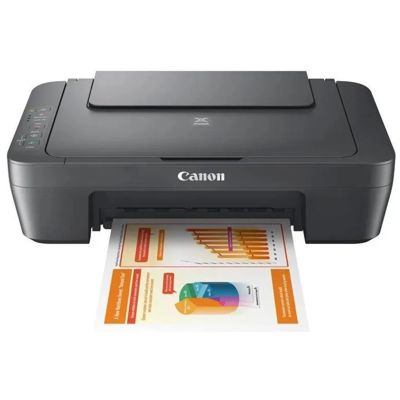
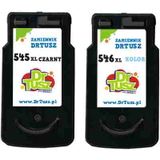
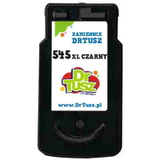
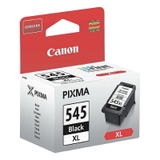
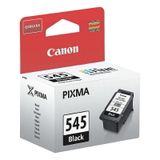
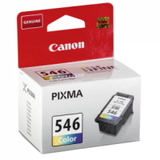
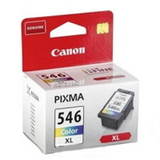
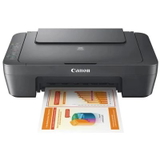
Canon Pixma MG2551S – a reliable home all-in-one for everyday printing Canon Pixma MG2551S (also searched as Canon MG2551S, MG2551 S, MG2551s or Canon MG2000 Series, code 0727C066) is a popular all-in-one inkjet printer designed for simple, affordable home use. It’s a great choice for printing school assignments, work documents and occasional color photos. To keep this device running smoothly and to maintain clean, sharp output, it’s worth choosing the right ink cartridge for Canon Pixma MG2551S—both in black and in color. Color ink cartridges for Canon MG2551S – what you get from the right choice In this category we offer color ink cartridges and sets for Canon Pixma MG2551S—both Original OEM and Compatible. The printer uses Canon’s well-known cartridge system based on the PG-545 (black) and CL-546 (color) families, including higher-capacity XL versions. With the proper ink for Canon Pixma MG2551S, you can count on: - clear text for everyday documents and forms,
- vibrant, balanced color for charts, graphics and family photos,
- stable performance even when the printer is used occasionally,
- predictable yield—especially with XL cartridges and multipacks.
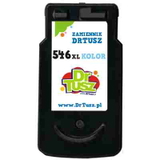
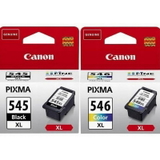
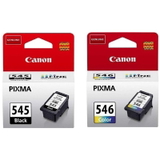
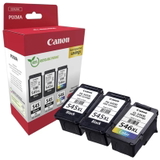
Whether you print a few pages a week or you need more frequent color output, choosing the right ink for printer Canon Pixma MG2551S is the simplest way to keep costs under control without sacrificing quality. Original OEM and Compatible – a wide range of Canon PG-545 / CL-546 options We designed this category to make shopping fast and safe: you’ll find the most commonly chosen cartridges for Canon MG2551S, including single cartridges and convenient multipacks. Popular choices include: - Original OEM Ink Cartridges Canon PG-545 XL + CL-546 XL (8286B006) (multi pack) – a high-capacity set for frequent printing,
- Original OEM Ink Cartridges Canon PG-545 + CL-546 (8287B005) (multi pack) – a classic OEM bundle for everyday use,
- Compatible Ink Cartridges PG-545 XL + CL-546 XL for Canon (8286B006) (multi pack) – a cost-effective alternative with great results,
- Original OEM Ink Cartridge Canon CL-546 XL (8288B001) (Color) and Original OEM Ink Cartridge Canon CL-546 (8289B001) (Color) – when you need color only,
- Compatible Ink Cartridge CL-546 XL for Canon (8288B001) (Color) – a smart choice for more color pages at a better price.
And if you’re looking for the device itself, we also include the All-In-One Printer Canon Pixma MG2551S in this selection—perfect if you want to replace your old unit or set up a simple home printing station. How to choose ink for Canon Pixma MG2551S: XL vs standard, set vs single Dear Customer, if you’re not sure which ink cartridge for Canon MG2551S will be best, we recommend starting with two simple questions: how often you print and whether you print more in black or in color. - Choose XL (e.g., CL-546 XL / PG-545 XL) if you print more regularly or want fewer cartridge changes.
- Choose standard capacity if you print occasionally and prefer a lower one-time expense.
- Choose a multipack (black + color) if you want convenience and the best value per page.
- Choose a single color cartridge if your black is still full and only the color needs replacement (or the other way around).
This approach makes it easy to match the right ink for Canon Pixma MG2551S to your real printing habits. Original OEM vs Compatible ink cartridges – what’s the difference? Original OEM cartridges are produced by the printer manufacturer and are a great fit for customers who prefer OEM-branded consumables. Compatible cartridges, on the other hand, are an excellent alternative for anyone who wants to print more while spending less. Importantly, our compatible cartridges from DrTusz.pl are designed to deliver results that are as good as the originals—sharp text, strong color and reliable operation. When choosing between Original OEM and Compatible ink for printer Canon Pixma MG2551S, consider: - Budget per page – compatible XL options are often the most economical,
- Printing volume – heavy users typically benefit most from XL compatible multipacks,
- Shopping convenience – multipacks reduce the risk of running out unexpectedly.
Common MG2551S printing issues – and how the right cartridge helps Canon Pixma MG2551S is easy to use, but like any inkjet, it can face typical day-to-day problems—especially when it sits unused for longer periods. Customers most often mention: - faded colors or missing lines – usually a sign the color cartridge is low or the printer needs a cleaning cycle,
- uneven color on graphics – often solved by replacing the color cartridge (CL-546 / CL-546 XL) and running alignment,
- printing after a long break – using fresh, high-quality ink for Canon MG2551S helps restore stable output.
If you’re unsure whether you need a new cartridge or just maintenance, we encourage you to contact us—we’ll help you choose the best solution for your Canon MG2551S. Order ink for Canon Pixma MG2551S with confidence We make it easy to find the right ink cartridge for Canon Pixma MG2551S using multiple popular search phrases, including Canon MG2551S, MG2551S, MG2551 s, MG2551 S, MG2551s, Canon MG2000 Series and 0727C066. Choose Original OEM or our trusted Compatible cartridges, pick the color option or a convenient multipack, and enjoy consistent results at home. CTA: Browse the available Canon PG-545 / CL-546 cartridges in this category and add your preferred set to the cart today. If you need help selecting the right cartridge (standard vs XL, OEM vs compatible), message us—we’re here to advise. We ship quickly and securely, so you can get back to printing without unnecessary downtime. |