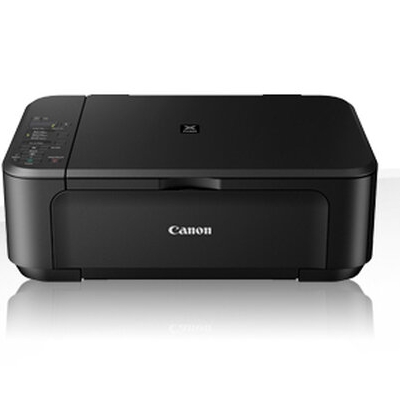
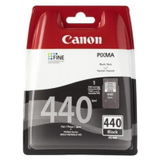
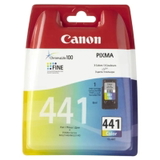
Canon Pixma MG2240 – a reliable home all‑in‑one for everyday printing Canon Pixma MG2240 (also searched as Canon MG2240 or Canon MG2000 Series, code 6221B006) is a compact inkjet multifunction printer designed for home and small office use. It’s a great choice for printing school materials, documents, web pages and occasional colour graphics. To keep your device working smoothly and to maintain crisp text and vivid colours, it’s worth choosing the right ink for Canon Pixma MG2240—matched perfectly to this model’s requirements. What ink cartridges does the Canon MG2240 use? The Canon MG2240 works with two cartridge lines: a black cartridge for text documents and a tri‑colour cartridge for colour prints. In this category you’ll find Canon PG-440 (black) and Canon CL-441 (colour), available in standard and XL capacity. Choosing the correct ink cartridge for Canon MG2240 is the simplest way to get consistent print quality and avoid issues like streaks, faded output or missing colours. These ink cartridges are perfect for: - everyday document printing (invoices, forms, homework, letters),
- colour charts, presentations and simple graphics,
- occasional photo printing on compatible paper,
- users who value easy installation and predictable results.
Print quality, performance and why XL often makes sense When you print frequently, the XL version can be a smart choice. An XL ink for Canon Pixma MG2240 typically offers a higher page yield compared to the standard cartridge, which means fewer replacements and often a lower cost per page. If you print only from time to time, standard capacity cartridges may be perfectly sufficient and help you avoid storing ink for too long. With the right cartridge installed, your Canon MG2240 can deliver: - sharp black text for everyday documents,
- clear, balanced colours for mixed content,
- stable performance when you print regularly and keep the nozzles in good condition.
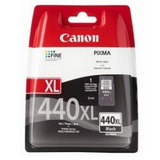
Popular Original OEM cartridges for Canon Pixma MG2240 in our offer We focus on a clear, proven selection so you can choose quickly and confidently. In this category you’ll find original Canon solutions that fit the MG2240 perfectly: - Original OEM Ink Cartridge Canon PG-440 XL (5216B001) (Black) – excellent for frequent black text printing and higher yield needs.
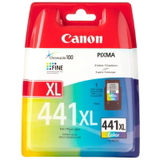
- Original OEM Ink Cartridge Canon CL-441 XL (5220B001) (Color) – a great pick if you often print in colour and want fewer replacements.
- Original OEM Ink Cartridge Canon CL-441 (5221B001) (Color) – standard capacity colour cartridge for balanced, everyday use.
- Original OEM Ink Cartridge Canon PG-440 (5219B001) (Black) – standard capacity black cartridge for occasional printing and home tasks.
Whether you searched for ink for MG2240, ink for Canon MG2000 Series or by the cartridge code, we make it easy to match the right product to your printer. Original OEM vs compatible cartridges – how to choose wisely Many customers ask us what’s better: Original OEM ink cartridge or a compatible alternative. Original Canon cartridges are designed by the printer manufacturer and offer very predictable results and straightforward installation. At the same time, we know that printing costs matter. That’s why we also recommend compatible options where available—because compatible cartridges from DrTusz.pl are as good as the originals in everyday use, offering reliable printing and great value. If you print a lot, a high‑quality compatible cartridge can be an excellent way to reduce cost per page without sacrificing clarity and colour consistency. When choosing ink for printer Canon Pixma MG2240, consider: - Your print volume – standard for occasional printing, XL for frequent printing.
- What you print most – mostly text (focus on black), mixed content (black + colour), more colour pages (consider colour XL).
- Your budget – Original OEM for maximum manufacturer consistency; compatible for strong savings while keeping quality high.
Common MG2240 printing issues and simple tips Canon MG2240 users most often report issues that are easy to prevent with good habits and the right supplies: - Streaks or missing colours – usually caused by dried nozzles. Print a small test page regularly and use the printer’s built‑in cleaning function when needed.
- Faded black text – replace the black cartridge (PG-440) or run a nozzle check to confirm ink flow.
- Cartridge not recognised – ensure the protective tape is removed, the cartridge clicks into place, and the contacts are clean.
- Fast ink consumption – choose XL versions for better yield, avoid unnecessary high‑coverage prints, and use draft mode for internal documents.
If you’re not sure which ink cartridge for Canon Pixma MG2240 will solve your specific problem, we encourage you to contact us—our team will help you match the right cartridge quickly. Choose your ink and start printing without interruptions We encourage you to explore our selection of ink cartridges for Canon Pixma MG2240 and pick the option that best fits your printing style—standard or XL, black or colour, Original OEM or a high‑quality compatible alternative. Add the cartridge to your basket, and we’ll take care of fast processing and convenient delivery. If you have any questions about compatibility, codes (like 5216B001 or 5220B001) or choosing the best ink for MG2240, write to us or call—together we’ll get your printer ready for perfect prints. CTA: Check the available Canon PG-440 and Canon CL-441 cartridges in this category and order today—so your Canon Pixma MG2240 is always ready when you need it. |