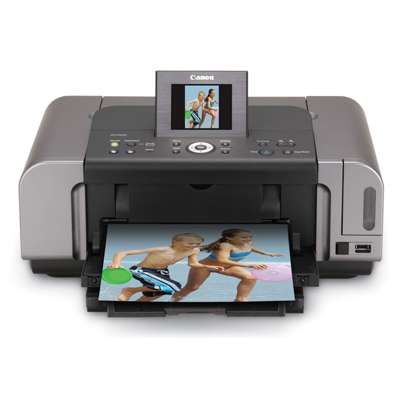
Canon Pixma iP6700D – photo-quality printing at home If you use the Canon Pixma iP6700D (also searched as Canon iP6700D, iP6700d, IP6700 D or Canon IP6000 Series), you already know it’s a printer designed for beautiful colour prints and detailed photos. This model is valued for smooth tonal transitions, vivid colours and sharp text—provided you choose the right ink for Canon Pixma iP6700D. In our store, we focus on reliable printing every day, which is why we offer both Original OEM and high-quality Compatible ink cartridges tailored to this printer. What Canon Pixma iP6700D ink cartridges are used for The iP6700D uses a multi-cartridge system, which means you replace only the colour that runs out. This is convenient and cost-effective, especially if you print a lot of photos or colourful documents. The right ink cartridge for Canon Pixma iP6700D helps maintain consistent colour, prevents streaking, and protects the print head from issues caused by poor-quality supplies. These cartridges are a great fit for: - home photo printing (glossy and matte photo papers),
- colour documents for school and office,
- graphics, invitations, presentations and creative projects,
- everyday black text printing with crisp edges.
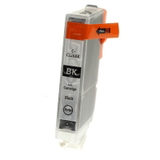
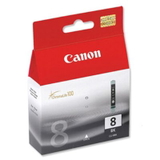
Original OEM vs Compatible – choose what suits your printing style In this category, you’ll find both Original OEM ink for Canon Pixma iP6700D and carefully selected Compatible ink cartridges. Original OEM cartridges are made by Canon and are a safe choice for users who want factory-standard performance and maximum predictability in colour reproduction. At the same time, many customers want to lower printing costs without sacrificing quality. That’s where our proven compatibles come in. Our Compatible ink cartridge for Canon Pixma iP6700D from the DrTusz.pl offer is designed to deliver prints that are as good as originals—sharp, clean and colour-accurate—while keeping your cost per page under control. Popular cartridges in this category (CLI-8 series) Your printer uses the Canon CLI-8 family. We stock the most frequently chosen colours in both OEM and compatible versions, so you can complete the full set or replace a single cartridge right away. You’ll find, among others: - Original OEM Ink Cartridge Canon CLI-8 BK (0620B001) (Black) and Compatible Ink Cartridge CLI-8 BK for Canon (0620B001) (Black)
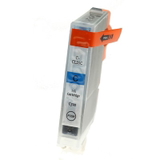
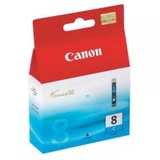
- Original OEM Ink Cartridge Canon CLI-8 C (0621B001) (Cyan) and Compatible Ink Cartridge CLI-8 C for Canon (0621B001) (Cyan)
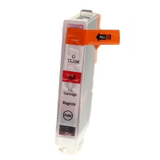
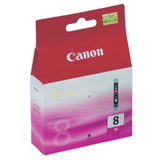
- Original OEM Ink Cartridge Canon CLI-8 M (0622B001) (Magenta) and Compatible Ink Cartridge CLI-8 M for Canon (0622B001) (Magenta)
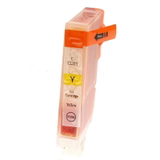
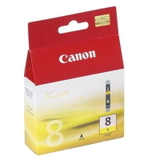
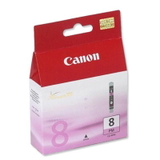
- Original OEM Ink Cartridge Canon CLI-8 Y (0623B001) (Yellow) and Compatible Ink Cartridge CLI-8 Y for Canon (0623B001) (Yellow)
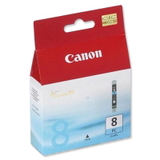
- Original OEM Ink Cartridge Canon CLI-8 PC (0624B001) (Cyan Photo) and Original OEM Ink Cartridge Canon CLI-8 PM (0625B001) (Magenta Photo) for smoother photo gradients
Thanks to this mix, you can match your cartridge choice to your needs: photo-focused printing, everyday documents, or a balanced set for everything. How to pick the right ink for Canon iP6700D To choose the best ink for printer Canon Pixma iP6700D, we recommend checking two things: your printing habits and the cartridge code. The safest approach is to match the exact symbol, such as CLI-8 BK or CLI-8 C, plus the Canon part number (for example 0620B001 or 0621B001). If you searched by 1441B002 or variations like iP6700 d, you’re still in the right place—this category is dedicated to compatible supplies for this model. Need a simple rule of thumb? - Choose Original OEM if you want manufacturer-standard colour matching and maximum peace of mind.
- Choose Compatible if you want excellent print quality comparable to OEM and better value for frequent printing.
Common user issues with the Pixma iP6700D – and how the right cartridge helps With photo printers, the most common problems are usually not the printer itself, but consumables and maintenance. Customers often report: - faded colours or banding – typically solved by replacing an empty colour and running a nozzle check/cleaning,
- missing colour in prints after a longer break – fresh ink and a short cleaning cycle usually restores full output,
- smudges on photos – make sure you use the right paper type and allow proper drying time,
- cartridge recognition messages – double-check the correct CLI-8 type and install firmly until it clicks.
We encourage you to keep at least one spare ink cartridge for Canon Pixma iP6700D at home—especially black and the most-used photo colours—so you’re never stuck mid-print. Order easily, print confidently – we’re here to help We make it simple to find the right ink for Canon Pixma iP6700D—whether you prefer Original OEM cartridges or our reliable Compatible alternatives. Choose the colours you need, add them to your cart, and enjoy fast, convenient delivery options. If you’re unsure which cartridge to pick, we encourage you to contact us—our team will help you match the right CLI-8 cartridges to your printing needs. Browse the Canon Pixma iP6700D ink cartridge selection now and get back to printing crisp documents and stunning photos without interruptions. |