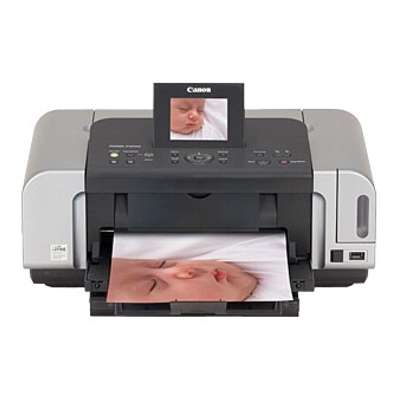
Canon Pixma iP6600D – a photo-friendly printer that deserves the right ink Canon Pixma iP6600D (also searched as Canon iP6600D, iP6600 d, IP6600D or Canon IP6000 Series) is a popular inkjet printer designed for sharp everyday documents and vibrant home photo printing. With a multi-cartridge system, it delivers smooth gradients, strong blacks and accurate colours—provided you use well-matched ink cartridges for Canon Pixma iP6600D. In our store, we offer both Original OEM and Compatible options, so you can choose the solution that fits your budget and printing style. What makes ink for Canon Pixma iP6600D special? This model uses separate colour cartridges, which is practical: you replace only the colour that runs out, not the whole set. The right ink for Canon Pixma iP6600D helps maintain consistent colour balance, avoids streaks, and supports reliable nozzle work—especially important when you print photos or graphics. Whether you print occasionally or frequently, choosing a dependable cartridge means fewer interruptions and better results. Ink cartridges for iP6600D are a great match for: - everyday home and office documents (clear text and strong black)
- photos with smooth transitions (especially with Photo Cyan and Photo Magenta)
- colour graphics, school projects and creative prints
- users who want control over costs thanks to individual colour replacement
Original OEM and Compatible cartridges – we give you a real choice In this category you will find ink cartridges for Canon Pixma iP6600D in two proven classes: Original OEM cartridges from Canon, and carefully selected Compatible cartridges from our offer. If you want factory-standard solutions, OEM is an easy pick. If you want excellent quality with more cost control, our compatible cartridges are a smart alternative—our customers choose them for reliable colour, clean printing and great value. Importantly: the printer may appear in searches under multiple names (e.g., 0010B001, IP6600 D, iP6600d). If you see one of these terms, you are still in the right place—this is the dedicated section for the Canon Pixma iP6600D family. Popular ink cartridges in this category (CLI-8 series) We keep a wide selection of the most commonly used colours in the Canon CLI-8 range. Here are some of the best-known items available in this category—both OEM and compatible—so you can complete your set easily: - Original OEM Ink Cartridge Canon CLI-8 BK (0620B001) (Black) – crisp black for everyday printing
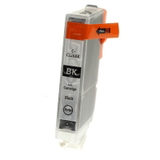
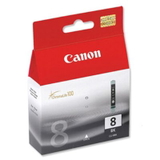
- Compatible Ink Cartridge CLI-8 BK for Canon (0620B001) (Black) – cost-effective black without sacrificing clarity
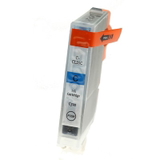
- Original OEM Ink Cartridge Canon CLI-8 C (0621B001) (Cyan) and Compatible Ink Cartridge CLI-8 C for Canon (0621B001) (Cyan)
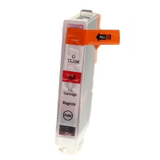
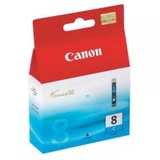
- Original OEM Ink Cartridge Canon CLI-8 M (0622B001) (Magenta) and Compatible Ink Cartridge CLI-8 M for Canon (0622B001) (Magenta)
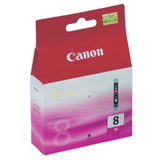
- Original OEM Ink Cartridge Canon CLI-8 Y (0623B001) (Yellow) and Compatible Ink Cartridge CLI-8 Y for Canon (0623B001) (Yellow)
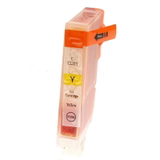
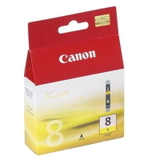
- Original OEM Ink Cartridge Canon CLI-8 PC (0624B001) (Cyan Photo) – smoother tones for photo prints
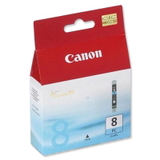
- Original OEM Ink Cartridge Canon CLI-8 PM (0625B001) (Magenta Photo) – better skin tones and gentle gradients
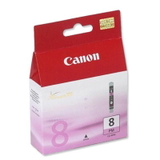
Need only one colour today? No problem. Want to refresh the full colour set for consistent photo output? We also make it easy to build a complete purchase based on what you print most. How to choose the right cartridge for Canon Pixma iP6600D When buying ink for Canon Pixma iP6600D, start with the cartridge code and colour. This printer uses the CLI-8 family, so matching the symbol (e.g., 0620B001, 0621B001) and the colour name is the safest method. Then decide between Original OEM and Compatible: - Original OEM – ideal if you want the manufacturer’s cartridge, predictable performance, and a “plug & print” approach.
- Compatible – a great choice if you want to reduce printing costs while keeping high quality. Our compatible cartridges from DrTusz.pl are designed to be as good as the originals in everyday use: strong colours, clean text and reliable operation.
If you print photos often, pay attention to Photo Cyan (PC) and Photo Magenta (PM)—they help achieve smoother transitions and more natural tones. If your priority is documents, you will most often replace Black (BK). Common user issues with iP6600D ink cartridges—and how we help Users of Canon Pixma iP6600D sometimes report typical inkjet challenges: fading colours after long breaks, streaks caused by clogged nozzles, or quick “low ink” messages. The good news is that these issues are usually easy to manage with the right routine and cartridge choice. We recommend: - printing a small colour test page from time to time if the printer is used rarely
- replacing only the colour that is empty (one of the advantages of the CLI-8 system)
- choosing dependable cartridges—OEM or our proven compatible options—to keep output consistent
If you are unsure whether your printer is listed as iP6600D, IP6600D, IP6600 D or under Canon IP6000 Series, tell us what you see on the device label or in the driver—our team will help you match the correct cartridge. Order ink for Canon Pixma iP6600D with confidence We encourage you to explore our full selection of ink cartridges for Canon Pixma iP6600D—both Original OEM and Compatible. Choose the colours you need, enjoy predictable results, and keep your printer ready for everything from homework to photo albums. Add the cartridges to your cart today, and if you have any questions about the right CLI-8 variant or colour set, contact us—we are here to help. We also ensure fast, secure delivery, so you can get back to printing without delay. |