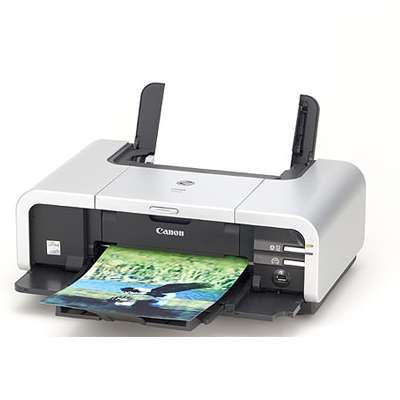
Canon Pixma iP5200R – a proven photo and home-office printer If you use the Canon Pixma iP5200R (also searched as Canon iP5200R or Canon IP5000 Series), you know it’s a reliable inkjet printer built for crisp documents and vivid colour prints. To keep it performing at its best, you need the right ink cartridge for Canon Pixma iP5200R—properly matched, efficient, and ready for everyday printing as well as occasional photo projects. In this category we’ve gathered both Original OEM and Compatible solutions, so you can choose what fits your budget and printing style without compromising quality. We help you quickly find the right ink for Canon iP5200R even if you search by codes such as 0195B001 or by variations like iP5200 r, IP5200R or IP5200 R. Ink cartridges for Canon Pixma iP5200R – what you need to know This printer uses a separate black pigment cartridge for text and separate colour cartridges for photos and graphics. That’s a big advantage: you replace only the colour that runs out, which helps control costs and reduces waste. With the right ink for printer Canon Pixma iP5200R, you’ll get: - Sharp black text for invoices, schoolwork and office documents (ideal when you print a lot of monochrome pages).
- Natural colours for presentations, charts and everyday colour documents.
- Clean gradients and strong contrast for photo prints on suitable paper.
- Stable performance with proper chip recognition and smooth ink flow (important for regular, trouble-free printing).
Whether you print occasionally or every day, choosing a well-matched ink cartridge for Canon iP5200R helps prevent common issues like faded colours, uneven fills, or frequent cartridge changes. Original OEM or Compatible – we offer both, and we help you choose We know customers have different expectations, which is why we offer both Original OEM ink cartridges and carefully selected compatible ink cartridges. Original OEM cartridges are the manufacturer’s solution—great if you want to stick to Canon-branded consumables. At the same time, our compatible ink cartridges from DrTusz.pl are designed to be just as good as originals in everyday use: reliable, cost-effective, and a smart choice for frequent printing. Key differences you may notice: - Original OEM: Canon branding, factory specifications, a familiar choice for users who prefer manufacturer consumables.
- Compatible: excellent value for money, very popular for home and office printing, and a great way to reduce cost per page—without sacrificing print quality.
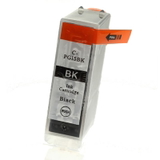
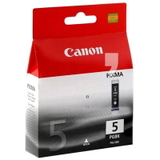
Popular ink cartridges in this category (Canon Pixma iP5200R / IP5000 Series) To make shopping easier, we stock the most frequently chosen items for this model—both single colours and convenient sets. Here are some highlights you’ll find in our range of ink for Canon Pixma iP5200R: - Original OEM Ink Cartridge Canon PGI-5 BK (0628B001) (Black) – pigment black for crisp, professional text.
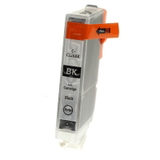
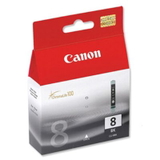
- Original OEM Ink Cartridge Canon CLI-8 BK (0620B001) (Black) – photo black for strong contrast in images and graphics.
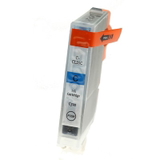
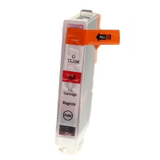
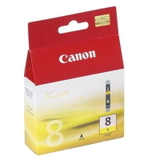
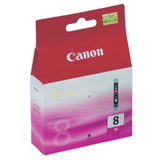
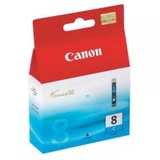
- Original OEM Ink Cartridge Canon CLI-8 C (0621B001) (Cyan), CLI-8 M (0622B001) (Magenta), CLI-8 Y (0623B001) (Yellow) – the core colour set for vivid prints.
- Compatible Ink Cartridge PGI-5 BK for Canon (0628B001) (Black) – a budget-friendly alternative for everyday documents.
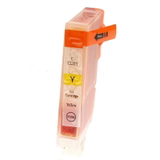
- Compatible Ink Cartridge CLI-8 BK/C/M/Y – reliable colour replacement when you want consistent output at a lower running cost.
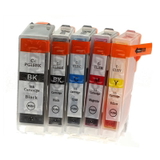
- Compatible Ink Cartridges CLI-5/8 CMYK for Canon (DT-AC-8) (multi pack) – a convenient multipack for balanced printing.
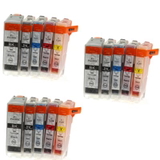
- 3x Compatible Ink Cartridges CLI-5/8 CMYK for Canon (DT-AC-8/K/T) (multi pack) – a high-value option if you print frequently and want to stock up.
Thanks to this variety, you can build your own set: choose OEM for key jobs and compatible cartridges for high-volume printing—whatever works best for you. How to choose the right ink for Canon iP5200R and avoid common problems When selecting an ink cartridge for Canon Pixma iP5200R, we recommend checking the cartridge symbol and colour first. This model typically uses PGI-5 BK for pigment black text and CLI-8 series for colours (and photo black). If you’re unsure, match the code from your old cartridge (for example: 0628B001, 0620B001, 0621B001, 0622B001, 0623B001). Users of the Canon Pixma iP5200R sometimes report a few typical situations—here’s how to handle them: - Printer says “cartridge not recognized”: reseat the cartridge, ensure protective elements are removed, and restart the printer. Using well-made compatible cartridges greatly reduces this risk.
- Streaks or missing colours: run a nozzle check and cleaning cycle. If you print rarely, do a small colour print once in a while to keep ink flowing.
- Black text looks grey: confirm you’re using PGI-5 BK for pigment black where needed, not the photo black cartridge.
- Colour imbalance in photos: replace only the depleted colour and consider a multipack to keep CMYK levels consistent.
If you tell us what you print most—documents, schoolwork, photos, or mixed use—we’ll help you choose the best ink for printer Canon Pixma iP5200R quickly and confidently. Order ink cartridges today – fast, convenient, and with real support We encourage you to explore our full selection of ink cartridges for Canon Pixma iP5200R—both Original OEM and our high-quality Compatible options. Add a single cartridge, build your own colour set, or choose a multipack to lower your cost per page and stay prepared for busy weeks. CTA: Choose your ink for Canon iP5200R now and place your order—if you need help matching the cartridge code or selecting OEM vs compatible, contact us. We’ll guide you to the best option and help you get back to printing as quickly as possible, with convenient delivery and friendly customer support. |