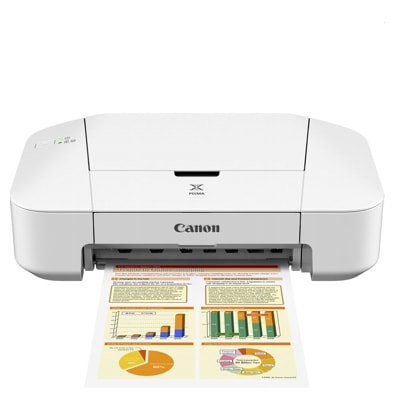
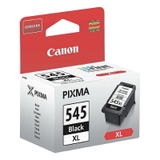
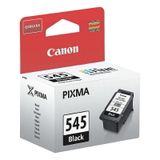
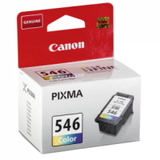
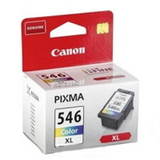
Canon Pixma iP2850 – a compact printer for everyday printing The Canon Pixma iP2850 (also found as Canon iP2850 or Canon IP2000 Series, code 8745B006) is a popular home inkjet printer known for simple operation, compact size, and reliable results in everyday use. It’s a great choice for printing school materials, documents, tickets, recipes, and occasional color graphics. To keep it working smoothly and to maintain crisp text and vivid colors, it’s worth choosing the right ink for Canon Pixma iP2850—either Original OEM or a proven compatible cartridge. Ink cartridges for Canon iP2850 – what you need to know This model uses two main cartridges: a black cartridge for sharp text and a tri-color cartridge for color prints. When you choose an ink cartridge for Canon Pixma iP2850, you’re really deciding on print quality, page yield, and cost per page. In our category you’ll find both standard and high-yield (XL) versions—perfect if you print often and want fewer replacements. Good ink for iP2850 should deliver: - clear, readable black text for documents,
- consistent colors for charts and simple photos,
- smooth printing without streaks and fading,
- trouble-free installation and stable recognition by the printer.
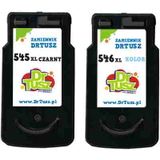
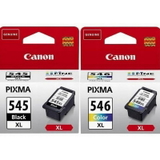
Original OEM and Compatible cartridges – a wide choice in one place We make it easy to match your needs and budget. In this category you’ll find Original OEM ink cartridges for Canon Pixma iP2850 as well as Compatible ink cartridges for Canon Pixma iP2850 that are tested and reliable. Thanks to that, you can print the way you like—economically or strictly OEM—without searching multiple places. Among the most popular options are convenient multipacks and XL versions, for example: - Original OEM Ink Cartridges Canon PG-545 XL + CL-546 XL (8286B006) – a high-yield multipack for frequent printing,
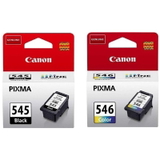
- Original OEM Ink Cartridges Canon PG-545 + CL-546 (8287B005) – a classic set for everyday home use,
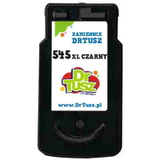
- Original OEM Ink Cartridge Canon PG-545 XL (8286B001) Black – extra pages and strong black text,
- Original OEM Ink Cartridge Canon CL-546 XL (8288B001) Color – more color prints with fewer replacements,
- Compatible Ink Cartridges PG-545 XL + CL-546 XL for Canon (8286B006) – an economical high-yield alternative,
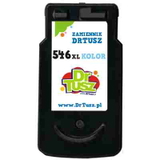
- Compatible Ink Cartridge PG-545 XL for Canon (8286B001) Black and Compatible Ink Cartridge CL-546 XL for Canon (8288B001) Color – great when you want to replace only one color group.
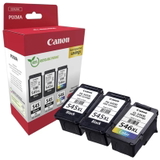
If you print a lot, you can also choose larger multipacks such as Original OEM Ink Cartridges Canon 2 x PG-545 XL + CL-546 XL (8286B013) to keep a spare set at home. How to choose the right ink for Canon Pixma iP2850 When buying ink for printer Canon Pixma iP2850, we recommend focusing on three things: how much you print, what you print, and whether you prefer OEM solutions or a budget-friendly compatible option. - Print volume: if you print often, choose XL cartridges (PG-545 XL / CL-546 XL). They typically offer better value per page and fewer replacements.
- Type of documents: for mainly text, the black cartridge is key. If you print charts, school projects, or color graphics, the color cartridge matters just as much.
- OEM vs Compatible: Original OEM cartridges are made by Canon and are the default choice for users who want to stick to manufacturer branding. Our compatible cartridges from the DrTusz.pl offer are designed to be as good as the originals in everyday printing—giving you excellent output while helping reduce printing costs.
Common Canon iP2850 printing issues – and how the right cartridge helps Users of the Canon IP2850 most often report issues that are easy to solve with proper cartridge choice and basic maintenance: - Faded prints or missing lines: usually caused by low ink or dried nozzles. Replacing the cartridge and running the printer’s cleaning cycle helps restore full quality.
- Cartridge not recognized: make sure the cartridge is installed firmly and the protective tape has been removed. Choosing reliable Original OEM or proven compatible cartridges minimizes such problems.
- Colors look different than expected: this may happen when the color cartridge is nearly empty or the printer hasn’t been used for a while. A fresh ink cartridge for Canon iP2850 and alignment can significantly improve results.
If you’re unsure which ink for Canon Pixma iP2850 will be best for your needs, we’re here to help you choose quickly and correctly. Choose your ink today – fast ordering, helpful support We encourage you to explore our full range of ink cartridges for Canon Pixma iP2850—both Original OEM and Compatible. Whether you need a single black cartridge, a color refill, or a cost-effective multipack, you’ll find a solution tailored to your printing habits. CTA: Add the right cartridge to your cart and keep your Canon iP2850 ready for everyday tasks. If you have any questions about compatibility (e.g., 8286B006, 8287B005, 8286B001, 8288B001, 8289B001) or choosing between OEM and compatible options—contact us, and we’ll guide you to the best choice. We aim for quick dispatch and convenient delivery, so you can get back to printing without unnecessary downtime. |