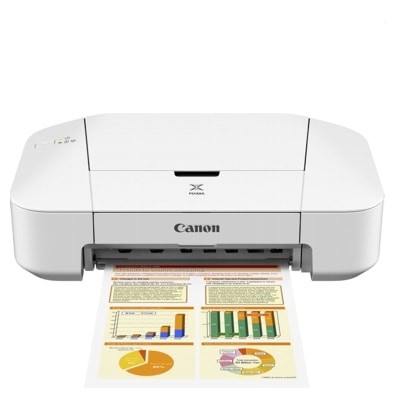
Canon Pixma iP2800 – a compact printer for everyday printing Canon Pixma iP2800 (also found as Canon iP2800, iP2800, IP2800 or Canon IP2000 Series) is a simple, reliable inkjet printer designed for home and small-office use. It’s perfect for documents, school materials, forms, and occasional colour prints. To keep this model working smoothly and to maintain consistent print quality, choosing the right ink cartridge for Canon Pixma iP2800 is essential—especially when you want sharp black text and vivid colours without streaks. What ink for Canon Pixma iP2800? Key features and everyday benefits In this category you’ll find both Original OEM and Compatible ink cartridges for Canon Pixma iP2800. This printer uses a two-cartridge system: one black cartridge and one colour cartridge. Thanks to that setup, replacing ink is easy—when one colour runs out, you don’t have to replace everything at once. When you choose the right ink for Canon iP2800, you gain: - clear, readable text for documents and invoices,
- balanced colour for charts, graphics and photos,
- stable performance even with frequent or occasional printing,
- less risk of smudges and uneven coverage when cartridges are fresh and well matched to the printer.
We offer standard and XL options, so you can match the cartridge capacity to how much you print. XL versions are a great choice if you print often and want fewer replacements. Original OEM and Compatible cartridges – choose what suits you Many customers ask us whether it’s better to choose an original Canon cartridge or a compatible cartridge. The honest answer is: it depends on your priorities. Original OEM ink cartridges for Canon Pixma iP2800 are made by the printer manufacturer and are ideal if you want to stick strictly to Canon supplies. At the same time, our Compatible ink cartridge for Canon Pixma iP2800 options are designed to deliver results that are just as good as the originals—clear text, strong blacks and vivid colour—while helping you reduce printing costs. If you print a lot, compatible XL cartridges can be the most cost-effective solution without sacrificing quality. Popular Canon Pixma iP2800 ink cartridges in our range We make it easy to find exactly the right ink cartridge for iP2800. In this category you’ll find single cartridges and convenient multipacks—perfect when you want to replace both black and colour at the same time. - Original OEM Ink Cartridges Canon PG-545 XL + CL-546 XL (8286B006) (multi pack) – high-capacity set for frequent printing.
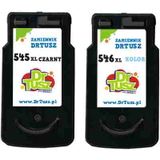
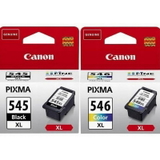
- Original OEM Ink Cartridges Canon PG-545 + CL-546 (8287B005) (multi pack) – standard-capacity set for everyday home use.
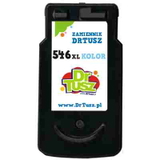
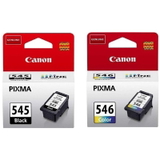
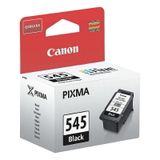
- Compatible Ink Cartridges PG-545 XL + CL-546 XL for Canon (8286B006) (multi pack) – great value, XL capacity, excellent for higher page volumes.
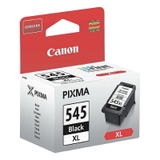
- Original OEM Ink Cartridge Canon PG-545 XL (8286B001) (Black) – crisp black text and strong contrast.
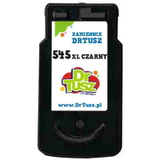
- Compatible Ink Cartridge PG-545 XL for Canon (8286B001) (Black) – a budget-friendly choice for frequent document printing.
- Original OEM Ink Cartridge Canon CL-546 XL (8288B001) (Color) and Compatible Ink Cartridge CL-546 XL for Canon (8288B001) (Color) – for vivid colours in charts and graphics.
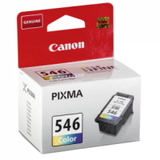
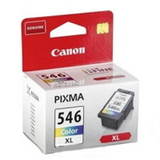
- Original OEM Ink Cartridges Canon 2 x PG-545 XL + CL-546 XL (8286B013) (multi pack) – a smart option if you want to stock up and avoid downtime.
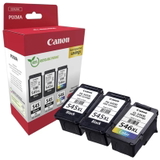
Whether you’re searching for ink for Canon Pixma iP2800 or ink for Canon IP2000 Series, you’ll find matching products clearly labelled by code (PG-545 / CL-546) and capacity (standard or XL). How to pick the right cartridge and avoid common printing problems If you’re not sure which ink for printer Canon Pixma iP2800 to choose, start with these simple tips: - Check what you print most: documents → focus on a black cartridge (PG-545 / PG-545 XL); mixed printing → consider a multipack with colour (CL-546 / CL-546 XL).
- Choose XL for better convenience: an ink cartridge Canon iP2800 XL is ideal when you print regularly and want fewer cartridge changes.
- Replace both cartridges if colours look “off”: faded photos, dull graphics or missing colours often mean the colour cartridge is low or drying.
- Don’t let cartridges sit empty for too long: with inkjet printers like the iP2800, printing a small test page now and then helps prevent drying and clogged nozzles.
Typical user issues with Canon Pixma iP2800 include streaks, missing lines, or pale prints. In many cases, the solution is simple: install a fresh ink cartridge for Canon iP2800 and run the printer’s cleaning/nozzle check function. If you still see problems, we encourage you to contact us—we’ll help you choose the best cartridge and troubleshoot. Order ink for Canon Pixma iP2800 and print with confidence We encourage you to explore our full selection of Original OEM and Compatible ink cartridges for Canon Pixma iP2800. Whether you want an OEM multipack for peace of mind or a compatible XL set for maximum savings, we’ve got options ready for your needs. Add the right cartridge to your basket and keep your Canon iP2800 printing smoothly. CTA: Choose your ink for Canon Pixma iP2800 today—compare OEM and compatible options, pick the best capacity, and if you have any questions, contact us. We’ll gladly help you find the perfect match and ensure fast, hassle-free delivery. |