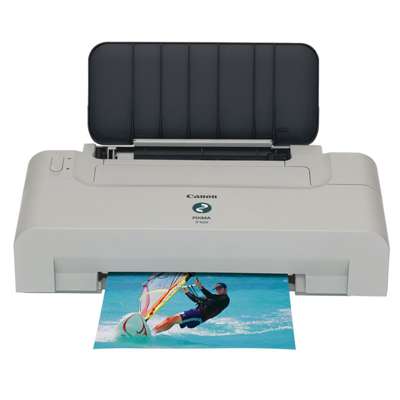
Canon Pixma iP1600 – a compact printer that still gets the job done Canon Pixma iP1600 (also searched as Canon iP1600, iP1600 or Canon IP1000 Series) is a classic home inkjet printer designed for everyday printing: school materials, office documents, occasional photos and graphics. It’s appreciated for its simple operation and reliable results—provided you use the right ink for Canon Pixma iP1600. In this category we’ve gathered both Original OEM and Compatible ink cartridges that match this model, so you can choose exactly what fits your needs and budget. Ink cartridges for Canon Pixma iP1600 – what matters in daily printing The Canon Pixma iP1600 uses two basic cartridge types: black for crisp text and color for graphics and photos. Choosing the correct ink for printer Canon Pixma iP1600 affects more than just color intensity—it also impacts print clarity, drying time and overall comfort of use. With the right cartridge you can expect: - clear, readable text in documents and forms,
- consistent black coverage without pale streaks,
- vivid colors for charts, simple photos and school projects,
- stable performance for everyday printing at home or in a small office.
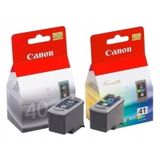
If you often print a mix of documents and color pages, selecting the proper black and color set (or a multipack) is usually the most convenient way to keep the printer ready at all times. Our range: Original OEM and Compatible cartridges in one place We know that different customers expect different things from their printer supplies. That’s why we offer both Original OEM ink cartridges from Canon and carefully selected compatible ink cartridges—a cost-effective alternative that still delivers excellent results. Here are some of the most popular options in this category: - Original OEM Ink Cartridges Canon PG-40 + CL-41 (0615B036, 0615B043) (multi pack) – a practical set for those who want OEM convenience and quick replacement.
- Original OEM Ink Cartridge Canon PG-40 (0615B001) (Black) – a proven choice for sharp text and everyday black printing.
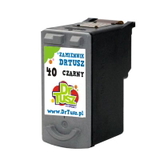
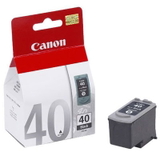
- Compatible Ink Cartridge PG-40 for Canon (0615B001) (Black) – a budget-friendly option when you print a lot and want to reduce cost per page.
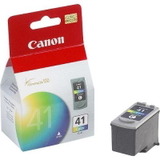
- Original OEM Ink Cartridge Canon CL-41 (0617B001) (Color) – for clean, stable color output in Canon’s original standard.
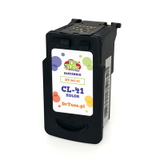
- Compatible Ink Cartridge CL-41 for Canon (0617B001) (Color) – solid color prints while keeping expenses under control.
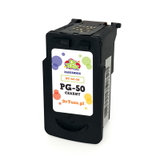
- Original OEM Ink Cartridge Canon PG-50 (0616B001) (Black) and Compatible Ink Cartridge PG-50 for Canon (0616B001) (Black) – great if you want a black cartridge option tailored to higher black printing needs.
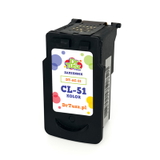
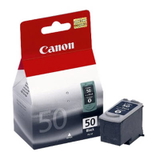
- Original OEM Ink Cartridge Canon CL-51 (0618B001) (Color) and Compatible Ink Cartridge CL-51 for Canon (0618B001) (Color) – a popular route for users who expect stronger color performance.
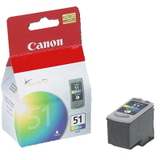
Whether you search by printer name or code (for example 9989A001), we make it easy to find the right ink for Canon iP1600 without guessing. How to choose: Original OEM vs Compatible (and what we recommend) Choosing the right ink for Canon Pixma iP1600 depends on how you print and what you value most. Here’s a simple guide: - Original OEM cartridge – ideal if you want to stay with Canon’s factory solution and prefer the most straightforward “install and print” experience.
- Compatible cartridge – ideal if you print frequently and want a better cost-per-page without sacrificing quality. Our compatible cartridges from DrTusz.pl are designed to be as good as the originals in everyday use: clear text, strong blacks and pleasant, consistent colors.
Many customers choose a mixed approach: OEM for one color and compatible for another, depending on what they print most. If you’re unsure, we encourage you to compare your typical pages—documents vs color prints—and select the cartridge types accordingly. Common Canon Pixma iP1600 user issues – and practical tips This printer model is straightforward, but users sometimes report a few repeatable situations. The good news: they’re usually easy to solve with the right cartridge and habits. - Faded black or streaks – most often caused by running low on ink or long breaks between print jobs. Replacing the cartridge and printing a test page regularly helps maintain clean output.
- Color looks uneven – if the printer wasn’t used for a while, a fresh color cartridge (like CL-41 or CL-51) and regular printing of a small color element can improve consistency.
- “Cartridge not recognized” message – remove and reseat the cartridge carefully; make sure you’ve chosen the correct model (PG-40/PG-50 for black, CL-41/CL-51 for color) and that the cartridge is properly installed.
- High printing costs – if you print lots of documents, switching to a compatible ink cartridge for Canon Pixma iP1600 is one of the simplest ways to reduce expenses while keeping quality high.
If you tell us what you print (mostly text, mixed pages, or more graphics), we’ll help you pick the best ink for printer Canon Pixma iP1600 from this category. Choose your ink today and keep your Canon iP1600 ready to print We’ve prepared this category to make buying the right ink for Canon Pixma iP1600 quick and safe—whether you prefer Original OEM cartridges or our trusted compatible alternatives. Browse the available PG and CL cartridges, choose a single cartridge or a convenient multipack, and keep your printer working smoothly. Call to Action: We encourage you to view the products in this category and select the best cartridge for your needs. If you have any questions about compatibility within the Canon IP1000 Series, cartridge codes, or choosing between OEM and compatible options—contact us. We’ll help you order the right ink and arrange fast, convenient delivery. |