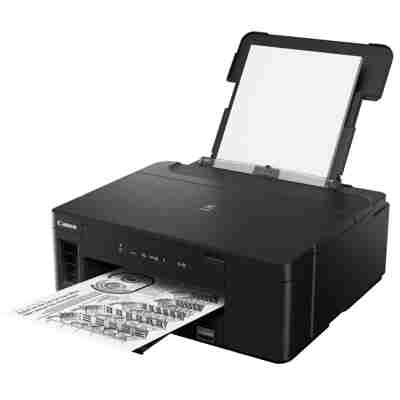
Canon Pixma GM2040 – a smart, economical printer for everyday work Canon Pixma GM2040 (also searched as Canon GM2040 or Canon Pixma G) is a reliable, high-efficiency inkjet printer designed for people who print a lot and expect consistently sharp text. Its main advantage is low running cost combined with Canon’s proven print quality. To keep it working at its best, it’s worth choosing the right ink for Canon Pixma GM2040 and, when needed, a matching printhead for Canon GM2040. In this category we offer both Original OEM solutions and carefully selected Compatible alternatives. Ink for Canon Pixma GM2040 – what you gain with the right cartridge Choosing the right ink for printer Canon Pixma GM2040 is more than “just refilling color.” Properly matched ink ensures stable nozzle work, consistent density, and predictable results from the first to the last page. The Canon GI-40 series used in this model is designed for efficient, high-volume printing, which makes it perfect for home offices, students, and small businesses. With well-chosen ink for GM2040, you can expect: - clear, crisp documents with deep blacks,
- stable color reproduction (Cyan, Magenta, Yellow) for graphics and everyday color prints,
- smooth printer operation and fewer interruptions,
- better long-term protection of the print system (especially when combined with proper maintenance).
Original OEM and Compatible ink – choose what fits your needs We know customers shop differently: some want only manufacturer solutions, others want the best price-to-performance ratio. That’s why we stock both Original OEM ink for Canon Pixma GM2040 and high-quality Compatible ink for Canon GM2040. Importantly, our compatibles from DrTusz.pl are crafted to deliver results that are as good as the originals—reliable, repeatable, and safe for everyday use when installed and used correctly. Key differences you may consider: - Original OEM – manufacturer’s ink, maximum consistency and full OEM specification alignment.
- Compatible – a budget-friendly alternative with very high quality; great choice for frequent printing and cost control.
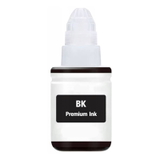
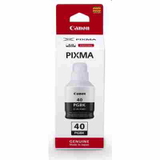
Popular products in this category – GI-40 inks and Canon printhead To make shopping easier, we’ve gathered the most sought-after items for this model. Whether you print mostly text or also need color, you’ll find the right ink for Canon Pixma GM2040 here: - Original OEM Ink Cartridge Canon GI-40 PGBK (3385C001) (Black) – ideal for sharp documents and everyday office printing.
- Compatible Ink Cartridge GI-40 PGBK for Canon (3385C001) (Black) – a cost-effective black ink option for high-volume users.
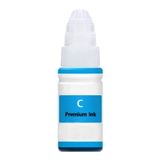
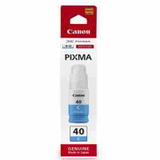
- Original OEM Ink Cartridge Canon GI-40 C (3400C001) (Cyan) and Compatible Ink Cartridge GI-40 C for Canon (3400C001) (Cyan) – for clean blues and balanced color graphics.
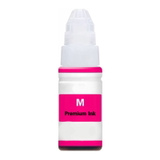
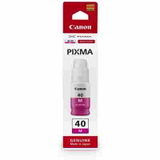
- Original OEM Ink Cartridge Canon GI-40 M (3401C001) (Magenta) and Compatible Ink Cartridge GI-40 M for Canon (3401C001) (Magenta) – for vivid reds/pinks and accurate color mixes.
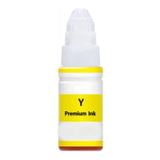
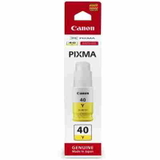
- Original OEM Ink Cartridge Canon GI-40 Y (3402C001) (Yellow) and Compatible Ink Cartridge GI-40 Y for Canon (3402C001) (Yellow) – for bright, warm tones and smoother gradients.
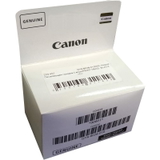
- Original OEM Printhead Canon QY6-8028-020 (QY6-8028-020) (Black) – a key part for restoring print quality when cleaning cycles are no longer enough.
This wide selection makes it simple to match your printing style—OEM precision, compatible savings, or a smart mix of both. How to choose ink for Canon GM2040 – practical tips we use every day If you’re unsure which ink for Canon Pixma GM2040 to buy, we recommend starting with two questions: how much you print and what you print most often. For mainly text documents, you’ll typically use Black (PGBK) most quickly. For charts, school projects, or color documents, keep Cyan, Magenta, and Yellow in mind so you don’t run out mid-print. Common user issues for Canon Pixma GM2040 that the right supplies can help you avoid: - Faded prints or missing lines – often linked to low ink levels or clogged nozzles; fresh ink and proper cleaning help a lot.
- Color imbalance – usually happens when one color is running low; replacing the correct GI-40 color restores balance.
- Persistent streaks despite cleaning – this may indicate a worn or damaged printhead; replacing the printhead for Canon GM2040 can restore print quality.
- Unnecessary ink waste during maintenance – avoid frequent power cycling; print small test pages regularly if the printer sits unused.
Our advice: if you print occasionally, run a simple nozzle check from time to time. If you print daily, keep a spare ink for printer Canon Pixma GM2040 ready—especially black—so your workflow never stops. Order with confidence – we’re here to help We encourage you to explore our selection of ink for Canon Pixma GM2040 in both Original OEM and Compatible versions, as well as the dedicated printhead for Canon Pixma GM2040. If you want to confirm compatibility, choose the best option for your printing habits, or solve a print quality issue, contact us—we’ll help you pick the right product quickly and accurately. CTA: Add the right GI-40 ink to your cart today, compare OEM vs Compatible options, and keep your Canon GM2040 printing clean, sharp, and cost-effective. We offer fast order processing and helpful customer support—just let us know what you need. |