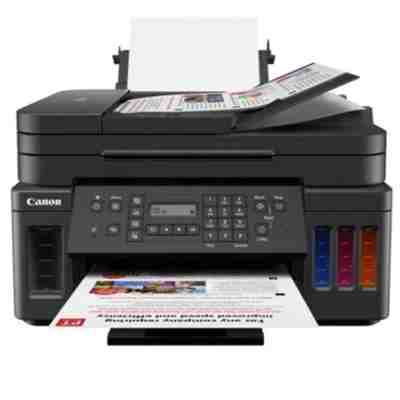
Canon Pixma G7040 – a high-yield all-in-one built for everyday printing If you use the Canon Pixma G7040 (also searched as Canon G7040, Canon Pixma G, 3114C009 or simply G7040), you already know why this model is so popular: it’s an efficient inkjet all-in-one designed for frequent printing at home, in a small office, or in a busy home office. The G7040 focuses on low running costs, reliable color output, and convenient productivity features—so choosing the right ink for Canon Pixma G7040 matters if you want consistently sharp text and vibrant graphics without interruptions. Ink for Canon Pixma G7040: what to expect from the right supplies This category brings together everything you need for uninterrupted work: Ink Cartridges (color and black) and Printheads, plus the device itself if you’re looking for an all-in-one printer. Whether you print documents, invoices, school materials, or color graphics, the right ink for Canon G7040 helps maintain stable quality and keeps your printer running smoothly. Inks for the G7040 are selected to deliver: - Crisp black text for everyday office documents (PGBK).
- Clean, balanced color for charts, photos, and presentations (Cyan, Magenta, Yellow).
- Reliable flow and consistent results—especially important for frequent printing.
- Protection of key components through proper compatibility with the print system.
When you buy ink for printer Canon Pixma G7040 from a specialist store, you’re not just stocking up—you’re helping your device keep its performance, color accuracy, and printing stability over time. Compatible and Original OEM – one category, two smart choices We know customers shop differently: some want strictly manufacturer-branded supplies, others want the best value without compromising quality. That’s why we offer both Original OEM and Compatible options for Canon Pixma G7040 ink. - Original OEM ink for Canon Pixma G7040 is the manufacturer’s solution—ideal if you prefer Canon-branded consumables and predictable performance.
- Compatible ink for Canon Pixma G7040 is a cost-effective alternative. Our compatible cartridges are selected to be as good as the originals in everyday use—great quality, strong color, and dependable printing, while helping you reduce printing costs.
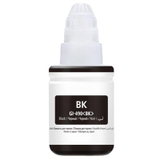
In short: you can choose the approach that fits your priorities, and still get a supply that works well with the Canon Pixma G7040. Popular products for Canon G7040 in our offer To make shopping easier, here are some of the most frequently chosen items in this category—covering black, full color, and key service parts: - Compatible Ink Cartridge GI-490 PGBK for Canon (GI490PGBK) (Black) – a great choice for heavy text printing and everyday documents.
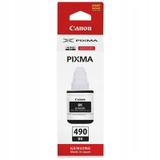
- Original OEM Ink Cartridge Canon GI-490 PGBK (GI490PGBK) (Black) – for customers who prefer Canon-branded black ink.
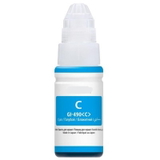
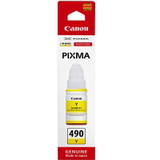
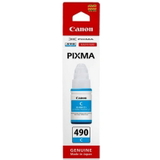
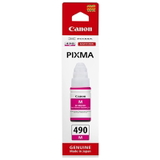
- Original OEM Ink Cartridge Canon GI-490 PGC (GI490PGC) (Cyan), GI-490 PGM (Magenta), GI-490 PGY (Yellow) – a full OEM color set for clean, natural-looking results.
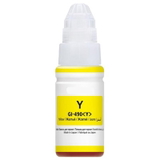
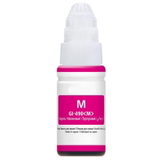
- Compatible Ink Cartridge GI-490 PGC / PGM / PGY – cyan, magenta, and yellow options that deliver excellent value while maintaining strong print quality.
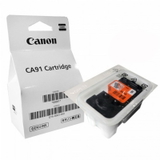
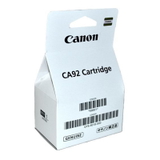
- Original OEM Printhead Canon CA91 (QY6-8002) (Black) and Original OEM Printhead Canon CA92 (QY6-8018) – key components when your printer needs a refresh after intensive use.
- Original OEM Printhead Canon QY6-8028-020 (Black) – an additional OEM black printhead option available in this category.
- All-In-One Printer Canon Pixma G7040 – if you’re setting up a new workstation or need a reliable all-in-one device.
Thanks to the wide range, you can quickly match the exact ink for Canon Pixma G7040 you need—whether it’s one color, black only, or a complete set for regular color printing. How to choose the right ink and printhead for Canon Pixma G7040 When selecting ink for G7040, start with how you print: - If you mainly print contracts, invoices, and notes, prioritize GI-490 PGBK (black).
- If you print reports with charts, school projects, or marketing materials, add cyan, magenta, and yellow to keep colors consistent.
- If you notice issues like missing lines, uneven color, or persistent streaks after cleaning cycles, a printhead may be the right solution—especially in a heavily used device.
Many users searching for Canon Pixma G7040 ink also ask about differences between OEM and compatible supplies. Our practical rule is simple: choose Original OEM if you want the manufacturer-branded path; choose Compatible if you want to optimize costs while keeping quality high. We make sure our compatible options are reliable—so you don’t have to choose between savings and performance. Common Canon G7040 printing issues—what supplies can solve The Canon Pixma G7040 is built for efficiency, but like any inkjet, it benefits from the right consumables and timely replacement of worn parts. Customers most often report: - Faded prints or incorrect colors – usually solved by replenishing the correct color ink (C/M/Y) or black ink (PGBK).
- Streaks or missing lines – if cleaning doesn’t help, consider replacing the printhead (OEM CA91/CA92 or the listed black printhead option).
- Interrupted printing during busy periods – solved by keeping spare ink for Canon Pixma G7040 on hand, especially black for text-heavy workloads.
Choosing the right ink for printer Canon Pixma G7040 and replacing printheads when needed helps maintain quality and reduces downtime—especially important in home offices and small businesses. Order ink for Canon Pixma G7040 with confidence We encourage you to explore our full selection of Canon Pixma G7040 ink cartridges, color inks, and Original OEM printheads. If you’re not sure which product is best for your printing style, we’re here to help—contact us and we’ll guide you to the right choice based on your needs and budget. CTA: Choose your ink for Canon G7040 today—add the right black, color, or printhead to your cart, and enjoy fast, convenient delivery and expert support whenever you need it. |