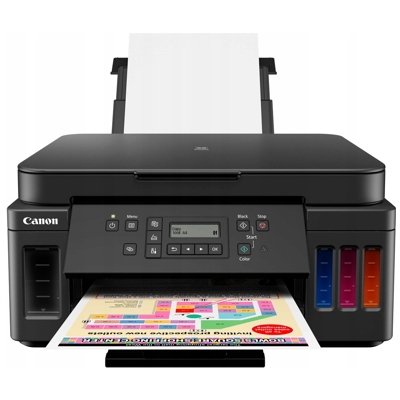
Canon Pixma G6045 – a reliable MegaTank printer for home and small office Dear Customer, Canon Pixma G6045 (also searched as Canon G6045, Canon Pixma G, or by code 3113C029) is a popular inkjet printer designed for people who print a lot and expect consistently low running costs. Thanks to the MegaTank system, it’s a great choice for everyday documents, school materials, invoices, and also colourful graphics. To keep your device working flawlessly, you simply need the right ink for Canon Pixma G6045—matched to the manufacturer’s specifications and your real printing needs. Ink for Canon Pixma G6045 – what makes these cartridges special? The Canon G6045 uses dedicated ink bottles/cartridges from the Canon GI-50 series, created to deliver high page yields and stable quality over thousands of prints. Choosing the correct ink for printer Canon Pixma G6045 ensures crisp black text, clean lines, and vivid colours—without streaks or fading. This matters whether you print mainly in black or often use colour for presentations, photos, or marketing materials. Key benefits you can expect when you use the right ink for G6045: - Consistent print quality – clear text in black and natural-looking colours.
- High efficiency – ideal for frequent printing at home or in a small business.
- Reliable operation – correct ink reduces the risk of clogs and printing interruptions.
- Precise colour reproduction – helpful for charts, graphics, and everyday colour printing.
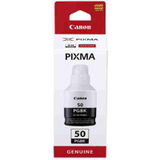
Original OEM ink cartridges for Canon G6045 available in our store In this category we focus on dependable, manufacturer-grade solutions. If you want maximum predictability and full compatibility, Original OEM ink cartridge for Canon Pixma G6045 is the safest choice. We offer the most popular colours from the GI-50 range, so you can quickly replenish what you actually need—black for documents or individual colours for graphics. Available products in this category include: - Original OEM Ink Cartridge Canon GI-50 PGBK (3386C001) (Black) – for sharp text, strong contrast, and everyday office printing.
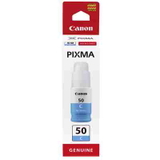
- Original OEM Ink Cartridge Canon GI-50 C (3403C001) (Cyan) – for clean blues and balanced colour tones.
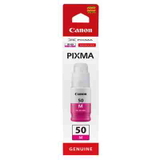
- Original OEM Ink Cartridge Canon GI-50 M (3404C001) (Magenta) – for reds, purples, and warm colour transitions.
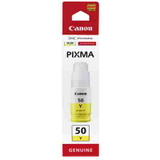
- Original OEM Ink Cartridge Canon GI-50 Y (3405C001) (Yellow) – for bright highlights and accurate colour mixes.
This wide, colour-complete set makes it easy to build a practical bundle for your printer and avoid downtime when one colour runs out. How to choose ink for Canon Pixma G6045 – practical tips we recommend When selecting ink for printer Canon G6045, start with your printing habits. If you mostly print text, you’ll use black ink fastest. If you print graphics, spreadsheets with charts, or colour materials, keep an eye on cyan, magenta, and yellow levels as well. We also suggest checking: - Printer model and code – look for Canon Pixma G6045 / G6045 / 3113C029.
- Ink series – for this printer it’s Canon GI-50.
- Colour matching – PGBK (Black) vs C/M/Y for colour output.
- Your goal – maximum reliability (OEM) or best cost-to-page (often compatible alternatives, if available in a given offer).
Original vs compatible ink – what’s the difference? Many customers ask whether a compatible option can match OEM performance. In our DrTusz.pl offer, compatible ink for Canon Pixma G6045 is designed to deliver quality that is as good as the original—clean prints, stable colours, and reliable operation—while often being more budget-friendly. Original OEM ink, on the other hand, is the manufacturer’s solution, preferred by users who want the most straightforward, “install and print” experience and factory-grade consistency. If you’re unsure which direction is best for you, we encourage you to contact us—we’ll help you choose ink for Canon G6045 based on what you print and how often. Common user issues with Canon G6045 ink – and how the right cartridge helps In everyday use, the most common printing problems are usually related to low ink levels, irregular printing, or long breaks between print jobs. For Canon Pixma G6045, customers most often report: - Faded text or missing lines – typically solved by replenishing the correct black ink and performing nozzle cleaning.
- Uneven colours – often caused by one colour running low; replacing the correct GI-50 colour restores balance.
- Streaks after long downtime – regular printing and proper ink help maintain nozzle condition.
Using properly matched ink for Canon Pixma G6045 and replacing it in time is the simplest way to keep your MegaTank printer performing at its best. Order ink for Canon Pixma G6045 and print without interruptions We encourage you to explore our selection of ink cartridges for Canon Pixma G6045 and choose exactly what you need—black, cyan, magenta, or yellow. If you need help identifying the right product (for example by code 3386C001, 3403C001, 3404C001, 3405C001) or want to build the most cost-effective set, we’re here to support you. CTA: Add the right ink for G6045 to your basket now or contact us for quick assistance—we’ll help you choose and get your order ready with fast delivery options, so you can get back to printing as soon as possible. |