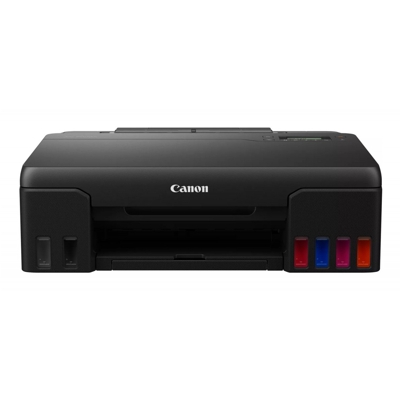
Canon Pixma G550 – a photo-oriented MegaTank you can rely on Canon Pixma G550 (also searched as Canon G550, Canon Pixma G, or by code 4621C006) is a printer designed for people who care about low running costs and consistently high print quality. Thanks to the MegaTank system, it’s an excellent choice for everyday color documents as well as photo printing at home or in a small office. To keep your device performing at its best, you simply need the right ink for Canon Pixma G550 and—when the time comes—a properly matched waste ink tank. Ink for Canon Pixma G550: what matters for quality, color and efficiency Choosing the right ink for printer Canon Pixma G550 directly affects color accuracy, photo smoothness, and the reliability of the printhead over time. The G550 works with the Canon GI-53 ink series, which includes a rich set of colors for detailed images and natural gradients. Whether you print family photos, graphics, school projects, or business materials, properly selected ink for Canon G550 helps you get predictable results—page after page. In our store we focus on inks that are fully compatible with the requirements of the MegaTank system. You can expect: - stable color reproduction for photos and graphics,
- sharp text and clear lines in everyday documents,
- smooth performance during longer print runs,
- a wide choice: Original OEM and Compatible options for the same Canon GI-53 codes.
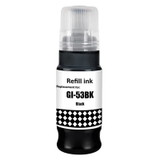
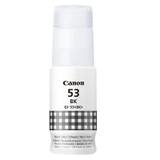
Popular choices in our offer – Original OEM and Compatible GI-53 inks We’ve built this category so you can quickly find the exact ink for Canon Pixma G550 you need—by color and by code. You’ll find both Original OEM ink cartridges and high-quality compatible ink cartridges matched to the GI-53 series: - Original OEM Ink Cartridge Canon GI-53 BK (4699C001) (Black) and Compatible Ink Cartridge GI-53 BK for Canon (4699C001) (Black)
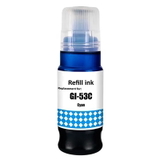
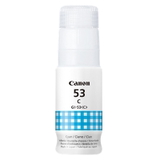
- Original OEM Ink Cartridge Canon GI-53 C (4673C001) (Cyan) and Compatible Ink Cartridge GI-53 C for Canon (4673C001) (Cyan)
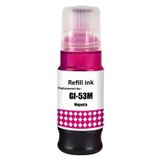
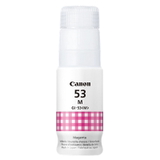
- Original OEM Ink Cartridge Canon GI-53 M (4681C001) (Magenta) and Compatible Ink Cartridge GI-53 M for Canon (4681C001) (Magenta)
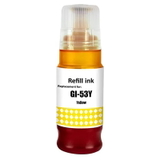
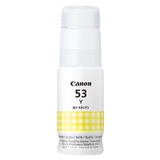
- Original OEM Ink Cartridge Canon GI-53 Y (4690C001) (Yellow) and Compatible Ink Cartridge GI-53 Y for Canon (4690C001) (Yellow)
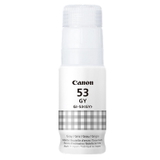
- Original OEM Ink Cartridge Canon GI-53 GY (4708C001) (Gray) and Compatible Ink Cartridge GI-53 GY for Canon (4708C001) (Gray)
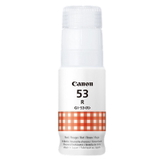
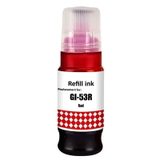
- Original OEM Ink Cartridge Canon GI-53 R (4717C001) (Red) and Compatible Ink Cartridge GI-53 R for Canon (4717C001) (Red)
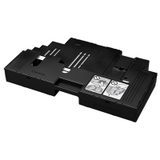
To complete the set, we also offer the maintenance component responsible for handling excess ink during cleaning cycles: - Original OEM Waste Ink Tank Canon MC-G02 (4589C001)
This wide selection means you can shop your way: stick with OEM, choose a compatible alternative, or mix depending on what you print most often. How to choose: Original OEM vs Compatible ink for Canon Pixma G550 If you’re wondering which ink for Canon Pixma G550 to pick, start with your printing priorities. Original OEM ink is the manufacturer’s solution—often chosen by users who want to keep everything strictly OEM. At the same time, our compatible ink cartridges are a smart choice if you print a lot and want to optimize costs without giving up quality. We select compatible inks so they perform just as well as the originals—reliable, color-consistent, and safe for everyday use in the Canon G550. Here’s a practical way to decide: - If you print mostly photos: make sure you keep the full color set topped up (including Gray and Red) for smoother transitions and more natural tones.
- If you print documents: Black (BK) is used most—consider keeping an extra bottle on hand.
- If you print irregularly: avoid running colors too low; stable ink levels help prevent issues caused by air in the system.
Common user issues with Canon G550 inks – and how we help Many customers look for ink for Canon G550 when they notice fading colors, uneven tones, or messages related to maintenance. With MegaTank printers, the most common topics include: - Color imbalance in photos – often caused by one color running low (especially Cyan/Magenta/Yellow or the photo-supporting Gray/Red). Refill the missing GI-53 color to restore balance.
- Printhead cleaning cycles – frequent cleanings can increase ink usage and fill the maintenance unit faster; keeping inks ready helps you respond quickly.
- Waste ink tank replacement – the printer can prompt you when the maintenance unit is near full. Having the Canon MC-G02 (4589C001) ready prevents downtime.
If you’re not sure which item fits your device, just use the search phrases like Canon Pixma G550, G550, or the code 4621C006—or contact us. We’ll help you match the correct GI-53 ink and the right waste ink tank for your printer. Order ink for Canon Pixma G550 today – fast, convenient, and supported We encourage you to choose the best ink for printer Canon Pixma G550 in the version that suits you—Original OEM or our proven Compatible alternatives. Add the colors you need (BK, C, M, Y, GY, R) and consider the Waste Ink Tank Canon MC-G02 to keep your printer ready for work at all times. CTA: Explore our full selection in this category, pick your GI-53 inks by color and code, and if you have any questions—write or call us. We’ll help you order the right products quickly and get back to printing without interruptions. |