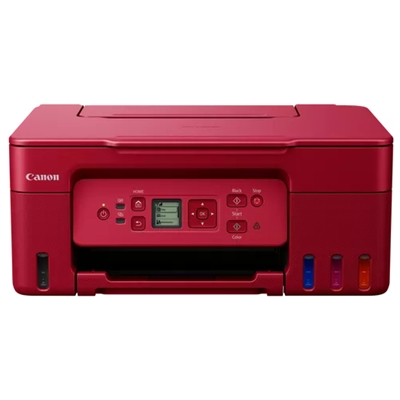
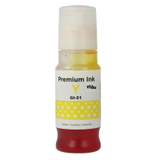
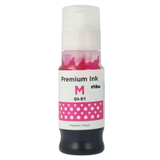
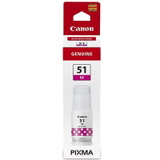
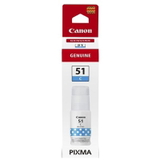
Ink for Canon Pixma G3572 – built for everyday printing Canon Pixma G3572 (also searched as Canon G3572 or Canon Pixma G) is a popular, economical inkjet printer designed for high-volume home and small-office printing. Thanks to its refillable ink system, it delivers a very low cost per page while maintaining strong color quality for documents, school materials and everyday graphics. To keep your device working reliably, you need the right ink for Canon Pixma G3572 and, from time to time, the correct maintenance consumables. What to expect from Canon G3572 ink cartridges and maintenance items In this category you will find carefully matched ink for Canon G3572 in both Original OEM and Compatible versions, plus a key service component: the waste ink tank. For this model, the core consumables are the GI-51 series inks in four colors: black (PGBK), cyan, magenta and yellow. Choosing the correct ink for printer Canon Pixma G3572 matters for consistent print density, color balance and smooth operation during refills and longer print runs. What these products help you achieve: - clear black text for documents (PGBK),
- vivid colors for charts, school projects and photos (C/M/Y),
- stable performance during frequent printing,
- safe, predictable refilling with inks dedicated to Canon Pixma G3572.
Compatible vs Original OEM ink for Canon Pixma G3572 – how to choose We know many customers hesitate between Original OEM and Compatible ink for Canon Pixma G3572. Both options are available because different users have different priorities. Original OEM ink is produced by the printer manufacturer and is often chosen by customers who want to keep everything strictly brand-original. At the same time, our Compatible ink for Canon G3572 is a smart choice when you want excellent quality at a better price. We select compatible cartridges/inks so they work just as reliably in everyday use—clean prints, stable colors and smooth refilling. If you print a lot, compatible ink for Canon Pixma G3572 is often the fastest way to reduce ongoing printing costs without sacrificing results. When deciding, consider: - Printing volume – frequent printing usually favors compatible ink for Canon Pixma G3572 for better value.
- Color sensitivity – for strict brand consistency, Original OEM may be your preference.
- Budget planning – mixing colors (e.g., OEM black + compatible colors) can be a practical compromise.
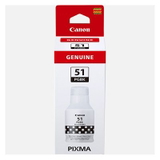
Popular products for Canon Pixma G3572 – our proven picks To make choosing easier, here are best-matched items frequently bought for this printer model (searchable also by code 106173291 and model name G3572): - Original OEM Ink Cartridge Canon GI-51 PGBK (4529C001) (Black) – reliable, dense black for crisp documents.
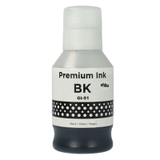
- Compatible Ink Cartridge GI-51 PGBK for Canon (4529C001) (Black) – high value for everyday office and home printing.
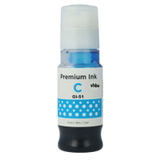
- Original OEM Ink Cartridge Canon GI-51 C (4546C001) (Cyan) and Compatible Ink Cartridge GI-51 C for Canon (4546C001) (Cyan) – for clean blues and smooth gradients.
- Original OEM Ink Cartridge Canon GI-51 M (4547C001) (Magenta) and Compatible Ink Cartridge GI-51 M for Canon (4547C001) (Magenta) – for vivid reds and accurate skin tones in color prints.
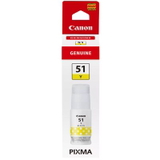
- Original OEM Ink Cartridge Canon GI-51 Y (4548C001) (Yellow) and Compatible Ink Cartridge GI-51 Y for Canon (4548C001) (Yellow) – for bright highlights and balanced color mixes.
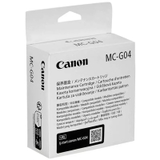
- Original OEM Waste Ink Tank Canon MC-G04 (5813C001) – essential when your printer reports a maintenance or waste-ink message.
This wide selection lets you choose exactly the configuration that fits your printing habits—Original OEM, Compatible, or a mix. Common Canon Pixma G3572 user issues (and how the right supplies help) Users of Canon Pixma G3572 often ask us about recurring problems such as faded prints, missing colors, or warnings related to maintenance. In many cases, the solution is simple: use the correct ink for Canon Pixma G3572, keep ink levels sufficient, and respond quickly to maintenance alerts. - Faded black text – check if the correct PGBK ink is used and refill before levels run too low.
- Color shifts or weak colors – make sure cyan/magenta/yellow are topped up and matched to GI-51.
- Printer maintenance warning – this may indicate the need to replace the waste ink tank MC-G04, which helps the printer manage cleaning cycles properly.
If you’re not sure which ink for printer Canon Pixma G3572 you need, tell us what the printer displays (message code or description) and what you print most often—we’ll help you pick the best option. Order ink for Canon G3572 with confidence We encourage you to browse the full selection of ink for Canon Pixma G3572 in both Compatible and Original OEM versions, including the waste ink tank needed to keep your printer running smoothly. Add the colors you need today, and if you want guidance before buying, contact us—we’ll help you match the right GI-51 inks and maintenance items to your exact Canon G3572 setup. Choose your products now and keep printing without interruptions. |