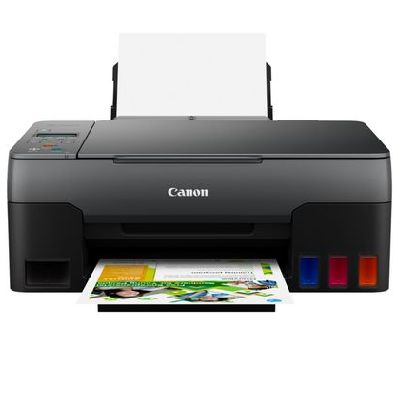
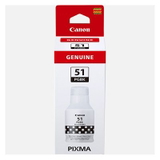
Canon Pixma G3520 – a reliable MegaTank printer for home and small office If you use the Canon Pixma G3520 (also searched as Canon G3520, Canon Pixma G or simply G3520), you already know why this model is so popular: it’s a practical, economical inkjet designed for everyday printing at a very low cost per page. The MegaTank system is made for frequent printing—documents for work and school, colour handouts, simple graphics, and occasional photos. To keep your printer running smoothly and your prints looking sharp, you need the right ink for Canon Pixma G3520 and a properly maintained waste ink system. Ink for Canon Pixma G3520: what matters in daily use Choosing the right ink for Canon G3520 isn’t only about colour—consistency, reliability and print stability are just as important. The Canon GI-51 series is designed to deliver clean text, even fills, and predictable colours. Whether you print a few pages a day or hundreds each month, the right ink for printer Canon Pixma G3520 helps you avoid smudges, weak blacks, or uneven colour coverage. In this category you’ll find inks and maintenance items that match the needs of the G3520 system: - Black ink (PGBK) for crisp text and clear lines—ideal for invoices, homework, contracts and office documents.
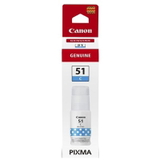
- Cyan, Magenta, Yellow inks for colourful charts, presentations and everyday colour printing.
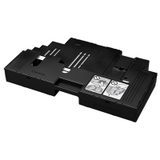
- Waste Ink Tank (maintenance item) that supports the printer during cleaning cycles and protects it from waste ink overflow.
Original OEM and compatible options – a wide choice in one place We offer both Original OEM and Compatible solutions, so you can choose what best fits your budget and printing style. If you prefer manufacturer-certified consumables, OEM is the classic choice. If you want to reduce your running costs without compromising quality, our compatible inks are a smart alternative—our experience shows that compatible cartridges from the DrTusz.pl offer are as good as the originals in everyday printing. Popular products in this category include: - Original OEM Ink Cartridge Canon GI-51 PGBK (4529C001) (Black)
- Original OEM Ink Cartridge Canon GI-51 C (4546C001) (Cyan)
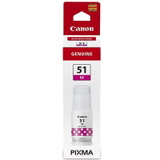
- Original OEM Ink Cartridge Canon GI-51 M (4547C001) (Magenta)
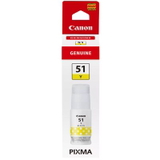
- Original OEM Ink Cartridge Canon GI-51 Y (4548C001) (Yellow)
- Compatible Ink Cartridge GI-51 PGBK for Canon (4529C001) (Black)
- Compatible Ink Cartridge GI-51 C for Canon (4546C001) (Cyan)
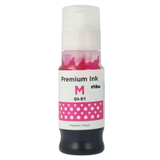
- Compatible Ink Cartridge GI-51 M for Canon (4547C001) (Magenta)
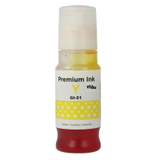
- Compatible Ink Cartridge GI-51 Y for Canon (4548C001) (Yellow)
- Original OEM Waste Ink Tank Canon MC-G02 (4589C001)
Thanks to this selection, you can easily complete a full colour set, top up the colour you use most, or prepare your printer for higher-volume printing. How to choose the best ink for Canon Pixma G3520 Dear Customer, the best choice depends on what you print and how often. Here are practical tips we recommend when selecting ink for Canon Pixma G3520: - For maximum peace of mind: choose Original OEM GI-51 inks—perfect if you want manufacturer-standard results and a straightforward maintenance routine.
- For the best value: choose our Compatible GI-51 inks—great for everyday documents and colour printing, while keeping costs under control.
- For office-style printing: consider stocking extra Black PGBK, as it’s usually the fastest to run out when printing text.
- For vivid colour output: keep all colours balanced (C/M/Y). Running low on one colour may affect colour accuracy in graphics and photos.
Original vs compatible: what’s the difference in practice? Original OEM ink for G3520 is produced by Canon and follows the manufacturer’s specifications. Compatible ink for Canon Pixma G3520 is an alternative solution designed to meet the same functional requirements and deliver dependable results. In day-to-day use, many customers choose compatible inks because they want excellent print quality while paying less per page—especially when printing frequently. Whichever route you choose, we recommend one key rule: match the ink series to your printer. For the Canon Pixma G3520, that means choosing products clearly marked GI-51 for the correct colour. Common Canon G3520 user issues—and how the right supplies help The Canon Pixma G3520 is efficient, but like any inkjet, it benefits from proper consumables and maintenance. Customers most often ask us about: - Faded prints or missing colours: often linked to low ink levels or a need for a cleaning cycle—keeping the right ink for printer Canon G3520 on hand prevents interruptions.
- Streaks or uneven coverage: can appear after long breaks between prints—regular printing and correct ink help maintain stable output.
- Maintenance/waste ink messages: the printer collects waste ink during cleaning. When it’s time, replacing the Waste Ink Tank such as Canon MC-G02 helps restore normal operation and protects the device.
We encourage you to treat ink and the waste ink tank as a complete printing system—this is the easiest way to keep your Canon Pixma G3520 dependable for the long run. Order ink for Canon Pixma G3520 today – we’re here to help We invite you to explore our selection of ink for Canon Pixma G3520—both Original OEM and Compatible—as well as the essential Waste Ink Tank Canon MC-G02. Choose the colour you need, complete your set, and enjoy smooth printing without surprises. CTA: Add the right GI-51 ink to your basket now, and if you’re unsure which option will be best for your printing habits, contact us—we’ll help you choose quickly and accurately. We also offer convenient delivery options, so you can restock on time and keep your Canon G3520 ready whenever you need it. |