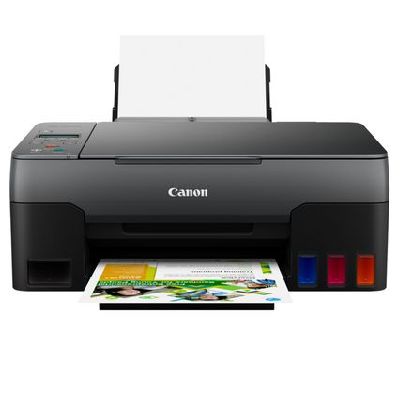
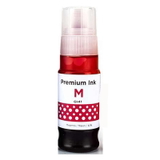
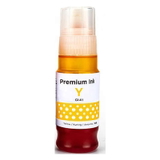
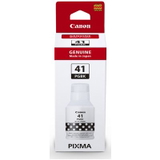
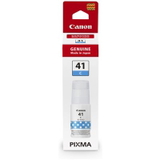
Canon Pixma G3420 – a reliable MegaTank All‑in‑One for everyday printing Canon Pixma G3420 (also searched as Canon G3420, Canon Pixma G, 4467C009AA or simply G3420) is a popular all‑in‑one inkjet printer designed for efficient home and small‑office use. It combines printing, scanning and copying with Canon’s MegaTank system, so you can print a lot while keeping running costs under control. To keep your device working at its best, you need the right ink for Canon Pixma G3420—and that’s exactly what we focus on in this category. Ink for Canon Pixma G3420: what you get from the right supplies In this selection you’ll find everything essential for stable, clean and predictable printing: ink cartridges (bottles) GI‑41 in all colors, plus key maintenance components such as a printhead and a waste ink tank. Using properly matched supplies helps your Canon Pixma G3420 deliver crisp text, smooth gradients and vivid color—whether you print invoices, school materials, photos, labels or everyday documents. What matters most when choosing ink for printer Canon Pixma G3420: - Color accuracy – Cyan, Magenta and Yellow keep photos and graphics vibrant.
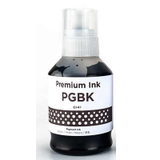
- Sharp black text – the PGBK black ink supports clean, readable documents.
- System cleanliness – correct ink viscosity and formulation reduce clogs and streaks.
- Predictable performance – consistent results across many pages, even with frequent printing.
Please note: this model uses ink (not toner). If you’re searching for “toner for Canon Pixma G3420”, the correct choice is ink for G3420, specifically the GI‑41 series. Compatible and Original OEM GI‑41 inks – choose what fits your priorities We offer both Original OEM and Compatible options for Canon Pixma G3420 ink. Original OEM supplies are made by Canon and are a safe pick for users who want to stick strictly to the manufacturer’s range. At the same time, our compatible ink for Canon Pixma G3420 is a strong alternative: it’s designed to match the printer’s requirements and deliver printing quality comparable to original supplies—so you can print confidently while optimizing cost per page. We select compatible products carefully, because we know you expect reliability, not surprises. Popular products in this category (GI‑41, printhead, maintenance) To make shopping easier, here are some of the most frequently chosen items for Canon G3420 ink and maintenance: - Compatible Ink Cartridge GI-41 PGBK for Canon (4528C001) (Black) – a cost‑effective black for clear text and everyday documents.
- Original OEM Ink Cartridge Canon GI-41 PGBK (4528C001) (Black) – Canon’s original black ink for maximum OEM consistency.
- Original OEM Ink Cartridge Canon GI-41 C (4543C001) (Cyan) and Compatible Ink Cartridge GI-41 C for Canon (4543C001) (Cyan) – for balanced blues and clean color mixes.
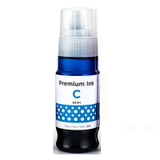
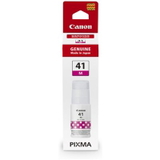
- Original OEM Ink Cartridge Canon GI-41 M (4544C001) (Magenta) and Compatible Ink Cartridge GI-41 M for Canon (4544C001) (Magenta) – for reds, skin tones and rich graphics.
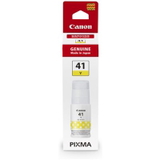
- Original OEM Ink Cartridge Canon GI-41 Y (4545C001) (Yellow) and Compatible Ink Cartridge GI-41 Y for Canon (4545C001) (Yellow) – for bright highlights and warm tones.
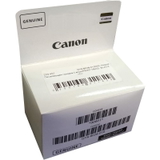
- Original OEM Printhead Canon QY6-8028-020 (QY6-8028-020) (Black) – when print quality can’t be restored with cleaning and you need a hardware refresh.
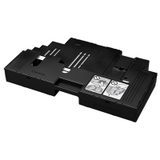
- Original OEM Waste Ink Tank Canon MC-G02 (4589C001) – essential maintenance part that collects excess ink during cleaning cycles.
- All-In-One Printer Canon Pixma G3420 – if you’re setting up a new workstation or adding a proven MegaTank device.
Thanks to this mix, you can order everything for your Canon Pixma G3420 in one place: inks in each color, plus the components that keep the ink system healthy over time. How to choose the right ink and avoid common Canon Pixma G3420 issues When you’re selecting ink for Canon Pixma G3420, start with two simple rules: match the exact symbol (GI‑41) and buy the colors you actually use most. Many customers print mostly text—so they choose extra PGBK black—while photo and school printing typically consumes more color. We also recommend keeping an eye on these common user situations with MegaTank printers like the G3420: - Faded colors or streaks – often caused by low ink levels or dried nozzles after long breaks. A nozzle check and cleaning help; if not, a new printhead may be the solution.
- Printer maintenance messages – heavy cleaning cycles can fill the waste ink tank MC‑G02. Replacing it on time prevents downtime.
- Uneven black text – can happen when black ink runs low or the printhead needs cleaning. Choosing a reliable GI‑41 PGBK (OEM or our proven compatible) restores crisp documents.
- Color shift in graphics – usually results from one color being depleted. Keeping Cyan/Magenta/Yellow topped up helps maintain consistent output.
If you’re deciding between Original OEM and Compatible, think about your printing style. OEM is ideal for those who want strictly Canon-branded supplies. Our compatible options are perfect when you want excellent results and better cost control—without compromising on the quality you expect from Canon Pixma G3420 ink. Order Canon Pixma G3420 ink and maintenance supplies with confidence We encourage you to explore our full range of ink cartridges for Canon Pixma G3420—compatible and original OEM—along with printheads and waste ink tanks. If you’re unsure which product fits your needs (or you’ve searched by 4467C009AA and want confirmation), contact us and we’ll help you choose the right item quickly. Add your selected GI‑41 colors to the cart today and keep your Canon G3420 ready for every print job—with fast delivery and expert support when you need it. |