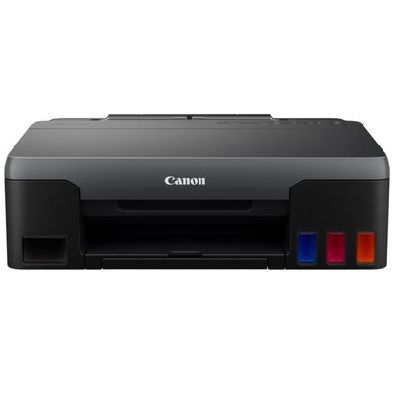
Reliable everyday printing with Canon Pixma G1520 Canon Pixma G1520 (also searched as Canon G1520 or Canon Pixma G) is a popular MegaTank printer designed for economical, high-volume printing at home and in small offices. It’s valued for low running costs, crisp text, and vivid colour output—provided you use the right ink for Canon Pixma G1520 and keep the system maintained. In this category we offer both Original OEM and Compatible solutions, so you can match your budget and expectations without compromising print quality. Ink for Canon G1520: what it does best The Canon Pixma G1520 uses a refill ink system, which means the right ink is crucial for stable colour reproduction, sharp blacks, and smooth gradients in photos and graphics. Whether you print school materials, invoices, shipping labels, or colourful presentations, choosing the correct ink for G1520 helps you keep pages consistent from the first print to the last. In our range you’ll find colours that cover typical needs: - Black (PGBK) for clear text, strong contrast, and business documents,
- Cyan, Magenta, Yellow for colourful prints, charts, and everyday photo printing.
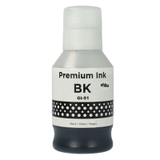
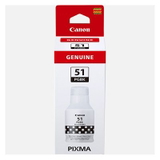
Original OEM and Compatible cartridges—one place, wide choice We know customers want options, so we stock both Original OEM ink for Canon Pixma G1520 and carefully selected compatible alternatives. Here are some of the most popular products in this category: - Original OEM Ink Cartridge Canon GI-51 PGBK (4529C001) (Black)
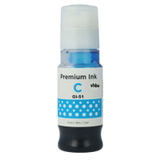
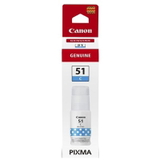
- Original OEM Ink Cartridge Canon GI-51 C (4546C001) (Cyan)
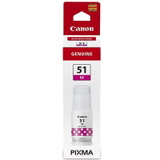
- Original OEM Ink Cartridge Canon GI-51 M (4547C001) (Magenta)
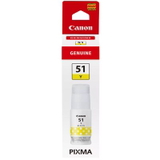
- Original OEM Ink Cartridge Canon GI-51 Y (4548C001) (Yellow)
- Compatible Ink Cartridge GI-51 PGBK for Canon (4529C001) (Black)
- Compatible Ink Cartridge GI-51 C for Canon (4546C001) (Cyan)
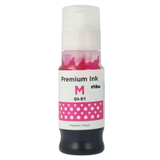
- Compatible Ink Cartridge GI-51 M for Canon (4547C001) (Magenta)
- Compatible Ink Cartridge GI-51 Y for Canon (4548C001) (Yellow)
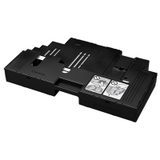
This selection makes it easy to build a full set for your Canon G1520, replace a single colour when it runs low, or keep a spare bottle ready for uninterrupted printing. Waste Ink Tank Canon MC-G02: small part, big impact Many printing issues are not caused by ink at all—but by maintenance components. That’s why this category also includes the Original OEM Waste Ink Tank Canon MC-G02 (4589C001). The waste ink tank collects excess ink generated during cleaning cycles and maintenance. When it nears capacity, your Canon Pixma G1520 may display warnings or stop printing until the tank is replaced. Keeping an MC-G02 on hand is a simple way to avoid downtime—especially if you print frequently. How to choose ink for Canon Pixma G1520 (and avoid common problems) When selecting ink for printer Canon Pixma G1520, we recommend focusing on three things: the exact ink code, your printing style, and your expectations for running costs. - Match the code: for this model, look for GI-51 inks in the right colours (PGBK, C, M, Y).
- Choose Original OEM if: you want the manufacturer’s solution, consistent results across mixed media, and maximum peace of mind.
- Choose Compatible if: you want excellent value and very good quality. Our compatible inks from DrTusz.pl are designed to be as good as originals—reliable colour, clean text, and smooth everyday performance.
Typical user issues with Canon Pixma G1520 often include faded prints, missing colours, or streaks—usually caused by low ink levels, air in the system after long breaks, or overdue maintenance. In many cases, topping up the right ink for Canon G1520 and running the printer’s cleaning/alignment routine restores full quality. If the printer reports a maintenance warning, replacing the Canon MC-G02 waste ink tank is often the key step. Order ink for G1520 today—print without interruptions We encourage you to explore our full range of ink for Canon Pixma G1520: Original OEM GI-51 inks, high-quality compatible equivalents, and the essential Waste Ink Tank Canon MC-G02. If you’re unsure which product to choose, contact us—we’ll help you match the correct ink and maintenance part to your Canon Pixma G printer. Add the right supplies to your cart and enjoy fast, convenient delivery and dependable printing every day. |