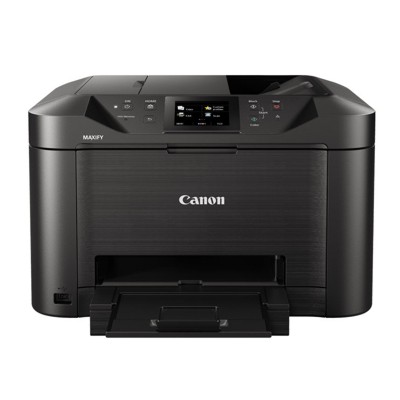
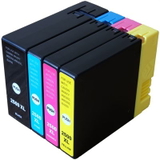
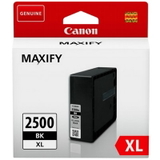
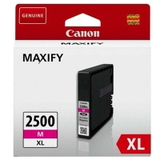
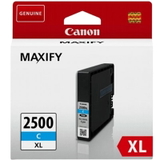
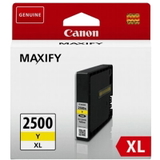
Canon MAXIFY MB5150 – a business-ready all-in-one that deserves reliable ink If you use the Canon MAXIFY MB5150 (also searched as Canon MB5150, MB-5150, MB 5150, or by the code 960C009AA), you already know it’s built for busy home offices and small businesses. Fast printing, sharp text, and efficient paper handling make it a dependable all-in-one for invoices, reports, shipping documents, and everyday colour prints. To keep that performance consistent, you need the right ink for Canon MAXIFY MB5150—and ideally, a store that helps you choose quickly and confidently. Ink for Canon MAXIFY MB5150: crisp text, vivid colour, and predictable results The Canon MAXIFY MB5150 uses pigment-based cartridges from the PGI-2500 XL family, designed for durable, office-grade output. When you choose the proper ink cartridge for Canon MB5150, you get: - Professional black text for contracts and documents that must look clean and readable.
- Strong colour coverage for charts, presentations, and branded materials.
- High-capacity XL printing—ideal when you print frequently and want fewer replacements.
- Stable performance with reduced risk of streaks or fading, especially on standard office paper.
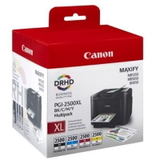
In this category we focus on what MB5150 owners actually need: ink cartridges (black and colour), convenient CMYK multipacks, and fluids for cleaning when print quality drops due to dried ink or clogged nozzles. Our range: Original OEM, Compatible, and smart extras for MB5150 We keep the offer clear and complete, so you can buy exactly the right ink for printer Canon MAXIFY MB5150 in a few clicks—whether you prefer Original OEM reliability or cost-effective compatible solutions. Popular choices include: - Compatible Ink Cartridges PGI-2500 XL CMYK for Canon (9254B004) (multi pack) – the practical option for frequent printing and balanced costs.
- Original OEM Ink Cartridges Canon PGI-2500 XL CMYK (9254B004) (multi pack) – factory-original set when you want the manufacturer’s cartridge end-to-end.
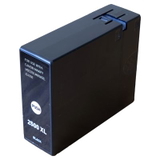
- Original OEM Ink Cartridge Canon PGI-2500 XL BK (9254B001) (Black) and Compatible Ink Cartridge PGI-2500 XL BK (9254B001) (Black) – perfect if black runs out first (common in office use).
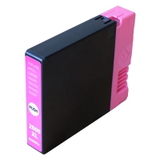
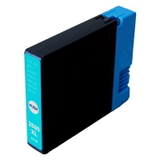
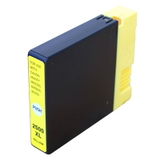
- Colour cartridges available both as OEM and compatible: PGI-2500 XL C (Cyan 9265B001), PGI-2500 XL M (Magenta 9266B001), PGI-2500 XL Y (Yellow 9267B001).
- Specialistic Fluid for Cleaning Heads Canon 250 ml (Universal) – a great support product when you notice missing lines, banding, or colour shifts.
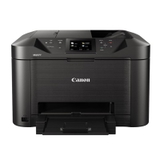
- All-In-One Printer Canon MAXIFY MB5150 – if you’re equipping a new workstation or replacing an older device, you can keep printer and consumables in one place.
Because we offer multiple classes—Original OEM, Compatible, All-in-One Printers, and refill components—you can build a full, long-term printing setup around one device without guessing. How to choose the right MB5150 cartridge: OEM vs compatible (and what really matters) When buying an ink cartridge for Canon MAXIFY MB5150, start with two decisions: capacity and type. We recommend XL versions for most users, because they reduce downtime and are usually more cost-efficient per page. - Original OEM ink for Canon MB5150 – produced by Canon, ideal if you want to keep everything strictly manufacturer-original and value maximum predictability.
- Compatible ink for Canon MAXIFY MB5150 – our compatible cartridges are designed to deliver print quality comparable to originals while helping you reduce printing costs. If you print a lot (invoices, shipping labels, school materials), compatible XL cartridges are often the most sensible choice.
Many customers worry about whether a compatible cartridge will look “different” on paper. In real-world office printing—text, tables, charts—our compatible solutions are as good as originals, and they’re chosen specifically to work smoothly with the MB5150’s everyday workload. Common MB5150 printing issues and how we help you fix them Even the best office printer can run into small problems—usually caused by long pauses between prints or air entering the system during cartridge replacement. If your ink for Canon MAXIFY MB5150 seems to “print poorly,” the causes are often simple: - Streaks or missing lines – frequently related to partially clogged nozzles; a cleaning cycle or cleaning fluid can help.
- Faded black text – black cartridge may be low, or the head needs cleaning; consider replacing PGI-2500 XL BK.
- Incorrect colours – one colour (C/M/Y) might be empty or blocked; replacing the specific colour cartridge is often enough.
- Cartridge not recognised – reinsert the cartridge carefully, ensure protective elements were removed, and keep the contacts clean and dry.
That’s why we don’t only sell cartridges. In this category you’ll also find a specialistic fluid for cleaning heads, which is a practical support product for restoring print quality without unnecessary downtime. Order ink for Canon MAXIFY MB5150 with confidence We encourage you to choose the best ink for printer Canon MAXIFY MB5150 for your workload—OEM if you want manufacturer-original, or compatible if you want excellent results and better cost control. Add a CMYK multipack to stay stocked, or pick the exact colour you’re missing. If you’re unsure which cartridge fits your device (MB5150 / MB-5150 / 960C009AA), contact us—we’ll help you match the correct PGI-2500 XL cartridge quickly. Browse the available Canon MAXIFY MB5150 ink cartridges now, choose your preferred option, and place your order—so your printer stays ready for every document and every deadline. |