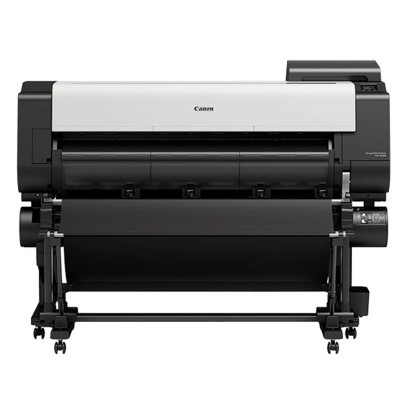
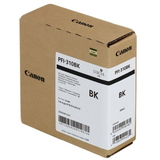
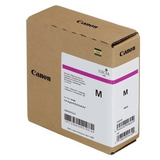
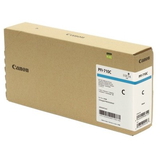
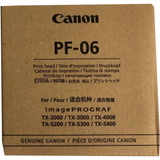
Canon imagePROGRAF TX-2000 inks and supplies for reliable large-format printing Canon imagePROGRAF TX-2000 (also searched as Canon TX2000, TX-2000 or TX 2000) is a professional 24-inch large-format printer designed for fast, precise output—perfect for CAD drawings, GIS maps, technical documentation, posters and everyday office plotter work. To keep this device performing at its best, choosing the right ink for Canon imagePROGRAF TX-2000 and maintaining the print system with the correct consumables is essential. In this category we’ve gathered everything you need: ink cartridges, printheads, waste ink tanks and cleaning fluid—available as Original OEM products and practical refill components. Pigment inks for TX2000: crisp lines, strong blacks, stable colour When you select ink for Canon TX2000, you’re investing in print quality and repeatability. The TX series is known for sharp linework and consistent fills, which matters in technical prints where readability is critical. Pigment-based inks used in this system support: - High line accuracy for CAD and architectural drawings
- Deep blacks for legibility in text, borders and annotations
- Colour stability for maps, presentations and posters
- Smudge resistance and durable output on compatible media
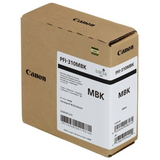
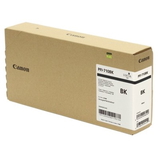
Whether you print monochrome technical sets or colourful layouts, choosing the correct cartridge type (especially the right black) helps you match output to paper and application. Original OEM cartridges for Canon imagePROGRAF TX-2000: our most popular picks Many customers choose Original OEM ink for Canon imagePROGRAF TX-2000 for maximum predictability and manufacturer-standard performance. In this category you’ll find the key colours and blacks commonly used in TX2000 workflows, including: - Original OEM Ink Cartridge Canon PFI-310MBK (2358C001) – Matte Black
- Original OEM Ink Cartridge Canon PFI-310BK (2359C001) – Black
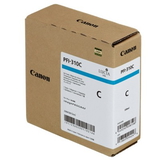
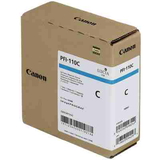
- Original OEM Ink Cartridge Canon PFI-310C (2360C001) – Cyan
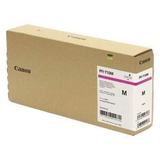
- Original OEM Ink Cartridge Canon PFI-310M (2361C001) – Magenta
- Original OEM Ink Cartridge Canon PFI-310Y (2362C001) – Yellow
We also offer other OEM cartridge families listed for this model and related setups, including: - Original OEM Ink Cartridge Canon PFI-710MBK (2353C001), PFI-710BK (2354C001), PFI-710C (2355C001), PFI-710M (2356C001), PFI-710Y (2357C001)
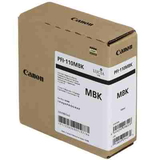
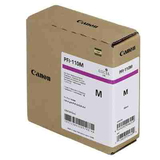
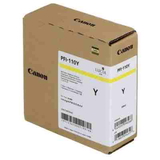
- Original OEM Ink Cartridge Canon PFI-110MBK (2363C001), PFI-110BK (2364C001), PFI-110C (2365C001), PFI-110M (2366C001), PFI-110Y (2367C001)
If you’re unsure which series is right for your exact configuration, we encourage you to contact us—our team will help you match the correct ink for TX-2000 to your printer and your printing profile. More than cartridges: printheads, waste ink tanks and cleaning fluids For uninterrupted work, a TX2000 needs more than just cartridges. That’s why we include complete maintenance essentials in this category: - Original OEM Printhead Canon PF-06 (2352C001) – a crucial component for sharp, consistent output (especially important if you notice missing lines, banding or recurring nozzle issues).
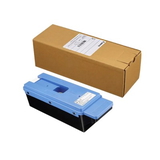
- Original OEM Waste Ink Tank Canon MC-30 (1156C002) – collects ink used during cleaning cycles and maintenance; replacing it on time prevents downtime and error messages.
- Specialistic Fluid for Cleaning Heads Canon 250 ml (Uniwersalny) – helpful for maintenance and restoring nozzle performance when prints show streaks, gaps or colour inconsistency.
By ordering these items together with your ink for Canon imagePROGRAF TX-2000, you reduce the risk of unexpected interruptions—especially in offices where deadlines and continuous printing are the norm. How to choose: OEM vs compatible/refill components (and common TX-2000 issues) Customers often ask us which option is best: Original OEM or compatible/refill components. The honest answer depends on your priorities—budget, volume, and the type of prints you produce. What we can say with confidence: the compatible cartridges from DrTusz.pl offer are as good as the originals in everyday professional use, and they’re a great way to reduce printing costs without giving up quality. When selecting ink for Canon TX2000, pay attention to: - Exact cartridge symbol (for example PFI-310 vs PFI-110 vs PFI-710) and colour (MBK, BK, C, M, Y).
- Paper type and usage: Matte Black (MBK) is typically chosen for matte media and technical drawings; Black (BK) is often used when deeper black on certain media is required.
- Your print volume: High-volume environments benefit from planning ahead—keeping a spare black and a waste ink tank can prevent downtime.
Typical issues users report with the Canon imagePROGRAF TX series are usually maintenance-related rather than “ink problems”: - Banding / missing lines – often solved by nozzle checks, cleaning cycles, or replacing/servicing the PF-06 printhead if wear is advanced.
- Printer stops with maintenance alerts – frequently linked to a full MC-30 waste ink tank.
- Inconsistent colour or weak saturation – can be caused by clogged nozzles or air in the system; the right maintenance routine and cleaning fluid can help.
If you tell us what you print (CAD line drawings, maps, posters) and how often, we’ll recommend the best combination—OEM cartridges, compatible alternatives, and the maintenance items that keep your TX-2000 running smoothly. Order ink for Canon imagePROGRAF TX-2000 with confidence We encourage you to explore our full selection of ink for Canon imagePROGRAF TX-2000—from OEM cartridges in all key colours, to essential components like the Canon PF-06 printhead, the Canon MC-30 waste ink tank, and professional cleaning fluid. Add what you need to your cart today, and if you’d like help choosing the correct cartridge series for your Canon TX2000, contact us—together we’ll make sure you get the right supplies quickly and without guesswork. |