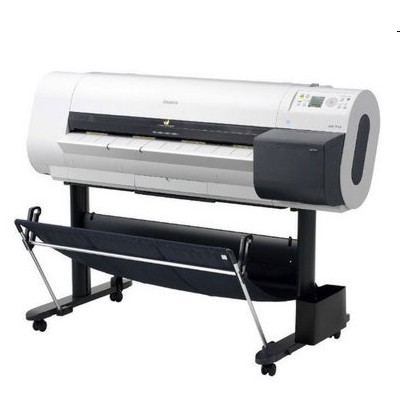
| If you work with large-format prints, you already know what the Canon imagePROGRAF 700 (also searched as Canon iPF700, iPF700 or IPF700) is built for: fast, precise output for CAD/GIS, technical drawings, presentations and posters where clean lines and consistent colour matter. To keep this printer performing at its best, you need the right ink for Canon imagePROGRAF 700—reliable cartridges, a healthy printhead, and proper maintenance supplies. In this category, we bring all of that together: Original OEM, Compatible and Refill components, plus key service items for day-to-day operation. Ink for Canon iPF700 – what makes it different The Canon imagePROGRAF 700 uses pigment-based inks designed for sharp text, crisp vector lines and stable colour. Choosing the right ink cartridge for Canon iPF700 helps you avoid issues like banding, weak blacks, washed-out colour and inconsistent coverage on coated and uncoated media. For technical environments, matte and deep blacks are crucial—especially for line drawings—while cyan, magenta and yellow build accurate colour layers for presentations and graphic elements. When you buy ink for iPF700 from a specialist store, you don’t just get “a cartridge”—you get predictable results, fewer interruptions, and the confidence that your prints will look the same tomorrow as they do today. Original OEM, Compatible and Refill components – one category, full control We know that different teams have different priorities. Some customers want manufacturer-grade consistency, others focus on lowering cost per print without sacrificing quality. That’s why we offer: - Original OEM ink – factory Canon cartridges for customers who want maximum standardisation and OEM workflow.
- Compatible ink cartridges – our carefully selected alternatives that print just as well as originals in everyday professional use, while helping you reduce running costs.
- Refill components & maintenance – practical supplies for keeping the device clean and stable over time.
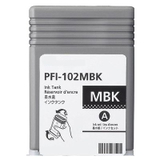
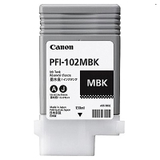
Popular cartridges for Canon imagePROGRAF 700 (PFI-102 series) This category focuses on the widely used PFI-102 inks. Here are some of the most popular choices customers look for when searching “ink for Canon imagePROGRAF 700”: - Original OEM Ink Cartridge Canon PFI-102MBK (CF0894B001A) (Matte black) – essential for dense lines and technical prints on matte media.
- Compatible Ink Cartridge PFI-102MBK for Canon (CF0894B001A) (Matte black) – strong, clean matte black at a lower cost per page.
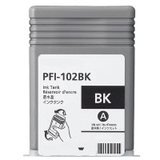
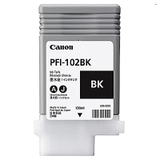
- Original OEM Ink Cartridge Canon PFI-102BK (CF0895B001A) (Black) and Compatible Ink Cartridge PFI-102BK for Canon (CF0895B001A) (Black) – for deep blacks and contrast.
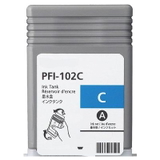
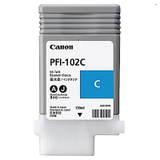
- Original OEM Ink Cartridge Canon PFI-102C (CF0896B001A) (Cyan) and Compatible Ink Cartridge PFI-102C for Canon (CF0896B001A) (Cyan) – smooth cyan for balanced colour output.
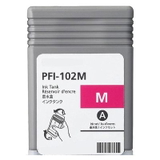
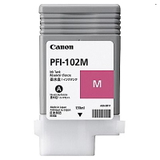
- Original OEM Ink Cartridge Canon PFI-102M (CF0897B001A) (Magenta) and Compatible Ink Cartridge PFI-102M for Canon (CF0897B001A) (Magenta) – stable magenta for accurate colour mixes.
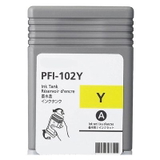
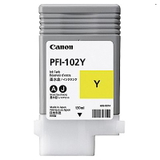
- Original OEM Ink Cartridge Canon PFI-102Y (CF0898B001A) (Yellow) and Compatible Ink Cartridge PFI-102Y for Canon (CF0898B001A) (Yellow) – bright, clean yellow for highlights and colour clarity.
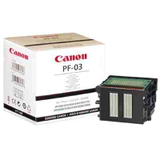
Whether you choose OEM or compatible, matching the cartridge code (PFI-102 and the exact colour) is the key to hassle-free purchasing. More than ink: printheads, waste ink tanks and cleaning fluids Large-format printing is a system—ink is only one part. To keep your Canon iPF700 reliable, we also stock the components that prevent downtime: - Original OEM Printhead Canon PF-03 (2251B001) – the heart of image quality. If you see persistent missing lines or repeated nozzle check failures, a new printhead may be the right step.
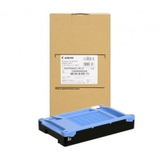
- Original OEM Waste Ink Tank Canon MC-07 (1320B008) – required for safe collection of waste ink from cleaning cycles. Replacing it on time prevents interruptions and error messages.
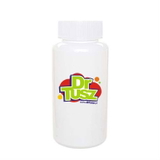
- Specialistic Fluid for Cleaning Heads Canon 250 ml (Uniwersalny) – helpful for maintenance procedures, especially when the printer is used irregularly or after longer downtime.
How to choose the right ink cartridge for Canon iPF700 – practical tips When selecting ink for Canon iPF700, we recommend a quick checklist: - Confirm the exact printer name: Canon imagePROGRAF 700 / Canon iPF700 / iPF700.
- Match the cartridge symbol: PFI-102 and the required colour (MBK, BK, C, M, Y).
- Decide what matters most: OEM standardisation or cost optimisation with compatible cartridges.
- If you print irregularly: consider adding a cleaning fluid and monitor nozzle checks to prevent clogs.
Many user issues in the Canon imagePROGRAF range come from natural workflow realities: long pauses between jobs, frequent cleanings, or a near-full waste ink tank. If you notice banding, missing lines, or recurring cleaning cycles, it’s often a sign to check ink levels, run a nozzle test, and ensure the MC-07 waste ink tank isn’t due for replacement. And if problems persist, the PF-03 printhead may be the component to review. Choose your ink today and keep Canon imagePROGRAF 700 ready for every deadline We encourage you to explore our full selection of ink cartridges for Canon imagePROGRAF 700—both Original OEM and Compatible options—along with printheads, waste ink tanks and cleaning fluids. If you’re unsure which ink for Canon imagePROGRAF is best for your workflow, contact us—tell us what you print and how often, and we’ll help you choose the most reliable and cost-effective set. Add the right supplies to your basket and keep your Canon iPF700 printing clean, sharp and consistent. |