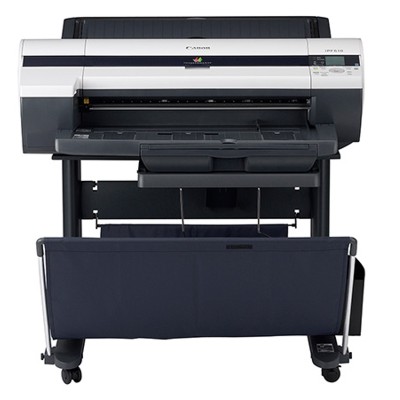
| If you work with the Canon imagePROGRAF 610 (also searched as Canon iPF610, iPF610 or simply Canon imagePROGRAF), you already know this is a wide-format printer built for precision: crisp lines, smooth fills, and reliable colour reproduction for CAD, GIS, posters and everyday production prints. To keep that quality consistent, you need the right ink for Canon imagePROGRAF 610—and you need it available fast. In this category we bring together everything you need for uninterrupted printing: original OEM and compatible cartridges, plus the service consumables that users often forget until the printer stops. Ink for Canon iPF610 – what makes it special The Canon imagePROGRAF 610 uses a multi-colour ink set designed for sharp technical drawings and vivid colour work. Choosing the right ink for Canon iPF610 affects more than just colour—ink also influences line accuracy, drying time, consistency across batches and long-term stability of prints. Whether you print plans all day or run occasional poster jobs, fresh, well-matched ink helps maintain predictable results and fewer cleaning cycles. In our offer you’ll find inks that support the everyday needs of imagePROGRAF users: - clear, dense blacks for readable text and precise linework,
- stable cyan, magenta and yellow for reliable colour output,
- options for those who prefer the manufacturer’s standard (OEM) as well as cost-effective alternatives.
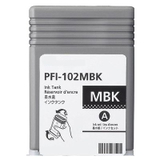
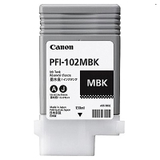
Original OEM and compatible cartridges – choose what fits your workflow Many customers ask us which is better: Original OEM ink for Canon imagePROGRAF 610 or a compatible equivalent. OEM cartridges are made by Canon and are the “factory standard” for colour and performance. Compatible cartridges, on the other hand, are a smart option when you want to reduce printing costs without sacrificing quality. The compatible cartridges from DrTusz.pl are designed to deliver results that are as good as the originals—sharp lines, strong blacks and consistent colours—while keeping your budget under control. When selecting ink for Canon imagePROGRAF 610, pay attention to the exact symbol (PFI series) and colour. This model uses the PFI-102 family, and in our category you’ll find both OEM and compatible versions. Popular products for Canon imagePROGRAF 610 (PFI-102 series) To make shopping easier, we stock the most frequently used items for Canon iPF610 ink replacement and maintenance. Here are some bestsellers from this category: - Original OEM Ink Cartridge Canon PFI-102MBK (CF0894B001A) (Matte black) – ideal for technical drawings and matte media.
- Compatible Ink Cartridge PFI-102MBK for Canon (CF0894B001A) (Matte black) – a cost-effective alternative with excellent everyday performance.
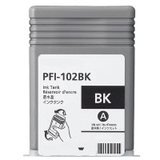
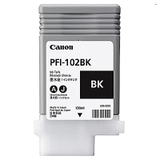
- Original OEM Ink Cartridge Canon PFI-102BK (CF0895B001A) (Black) and Compatible Ink Cartridge PFI-102BK for Canon (CF0895B001A) (Black) – deep black for text, lines and general use.
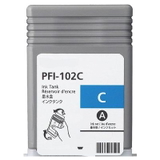
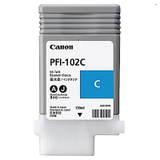
- Original OEM Ink Cartridge Canon PFI-102C (CF0896B001A) (Cyan) and Compatible Ink Cartridge PFI-102C for Canon (CF0896B001A) (Cyan) – clean, stable cyan for accurate colour output.
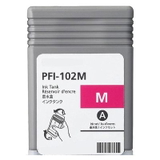
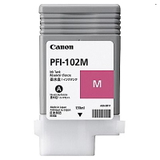
- Original OEM Ink Cartridge Canon PFI-102M (CF0897B001A) (Magenta) and Compatible Ink Cartridge PFI-102M for Canon (CF0897B001A) (Magenta) – balanced magenta for smooth gradients and vivid graphics.
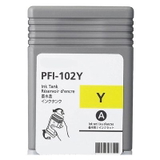
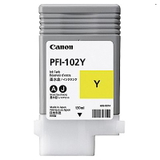
- Original OEM Ink Cartridge Canon PFI-102Y (CF0898B001A) (Yellow) and Compatible Ink Cartridge PFI-102Y for Canon (CF0898B001A) (Yellow) – bright yellow for clean, lively colour mixes.
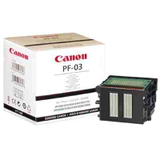
More than ink: printheads, waste ink tanks and cleaning fluids Wide-format printers are production tools, and production tools need maintenance consumables. That’s why, next to ink for Canon imagePROGRAF 610, we also offer key service parts that help prevent downtime: - Original OEM Printhead Canon PF-03 (2251B001) – the heart of image quality; essential if you see persistent missing lines or repeated nozzle issues.
- Original OEM Waste Ink Tank Canon MC-16 (1320B010) – collects ink from cleaning cycles; replacing it on time helps avoid interruptions and error messages.
- Specialistic Fluid for Cleaning Heads Canon 250 ml (Uniwersalny) – helpful for maintenance routines and situations where cleaning is needed to restore nozzle performance.
How to choose the right ink for Canon imagePROGRAF 610 We encourage you to match your choice to how you print: - For maximum standardisation (colour-critical work, strict procedures): choose Original OEM ink for Canon iPF610.
- For everyday printing and cost control: choose our compatible ink for Canon imagePROGRAF 610—high quality, reliable results, and excellent value.
- For recurring maintenance problems (banding, missing lines, frequent cleaning): consider whether you need a PF-03 printhead refresh, a new MC-16 waste ink tank, or a dedicated cleaning fluid.
Common user issues we help with include: sudden colour shifts after an old cartridge, streaks caused by nozzle problems, frequent “maintenance tank full” messages, and uncertainty about choosing MBK vs BK for specific media. If you’re not sure which ink for Canon iPF610 is best for your work, we’re here to advise you. Order ink for Canon iPF610 with confidence We focus on selection, availability and practical support—so you can keep your Canon imagePROGRAF running smoothly. Browse the products in this category, pick the OEM or compatible option that fits your needs, and add the maintenance items that prevent unexpected downtime. If you have questions about compatibility or symptoms you’re seeing on prints, contact us—we’ll help you choose the right ink for Canon imagePROGRAF 610, printhead or service consumable. We encourage you to explore the full range and place your order today with fast delivery options and reliable customer support. |