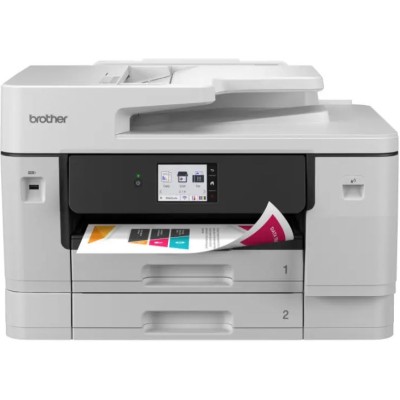
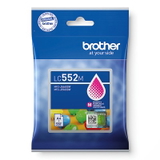
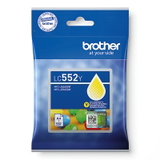
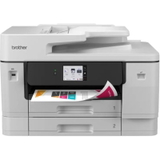
| Looking for reliable ink for Brother MFC-J3960DW? You’re in the right place. The Brother MFC-J3960DW is a versatile all-in-one inkjet printer designed for busy homes and small offices that need fast, colorful documents, sharp graphics, and convenient features like automatic duplex printing and wireless connectivity. To keep this device performing at its best, choosing the right ink cartridge for Brother MFC-J3960DW is essential—especially when you print frequently or expect consistent color quality. Brother MFC-J3960DW: built for everyday color printing The Brother MFC-J3960DW (also searched as Brother MFCJ3960DW, MFC-J3960 DW or MFC J3960DW) is made for multi-tasking: printing, copying, scanning, and faxing in one compact system. That’s why dependable color ink matters. The right ink for printer Brother MFC-J3960DW helps maintain crisp text, smooth gradients in images, and clean lines in charts—without unexpected interruptions. Color ink cartridges for Brother MFC-J3960DW – what you get and why it matters In this category we focus on Color ink cartridges (including black as part of the full set), designed to work perfectly with the MFC-J3960DW ink system. Using the correct ink cartridge for Brother MFC-J3960DW ensures: - stable color reproduction for presentations, offers, school materials, and photo-rich prints,
- clean, readable black text for invoices and everyday office documents,
- reliable page yield when you choose standard vs. XL capacity,
- lower risk of printing artifacts such as streaks or faded areas (especially when replacing cartridges on time).
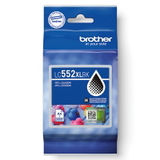
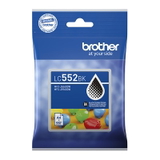
If you print mixed content—text plus color charts—choosing an XL cartridge often reduces the frequency of replacements and helps keep cost-per-page under control. Our selection: original OEM Brother LC-552 cartridges and the matching device We offer a clear, practical range for the Brother MFC-J3960DW—so you can quickly match the cartridge to your needs. Popular picks include: - Original OEM Ink Cartridge Brother LC-552 XL BK (LC552XLBK) (Black) – great for high-volume black text printing,
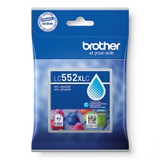
- Original OEM Ink Cartridge Brother LC-552 XL C (LC552XLC) (Cyan) – for vivid blues and smooth gradients,
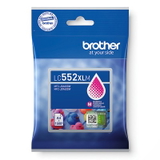
- Original OEM Ink Cartridge Brother LC-552 XL M (LC552XLM) (Magenta) – supports strong reds/pinks and rich graphics,
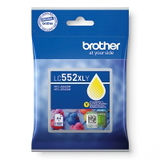
- Original OEM Ink Cartridge Brother LC-552 XL Y (LC552XLY) (Yellow) – keeps photos and charts bright and balanced,
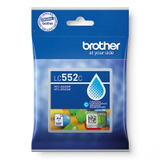
- Original OEM Ink Cartridge Brother LC-552 BK/M/C/Y – standard capacity options when you print less or want a lower upfront cost,
- All-In-One Printer Brother MFC-J3960DW – available for customers who want the complete device or are upgrading their setup.
This makes it easy to build a full set: black + cyan + magenta + yellow, choosing either standard or XL depending on your printing routine. How to choose the right ink for Brother MFC-J3960DW When selecting ink for MFC-J3960DW, we recommend checking two things: cartridge series and capacity. This printer uses the Brother LC-552 family (standard) and Brother LC-552 XL family (high yield). If you print frequently—work documents, school materials, or marketing handouts—XL is usually the most convenient choice. It’s also worth thinking about what you print most: - If black text dominates, prioritize LC-552 XL BK.
- If you print presentations, graphics, or photos, keep an eye on cyan, magenta, and yellow levels and replace before they run fully empty.
Original OEM vs compatible cartridges – what’s the difference? In this category you’ll find Original OEM cartridges. OEM ink is produced by the printer manufacturer and is a safe, straightforward choice for customers who want factory-standard performance and predictability. Many customers also ask about compatible options. In our store we offer compatible cartridges as well (in dedicated sections): they’re designed to match the printer’s requirements and—when sourced from a trusted seller—can deliver results that are as good as the originals, while helping reduce printing costs. If you’re unsure which route is best for your printing style, we’re happy to help you compare options. Common printing issues with Brother MFC-J3960DW and how the right ink helps The Brother MFC-J3960DW is reliable, but like any inkjet, it can show typical ink-related symptoms—especially if it’s used irregularly or cartridges run very low. Customers most often mention: - faded colors or missing lines – often caused by an empty/near-empty cartridge or long breaks between printing,
- streaks or uneven color areas – sometimes linked to low ink levels or the need for maintenance cleaning,
- cartridge not recognized – usually solved by re-seating the cartridge and checking you have the correct LC-552 / LC-552 XL model.
Choosing the correct ink cartridge for Brother MFC-J3960DW and replacing it promptly is one of the easiest ways to keep prints consistent and avoid downtime when you need documents urgently. Order your ink today – we’re here to help We encourage you to explore our selection of ink for printer Brother MFC-J3960DW—from standard LC-552 cartridges to high-yield LC-552 XL options, plus the Brother MFC-J3960DW all-in-one printer itself. If you need help choosing between standard and XL, selecting the right color, or deciding between original OEM and compatible cartridges, contact us—our team will guide you to the best option for your printing needs. CTA: Add the right Brother LC-552 / LC-552 XL cartridges to your cart now and keep your Brother MFC-J3960DW ready for crisp documents and vibrant color prints—without interruptions. |