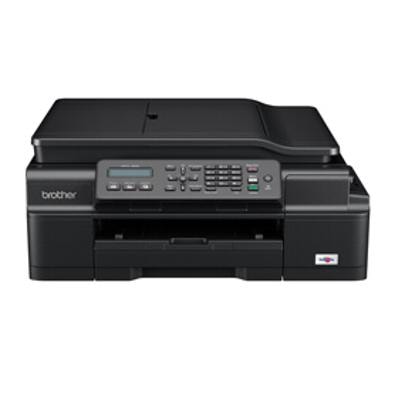
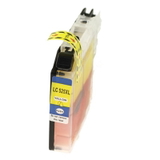
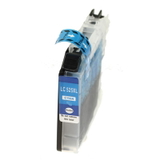
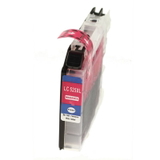
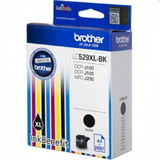
Brother MFC-J200 – a practical all-in-one for home and small office Brother MFC-J200 is a compact inkjet all-in-one designed for everyday printing, copying, scanning and faxing. It’s a popular choice wherever you need reliable colour documents, school materials and occasional photos without taking up much space. To keep this device working smoothly and producing crisp text and vivid graphics, you simply need the right ink for Brother MFC-J200—and that’s exactly what we focus on in this category. If you search using phrases like Brother MFCJ200, Brother MFC J200, MFC-J200 or MFCJ200, you’re in the right place: here you’ll find both Original OEM and Compatible solutions, plus useful maintenance products and even the printer itself. Ink cartridges for Brother MFC-J200: what matters in everyday use The Brother MFC-J200 uses separate ink tanks, which is convenient and economical: you replace only the colour that runs out. In this category we offer ink cartridges for Brother MFC-J200 in Black (BK), Cyan (C), Magenta (M) and Yellow (Y), including high-yield XL versions. This means fewer interruptions, better cost control and stable print quality—whether you print invoices, forms, school worksheets or colourful charts. When choosing ink for Brother MFC-J200, pay attention to: - Correct cartridge series (LC-529 XL for black and LC-525 XL for colours in this selection).
- Yield and printing frequency—XL cartridges are ideal if you print often.
- Colour accuracy—important for presentations, graphics and branded documents.
- Device maintenance—a cleaning fluid can solve many “quality issues” before you replace anything.
Original OEM vs Compatible – how to choose the best ink for Brother MFC-J200 We offer two proven routes, so you can match the purchase to your expectations and budget: - Original OEM ink cartridge for Brother MFC-J200 – manufactured by Brother, designed for maximum predictability, consistent colour and hassle-free operation.
- Compatible ink cartridge for Brother MFC-J200 – a cost-effective alternative. Our compatible cartridges from the DrTusz.pl offer are made to deliver print quality and reliability comparable to originals, while helping you significantly reduce printing costs.
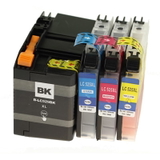
Our practical advice: if you print occasionally and want the “set and forget” option, choose OEM. If you print a lot (home office, school, small business), compatible XL cartridges or a multipack are often the most economical choice—without sacrificing clear text and strong colours. Popular products in this category (OEM, compatible, multipacks and maintenance) We keep the selection clear and complete, so you can quickly find what you need for your device: - Compatible Ink Cartridges LC-529 XL BK + 525 XL CMY for Brother (LC529XLVAL) (multi pack) – a convenient set for people who want to replace everything at once and keep printing without downtime.
- Original OEM Ink Cartridge Brother LC-529 XL BK (LC529XLBK) (Black) – a high-yield black cartridge for sharp text and strong contrast.
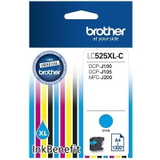
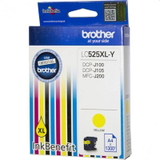
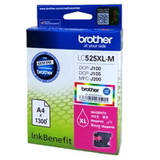
- Original OEM Ink Cartridge Brother LC-525 XL C / M / Y – separate colours: LC525XLC (Cyan), LC525XLM (Magenta), LC525XLY (Yellow), great for consistent colour documents.
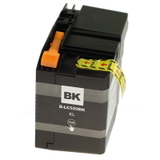
- Compatible Ink Cartridge LC-529 XL BK and Compatible Ink Cartridge LC-525 XL C/M/Y – reliable replacements that help lower cost per page while maintaining high-quality results.
- Specialistic Fluid for Cleaning Heads Brother 250 ml (Uniwersalny) – a smart choice when prints show missing lines, streaks or faded colours (often caused by dried ink in the printhead).
- All-In-One Printer Brother MFC-J200 – if you’re setting up a new workspace or replacing hardware, you can match the device and cartridges in one place.
Common Brother MFC-J200 printing issues – and how we help you fix them Many users come to us searching for ink for Brother MFC-J200 because something “suddenly got worse” in print quality. The most common situations include: - Streaks or missing colours – often caused by dried nozzles; a cleaning cycle and, when needed, a dedicated cleaning fluid can restore quality.
- Faded black text – usually a low black cartridge or partially clogged head; replacing LC-529 XL BK (OEM or compatible) typically solves the issue.
- Printer not used for a long time – ink can dry; maintenance products and fresh cartridges help bring the device back to life.
- Frequent cartridge replacements – consider XL options or a multipack to reduce interruptions and improve cost efficiency.
When in doubt, we encourage you to check the cartridge code and choose the exact match from this category—this is the simplest way to avoid compatibility mistakes. Order ink for Brother MFC-J200 with confidence We make it easy to choose the right ink cartridge for Brother MFC-J200—original OEM when you want maximum predictability, and compatible when you want excellent value without compromising quality. Add a multipack to stay stocked, or include a cleaning fluid if you’re troubleshooting print defects. CTA: Browse the products in this category, pick the best option for your printing style, and place your order today. If you need help choosing between OEM and compatible cartridges, or you’re dealing with printhead issues, contact us—together we’ll select the best solution and get your Brother MFC-J200 printing perfectly again. We ship quickly and pack safely, so your supplies arrive ready for immediate use. |